

Search connected apps with Federated Search
Connected-app search lets an agent find information in an external service. Use it when users need answers from information that stays in that service.
Before you start
You need an account with access to the provider and the information you want to search.
Choose an app
Select Add Knowledge Sources → Search Connected Apps. Search for the provider that holds the information you need.
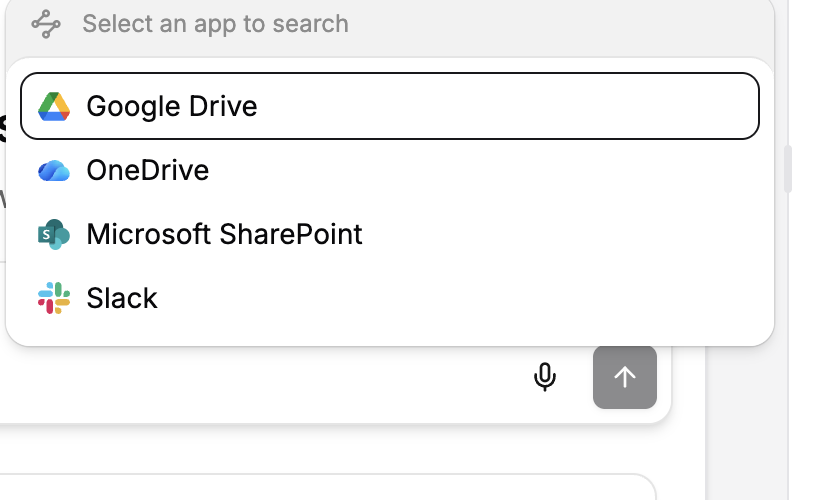
Choose whose account to use
Select Use my connection to use the builder’s connected account. Select End users connect their own accounts when each person should use their own access.
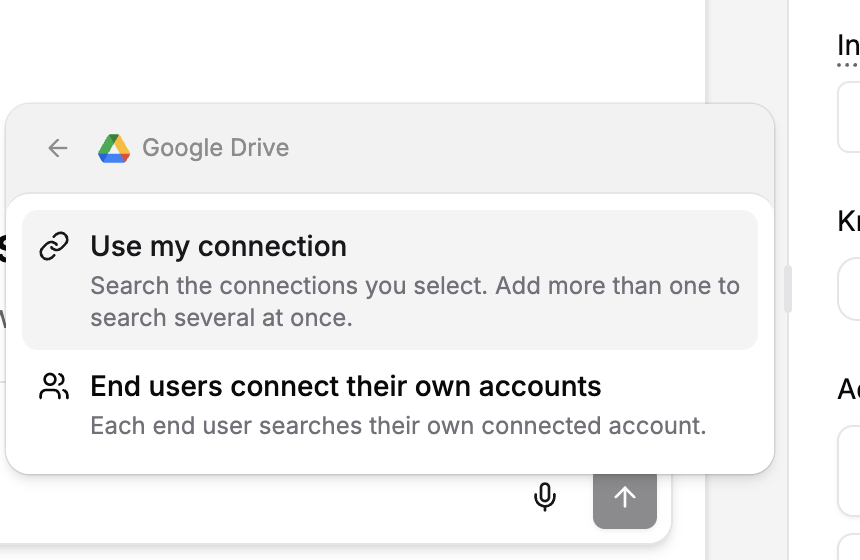
Choose or create the connection required for that option. The source card shows the connected provider.
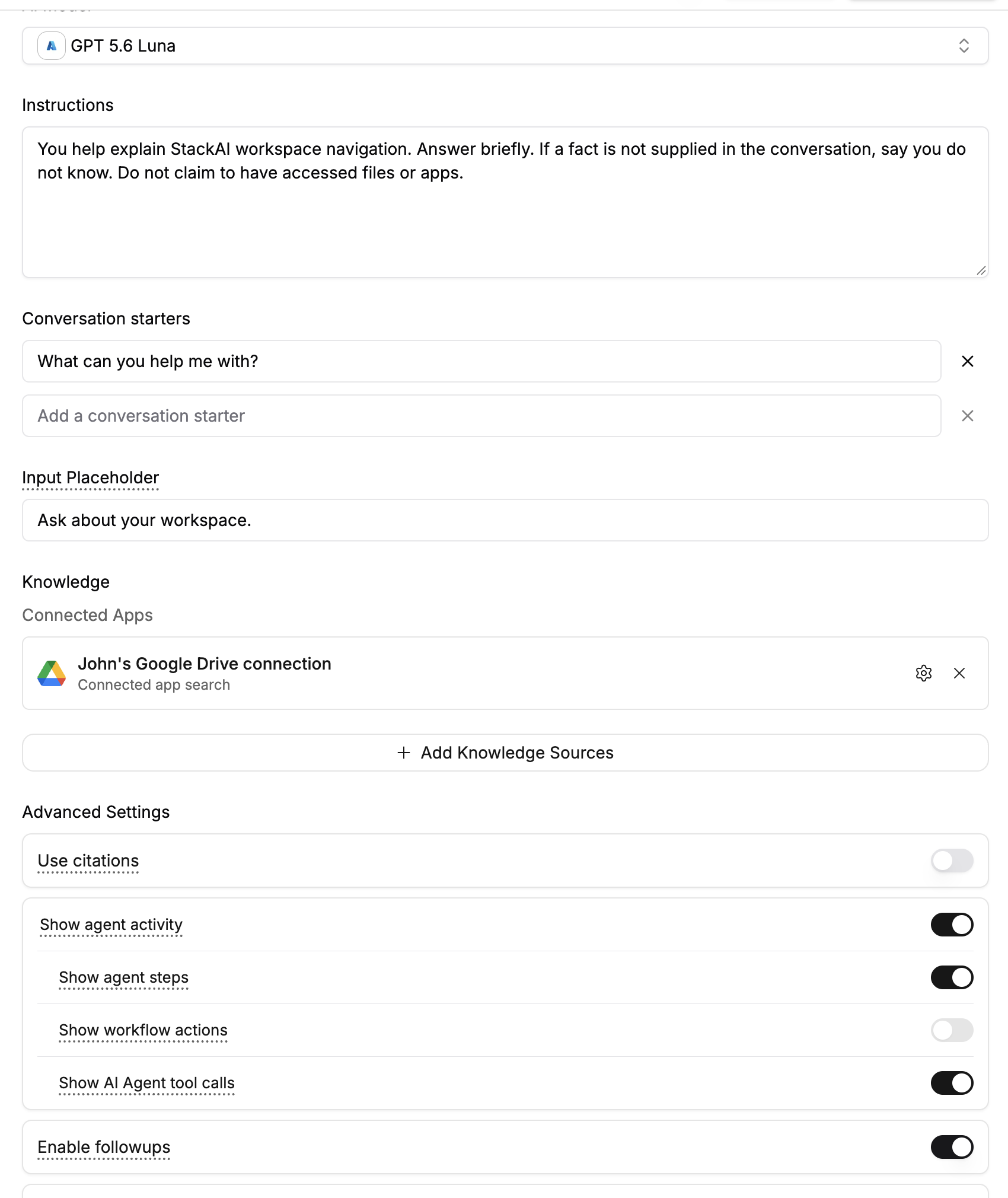
Guide the search
In Instructions, explain when the agent should search the app and what information it should return. Enable citations when readers need links to the source.
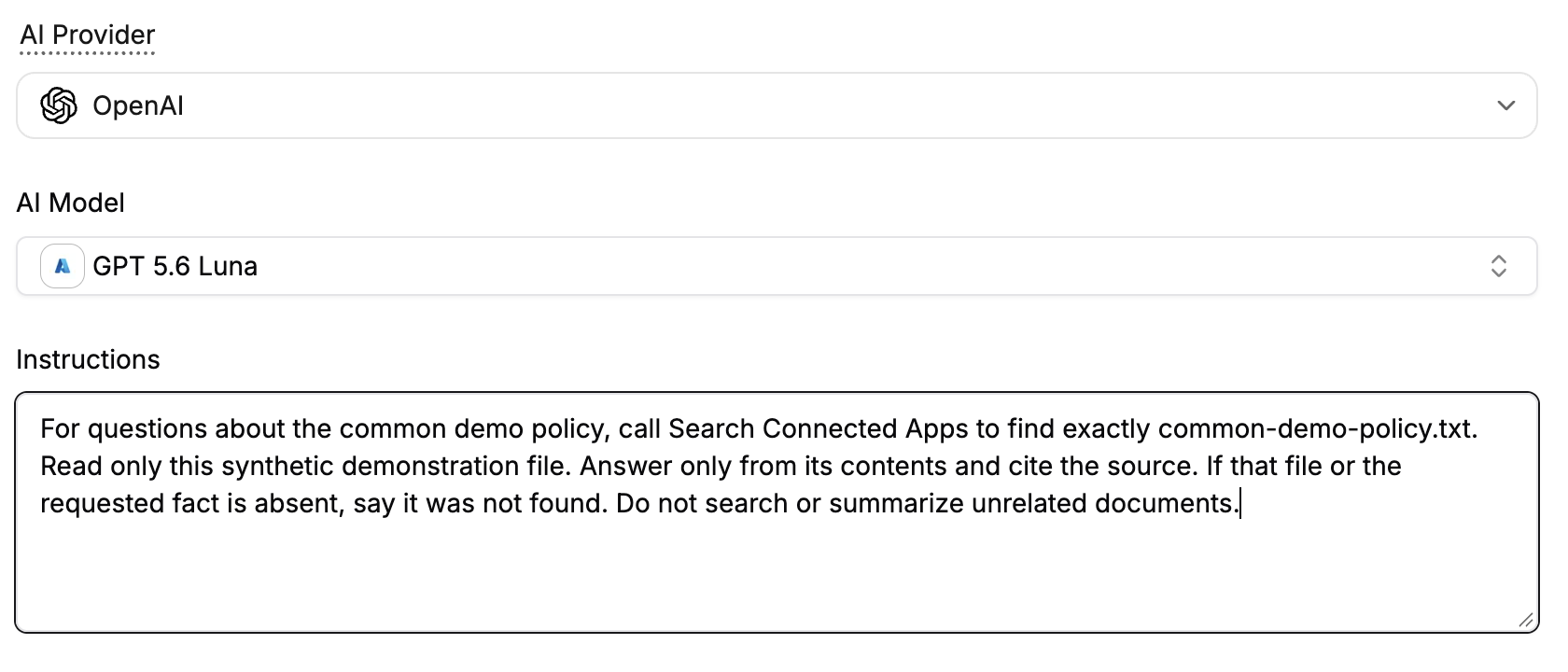
Review the results
Send a request that needs information from the app.
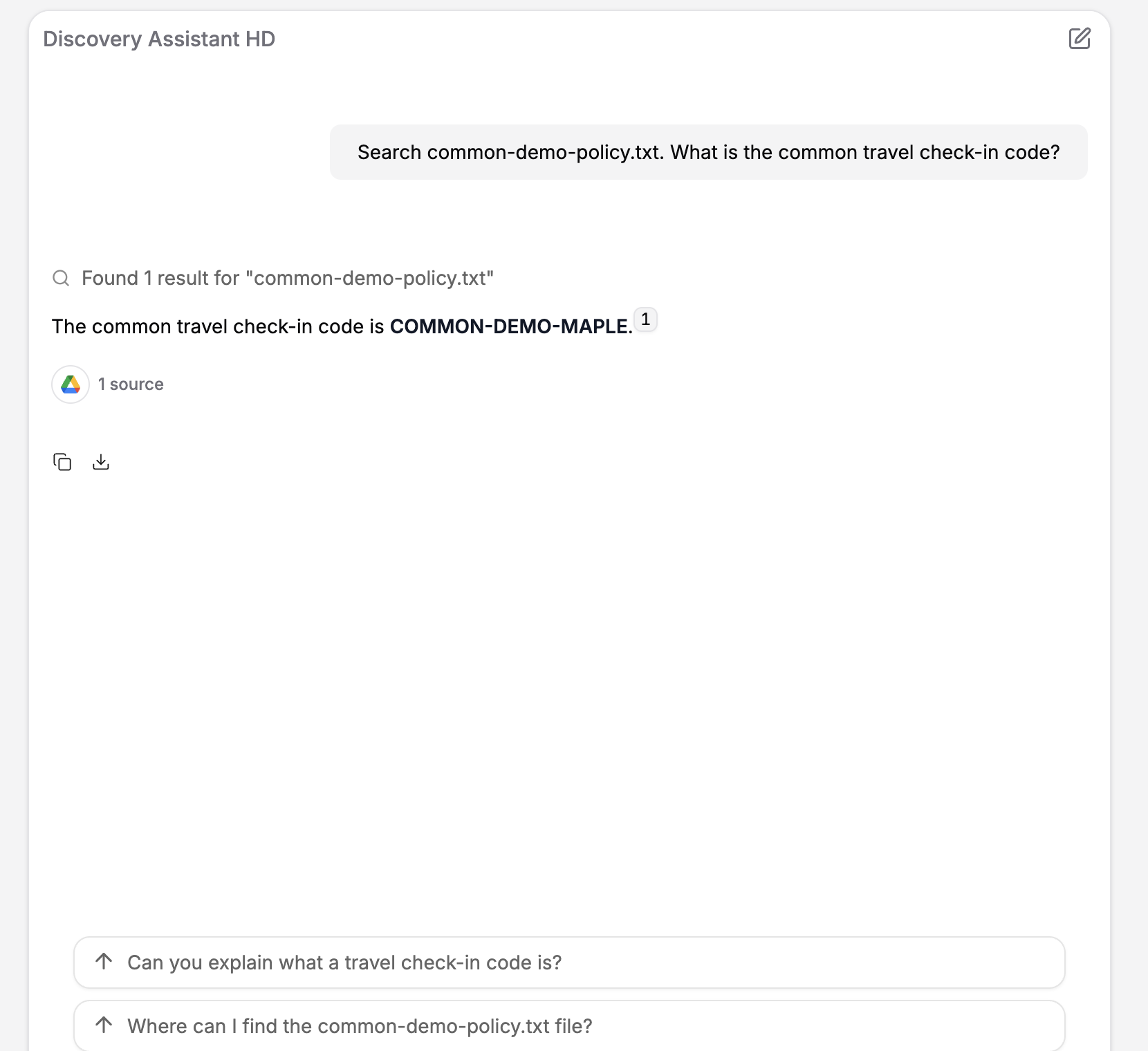
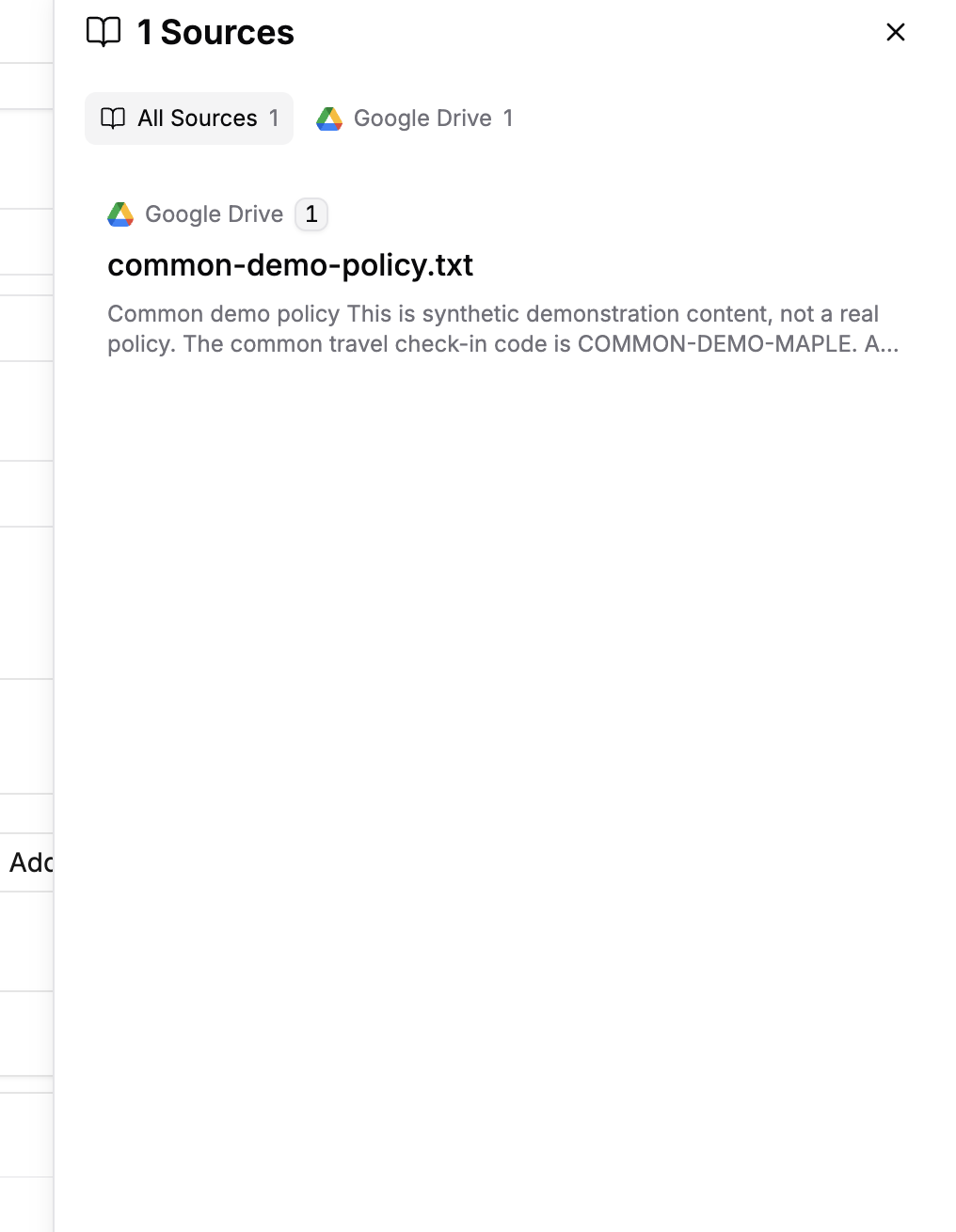
Open the source panel to inspect the document and passage used in the answer.
Important behavior
The connected account’s permissions determine what the agent can find. If a document is missing, check the selected account and its access in the external service.
Connection setup and next steps
If no usable connection is available, follow Create and manage connections and return to the source picker. For users who connect their own accounts, review End user connections and test as an intended end user. If you need a searchable copy of documents in StackAI instead, use Ground an agent using a knowledge base.
Last updated
Was this helpful?