

Model usage analytics
Model usage shows which models process requests and how many tokens they use. Review the totals, then inspect individual runs when you need to understand what contributes to usage.
Before you start
Choose the decision you need to make, such as finding which model accounts for increased usage, and use the same reporting dates for each comparison. For available allowances and limits, use Usage, entitlements, and policy limits; token totals alone do not establish spend or answer quality.
Review usage by model
Open Analytics → Models and select a reporting period.
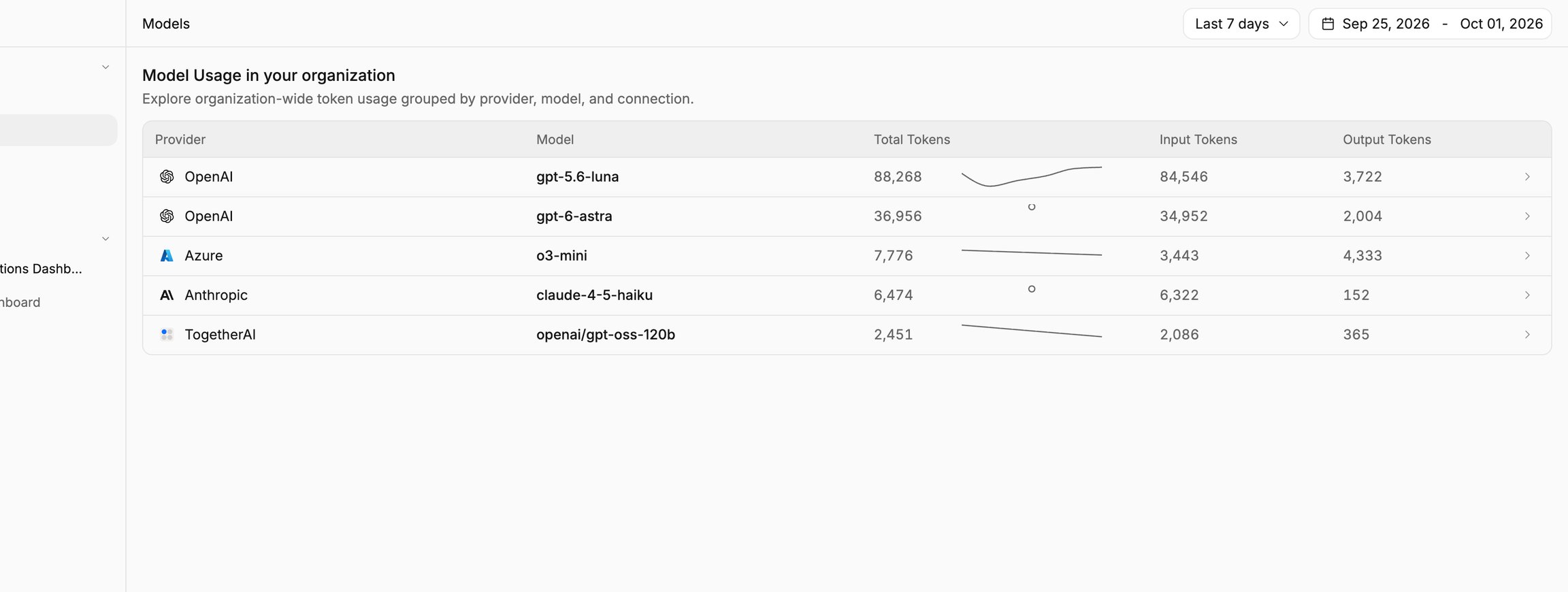
Read provider, model, total tokens, input tokens, and output tokens together.
Select a model row to inspect its usage trends.
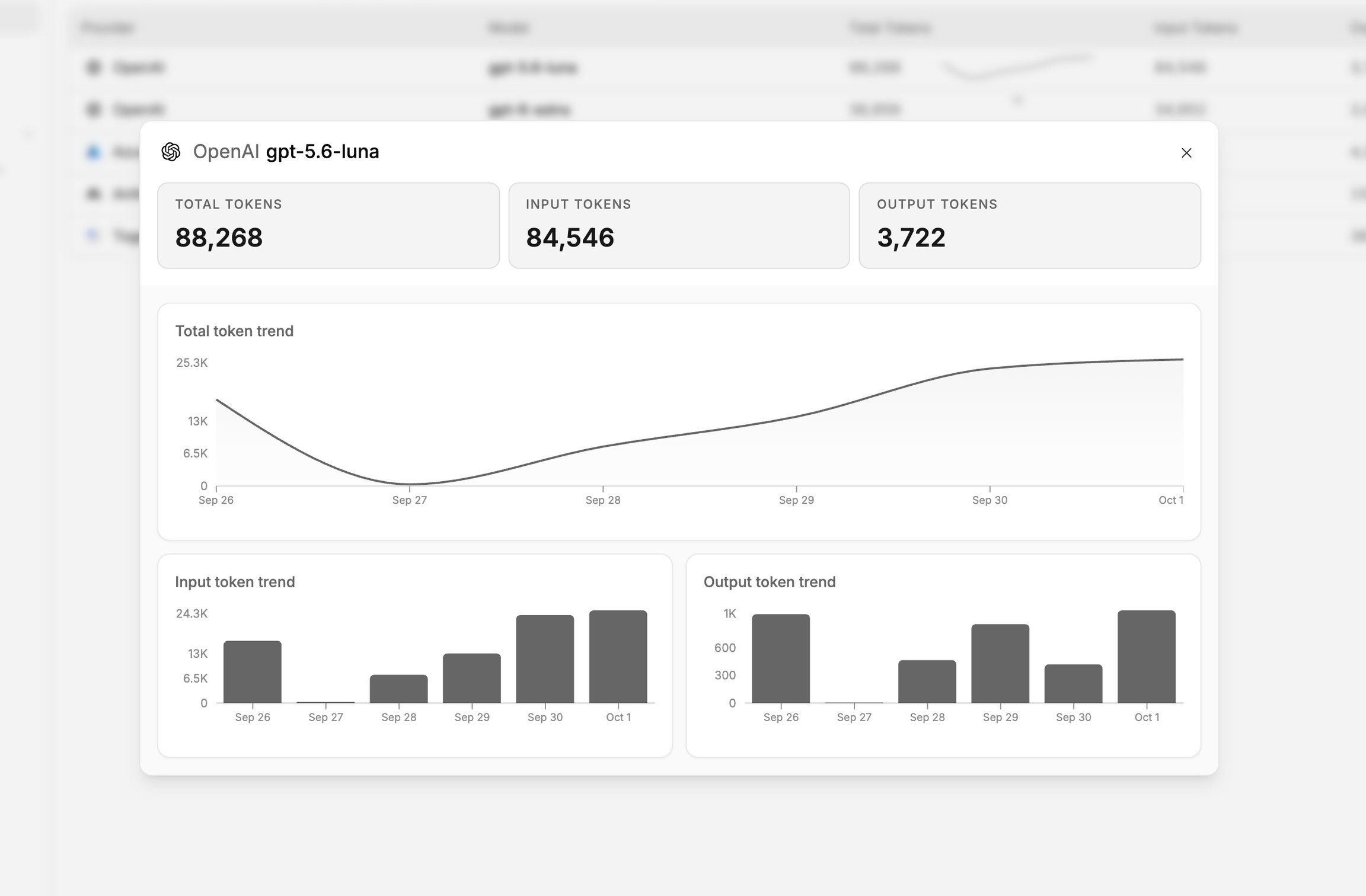
Compare input and output activity within the displayed period.
Open another model's details while retaining the same date range.
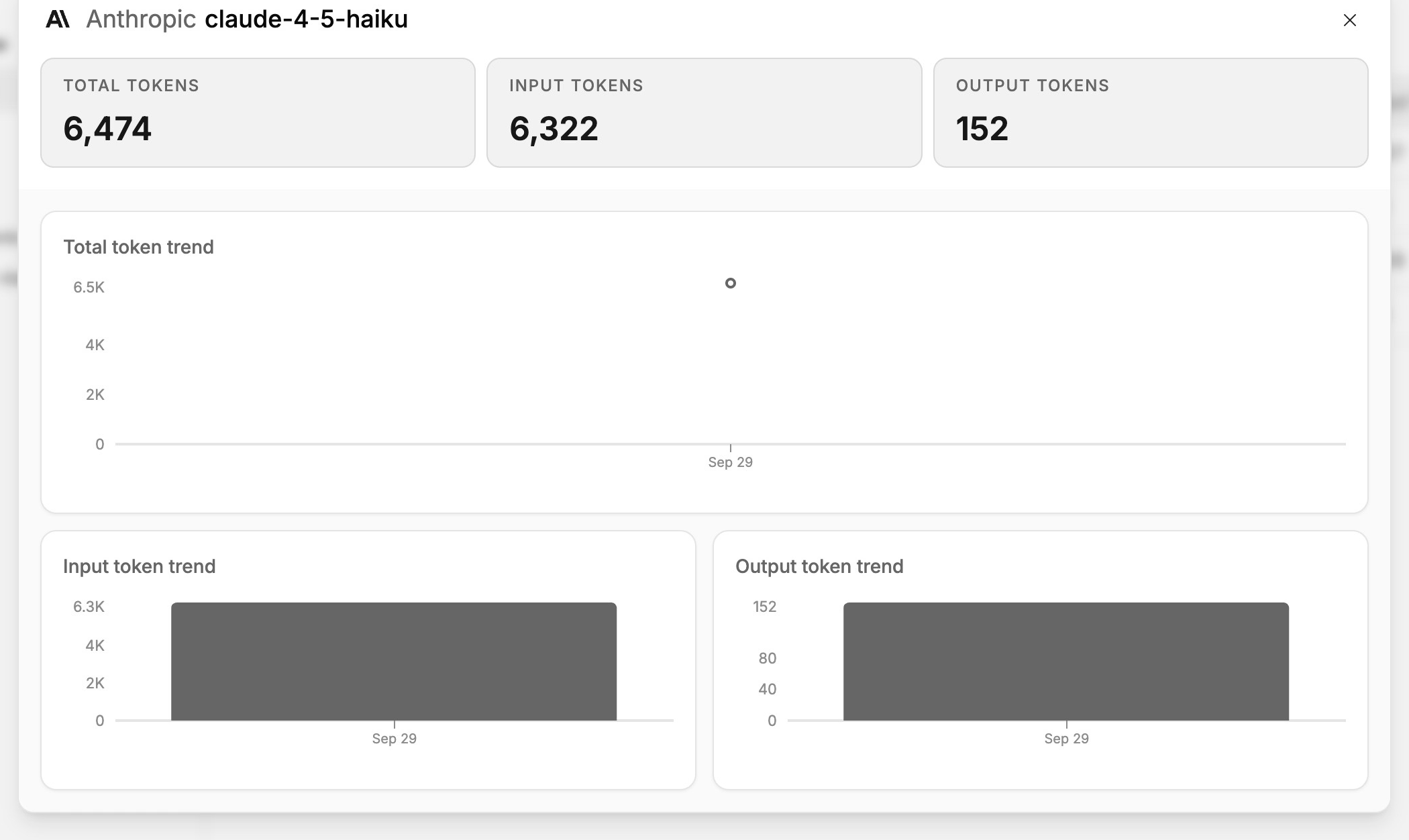
Consistent periods make the comparison meaningful.
Inspect tokens for a workflow run
Open a model-backed project's logs and select a relevant run.
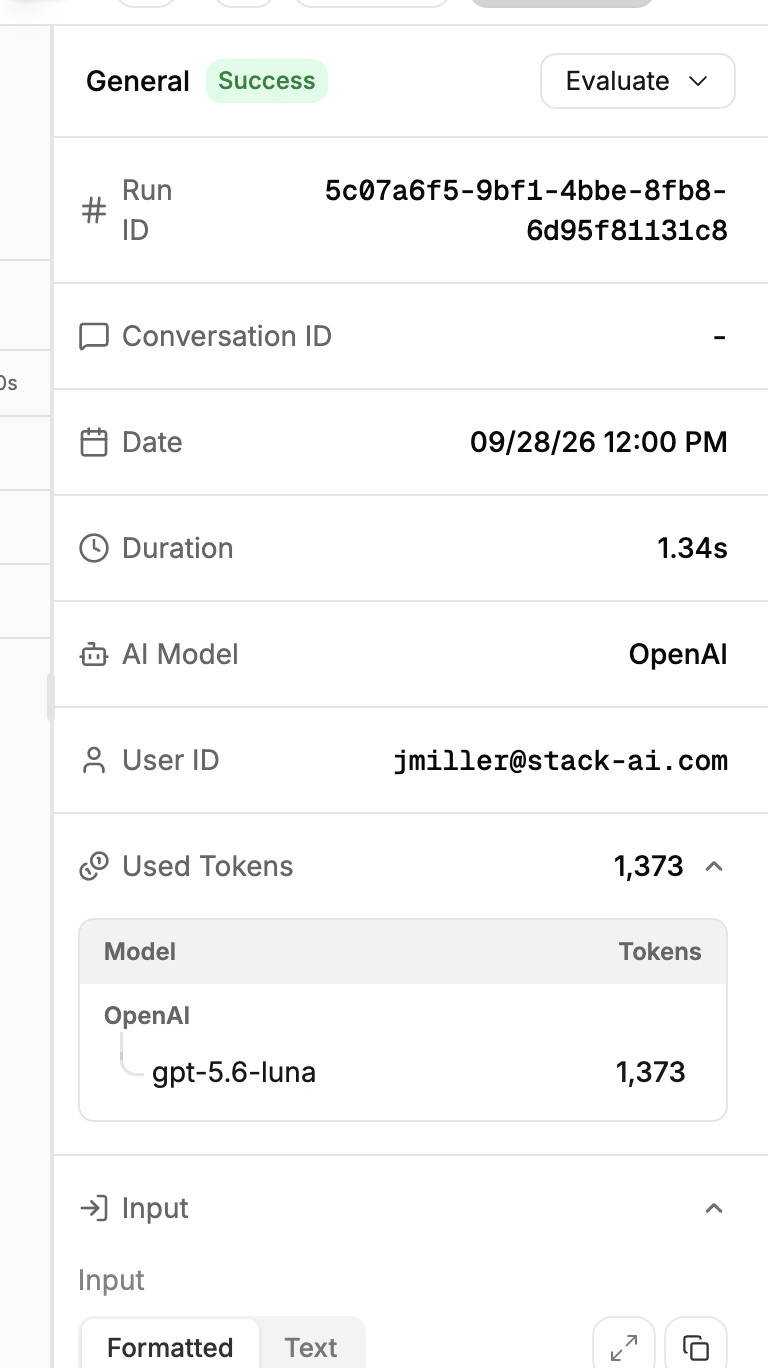
Inspect AI Model and Used Tokens to relate aggregate activity to an individual execution.
Open the run-level token details and review the input, output, total, and model source.
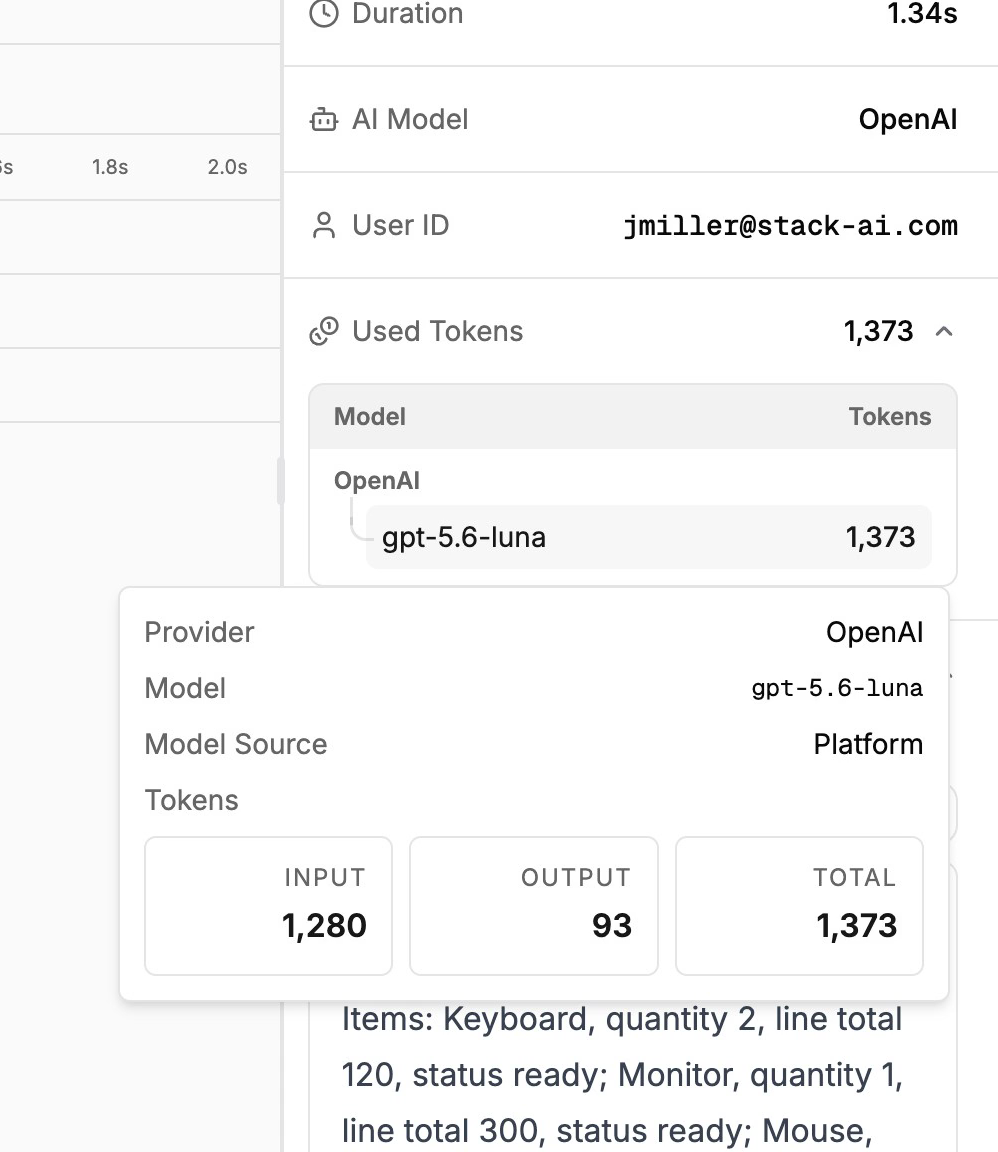
This breakdown describes the selected run rather than every execution in the reporting period.
Consider usage alongside the response
Expand the run's Output and review the actual response.
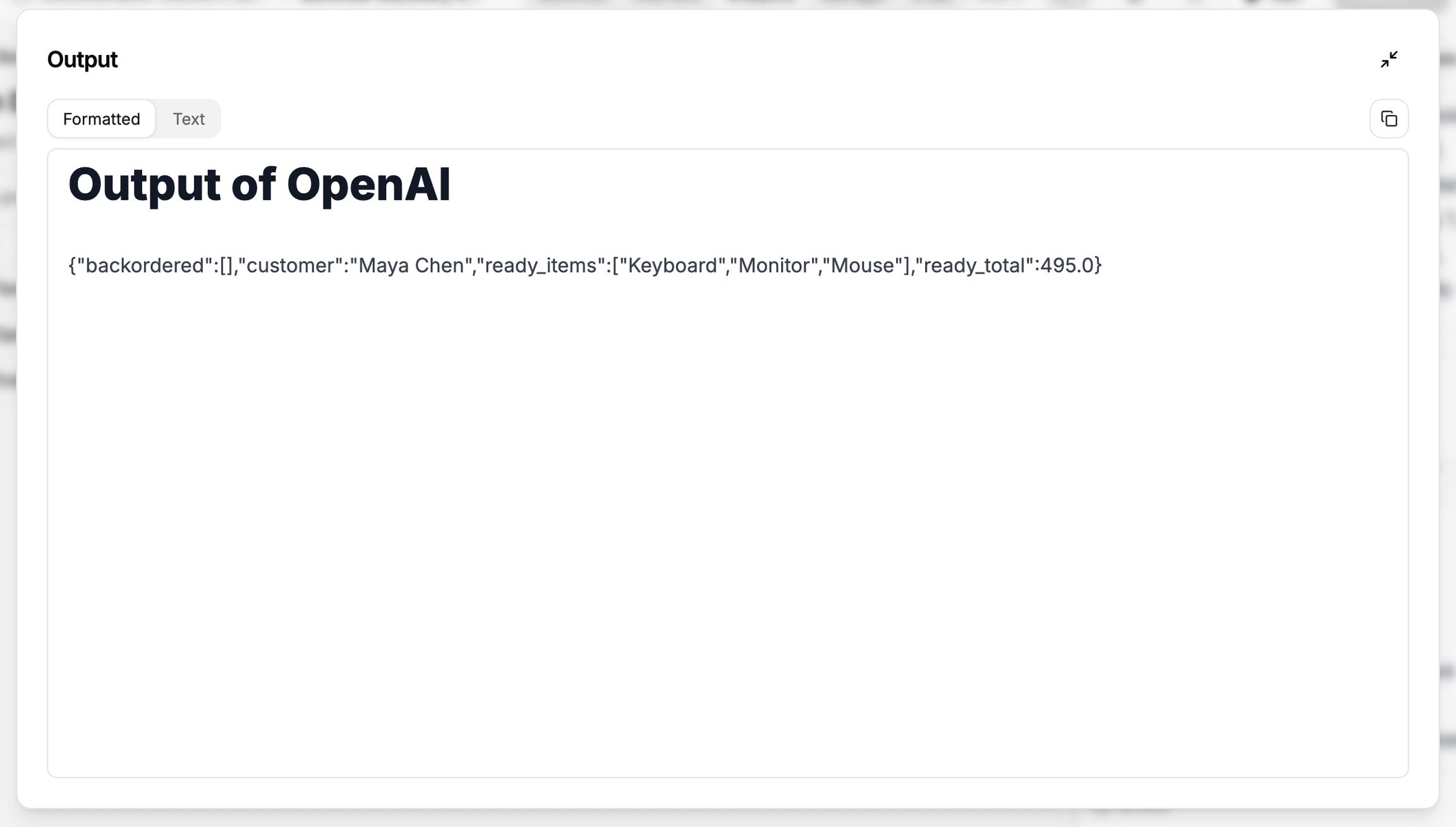
Consider usage alongside the result produced rather than treating token count alone as a measure of quality.
Important behavior
Token usage measures model processing. It does not measure response accuracy and is not a billing invoice.
Use the same date range when comparing model usage.
Last updated
Was this helpful?