

Conversation manager
Manager helps you inspect conversations from a published interface. Use it to find a user's request, read the exchange, and locate the related workflow execution.
Before you start
Use an account with access to the project’s Manager and Analytics views.
Find a conversation
Open the project's Manager tab to browse conversations.
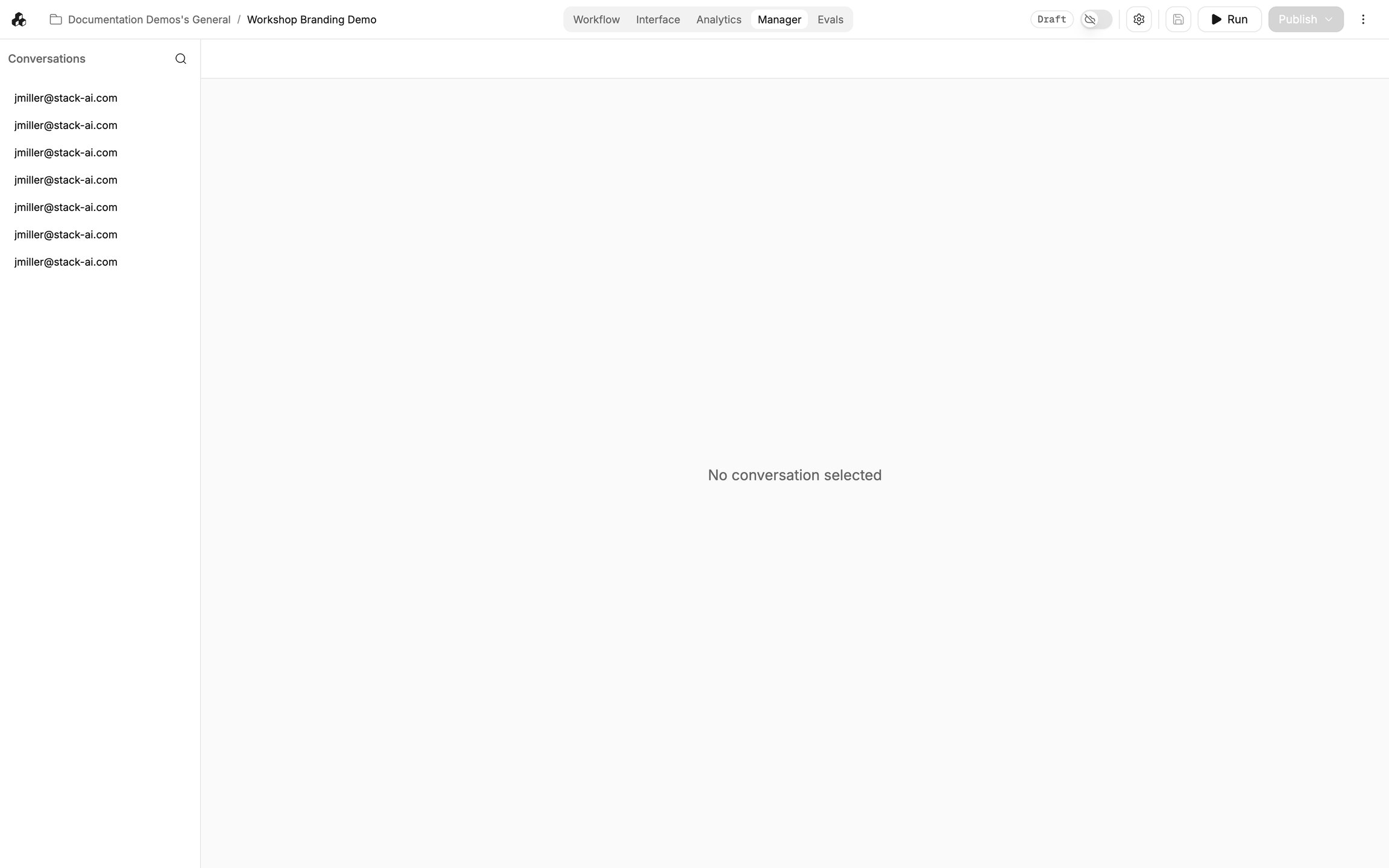
Use the identity and other details on each entry to distinguish users and exchanges.
Use Search to find the relevant user identity.
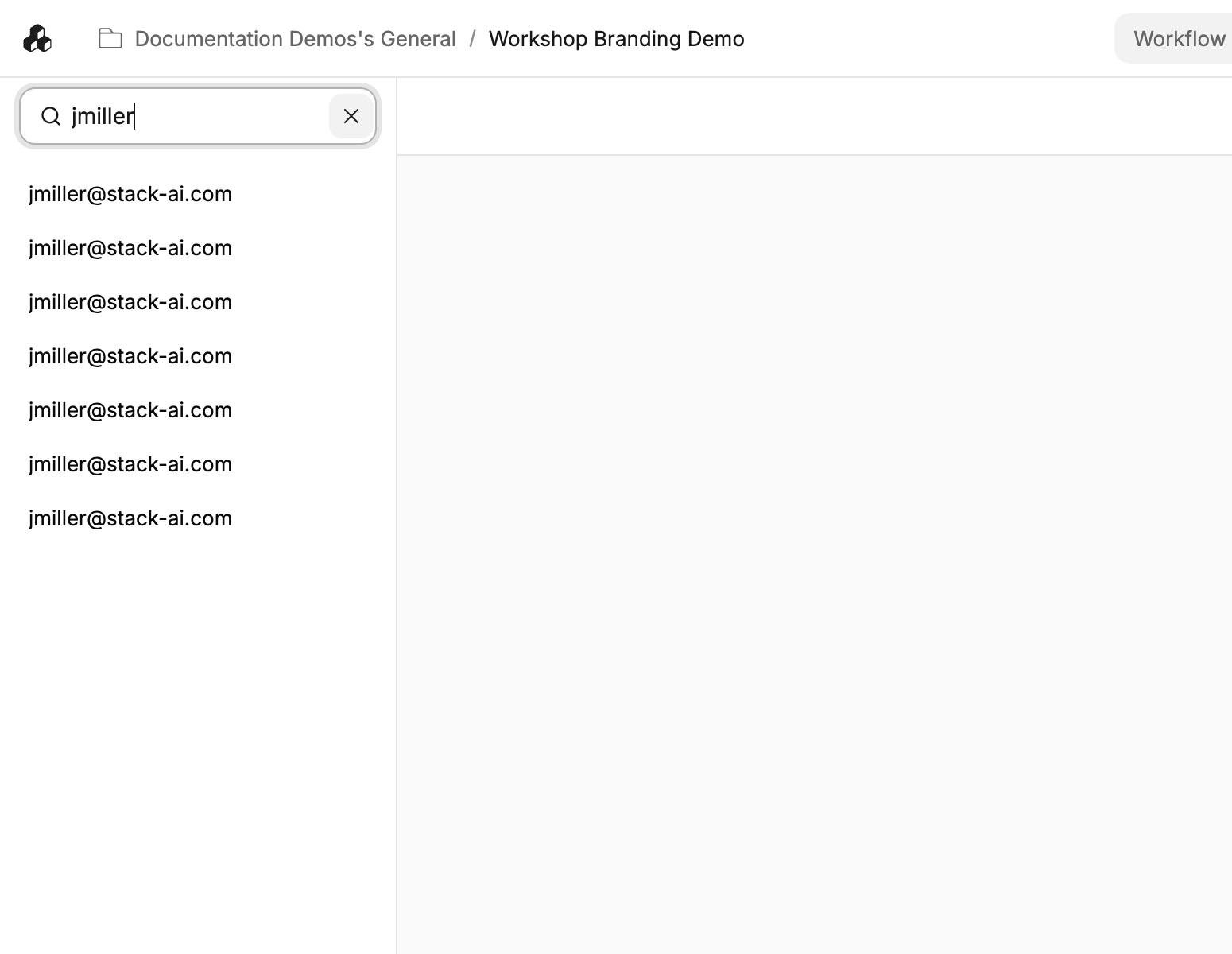
Open a result and check its contents rather than relying on a similar-looking list label.
Read the exchange
Read the selected transcript and compare the user's request with the assistant's response.
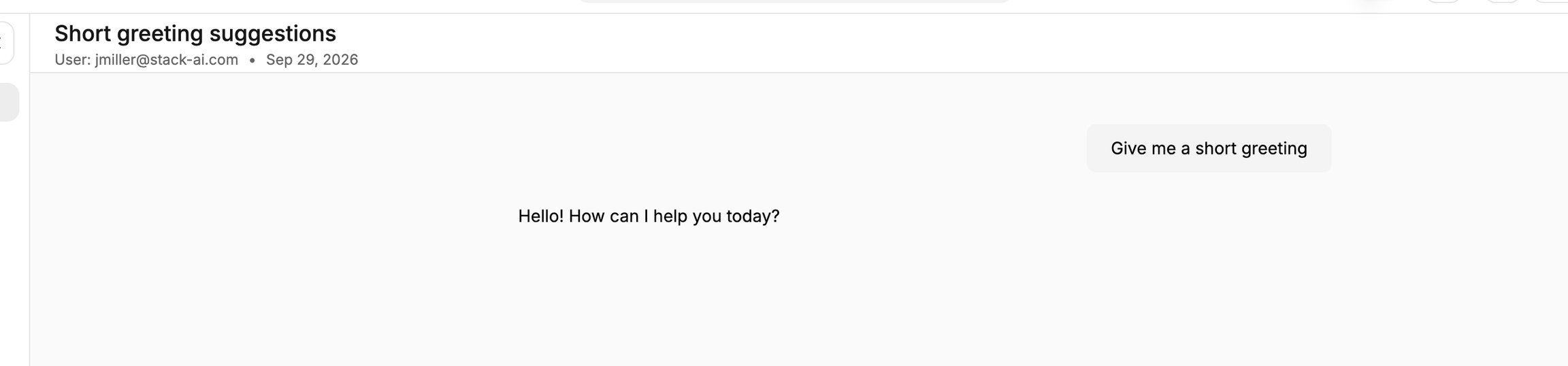
Review the full exchange before deciding whether the answer addressed the question.
Inspect the corresponding run
Open Analytics and locate the corresponding execution.
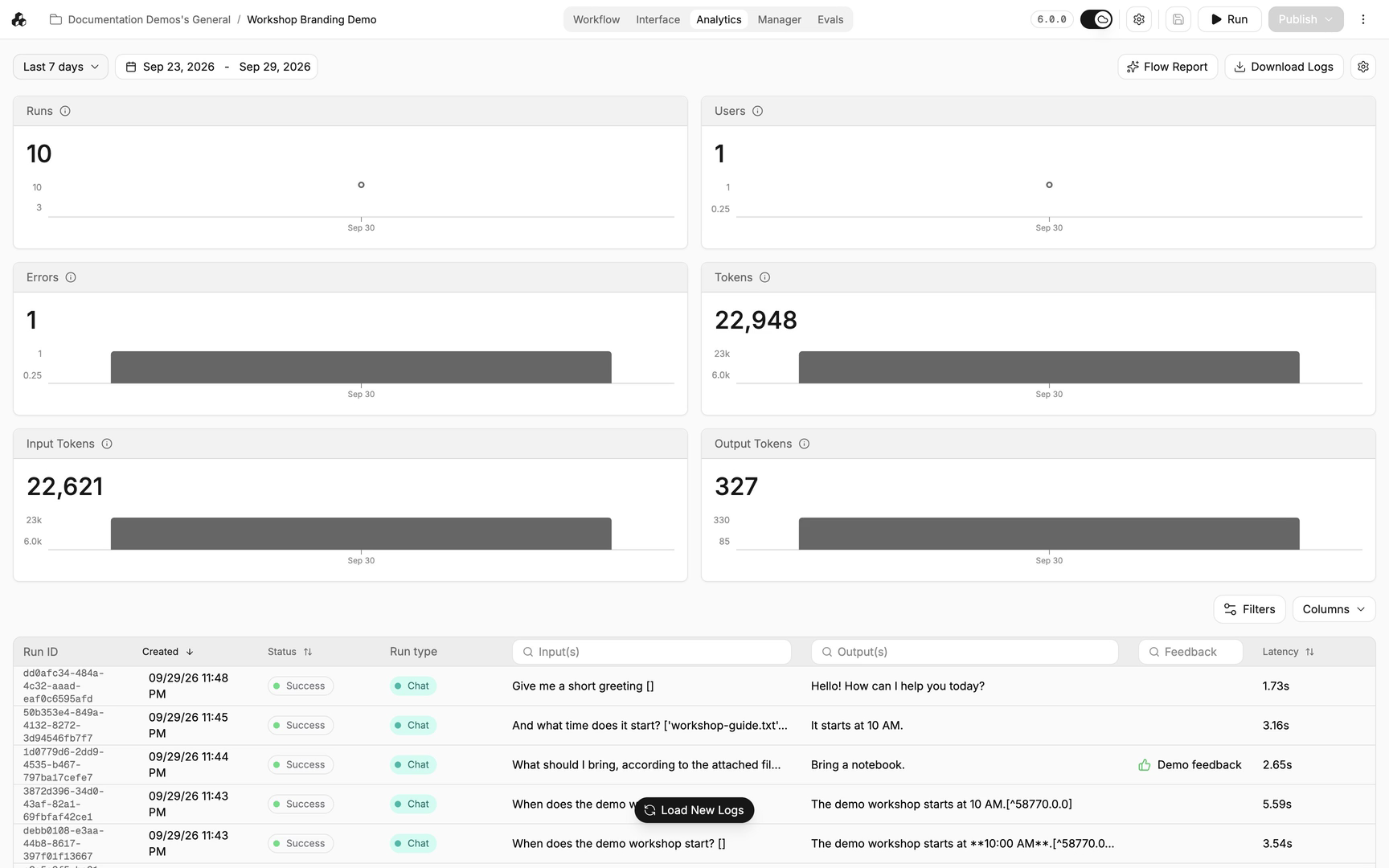
Match the input, time, and conversation identity with the transcript you reviewed.
Open Run Details and inspect the input, output, and node progress.
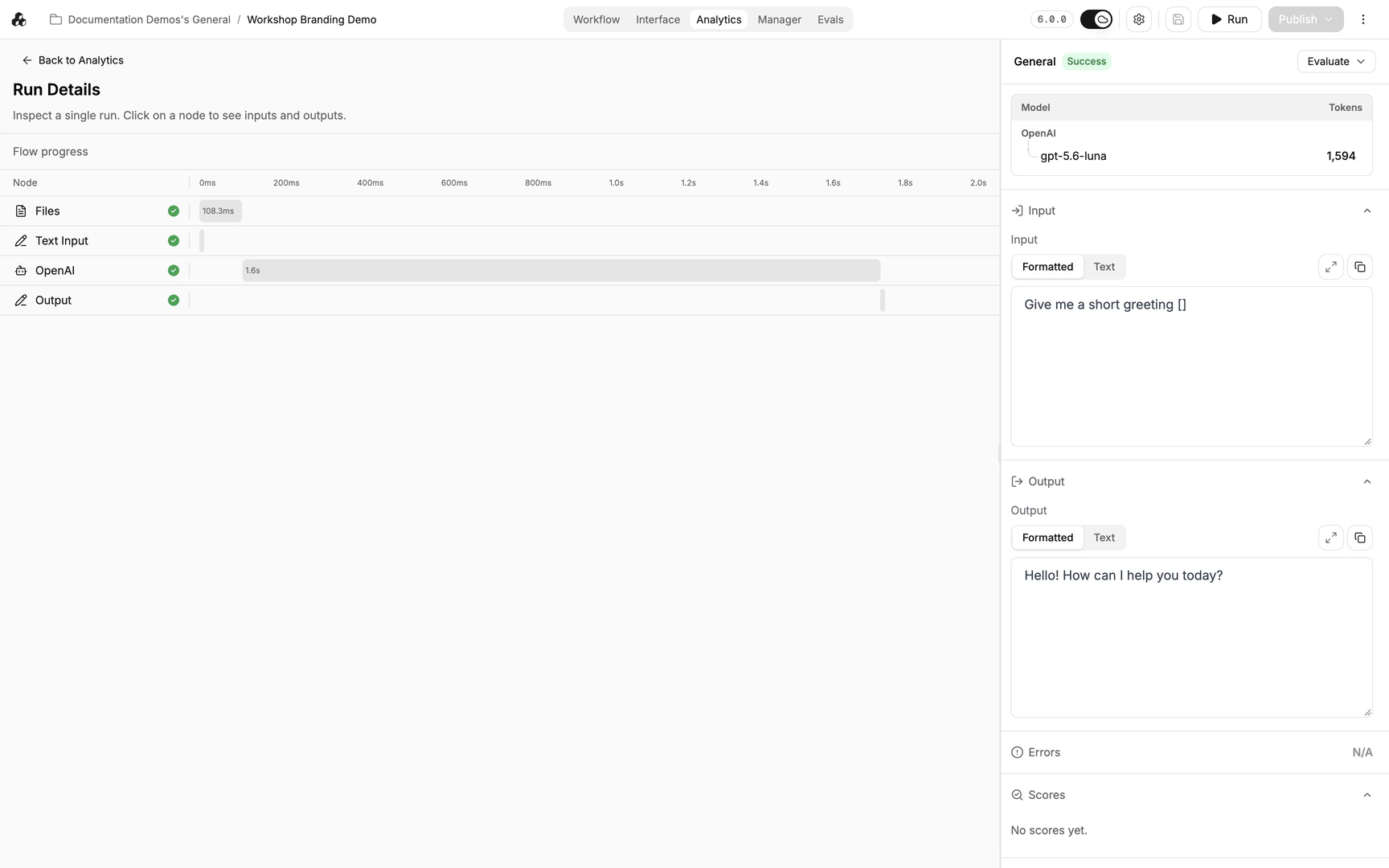
A successful execution status does not guarantee that the answer is correct or useful.
Review conversation context
Return to Manager to review the surrounding conversation.
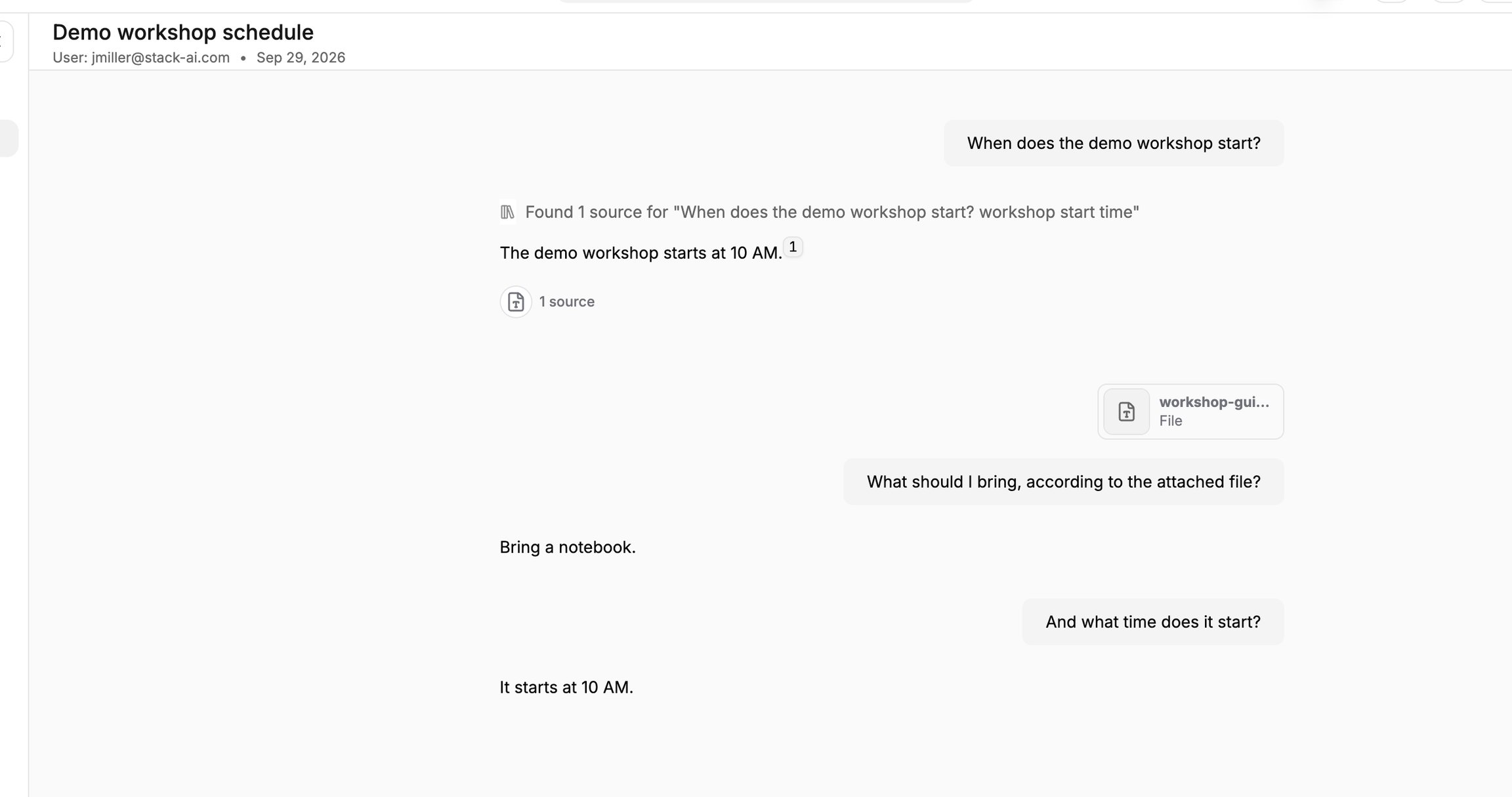
Earlier messages and attachments can explain context that is not clear from a single response.
Important behavior
A successful run status means execution completed. Review the answer and source information to assess whether it addressed the user’s request.
Continue
Last updated
Was this helpful?