

Published Agents catalog
Published Agents is a catalog of interfaces available to you. Use it to find an assistant without locating its project in the builder.
Before you start
Open your organization workspace with the account that should use the assistant. If an expected card is missing, clear search and filters, confirm the selected organization, and ask its owner whether it has been published and made visible.
Browse the agent catalog
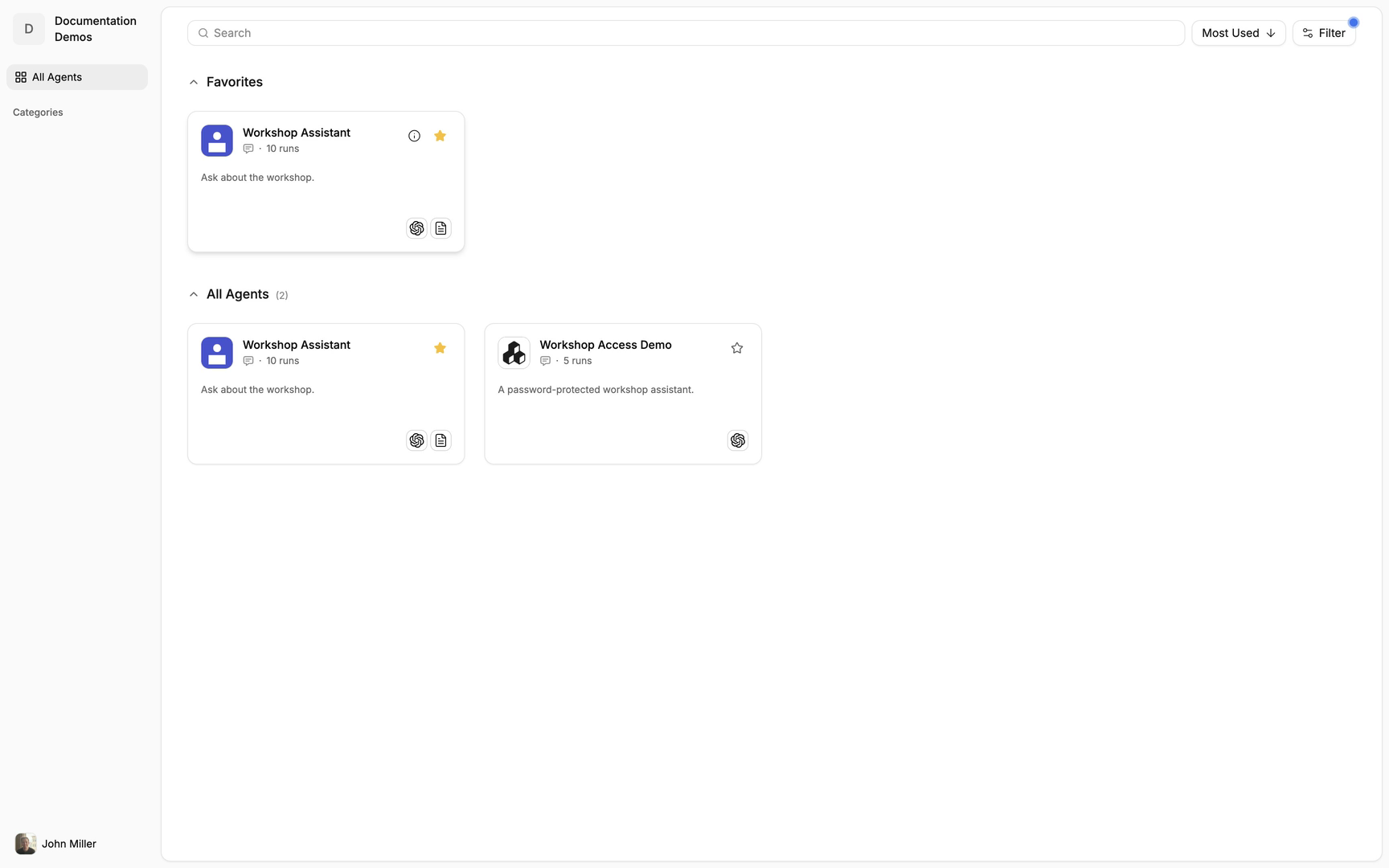
Open Published Agents and review the available cards.
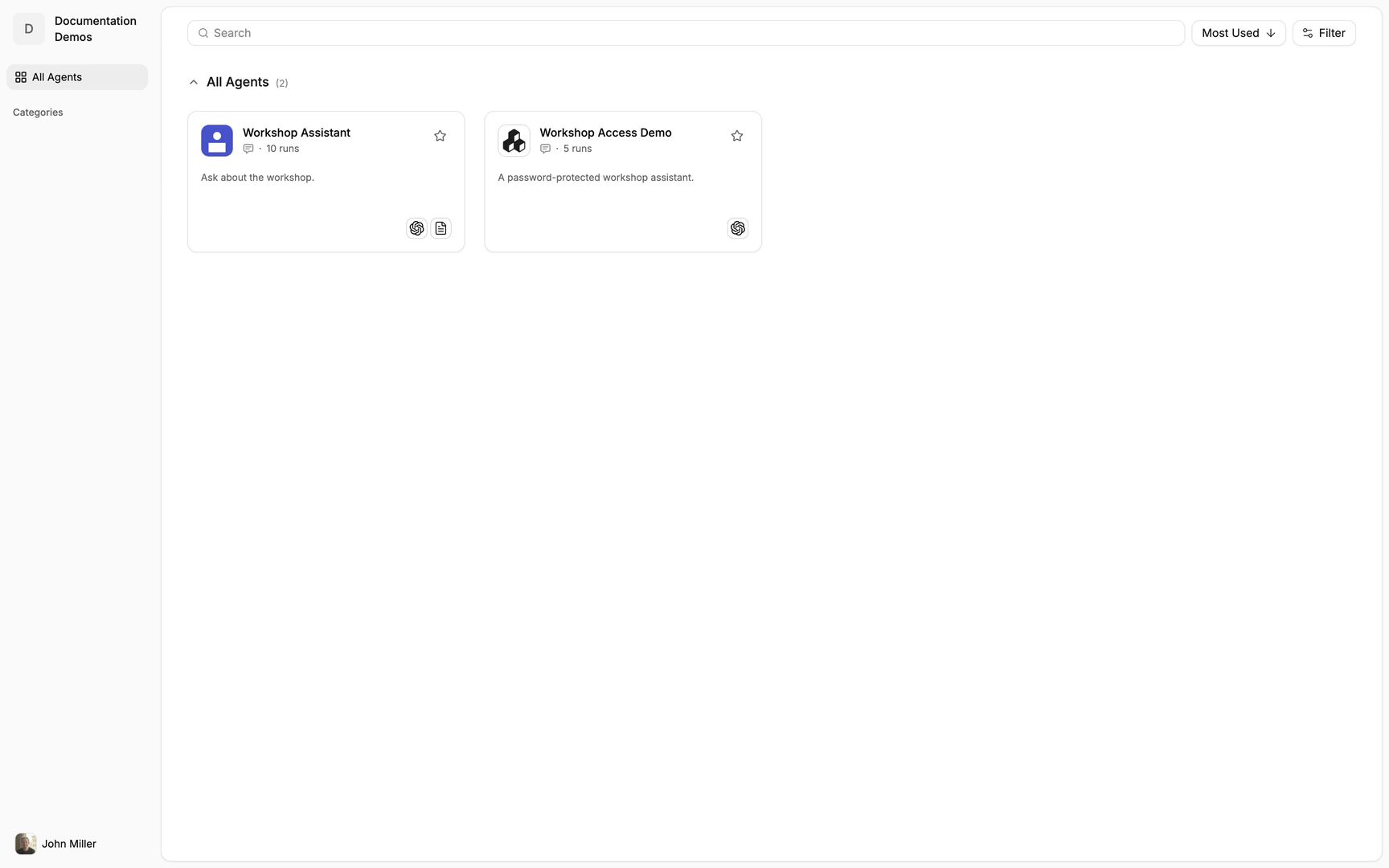
The catalog shows agents published and made visible to your account.
Search and filter agents
Enter the name of the agent you want to find in Search.
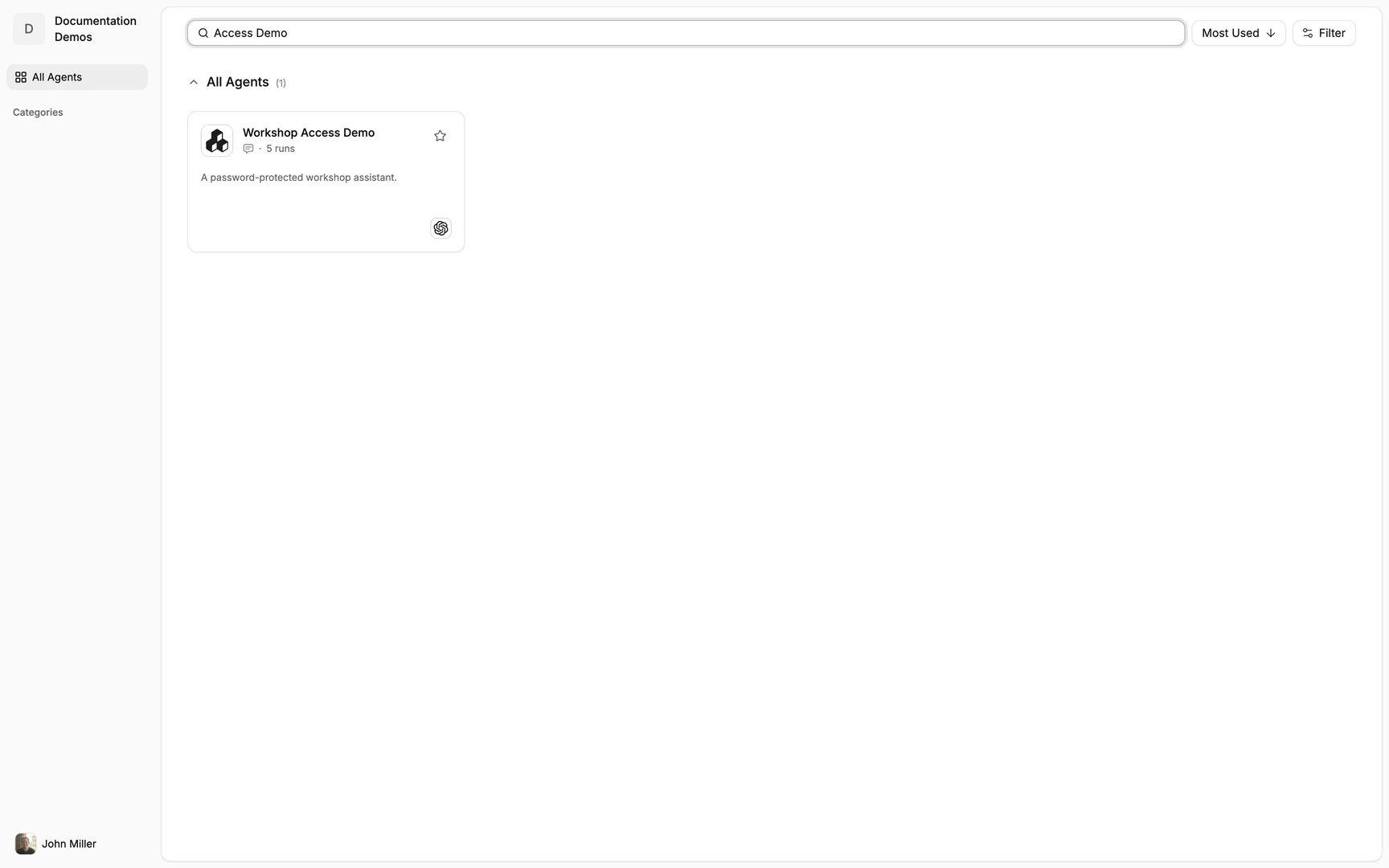
Clear the query when you want to browse the complete catalog again.
Open Filter and select the interface type you need.
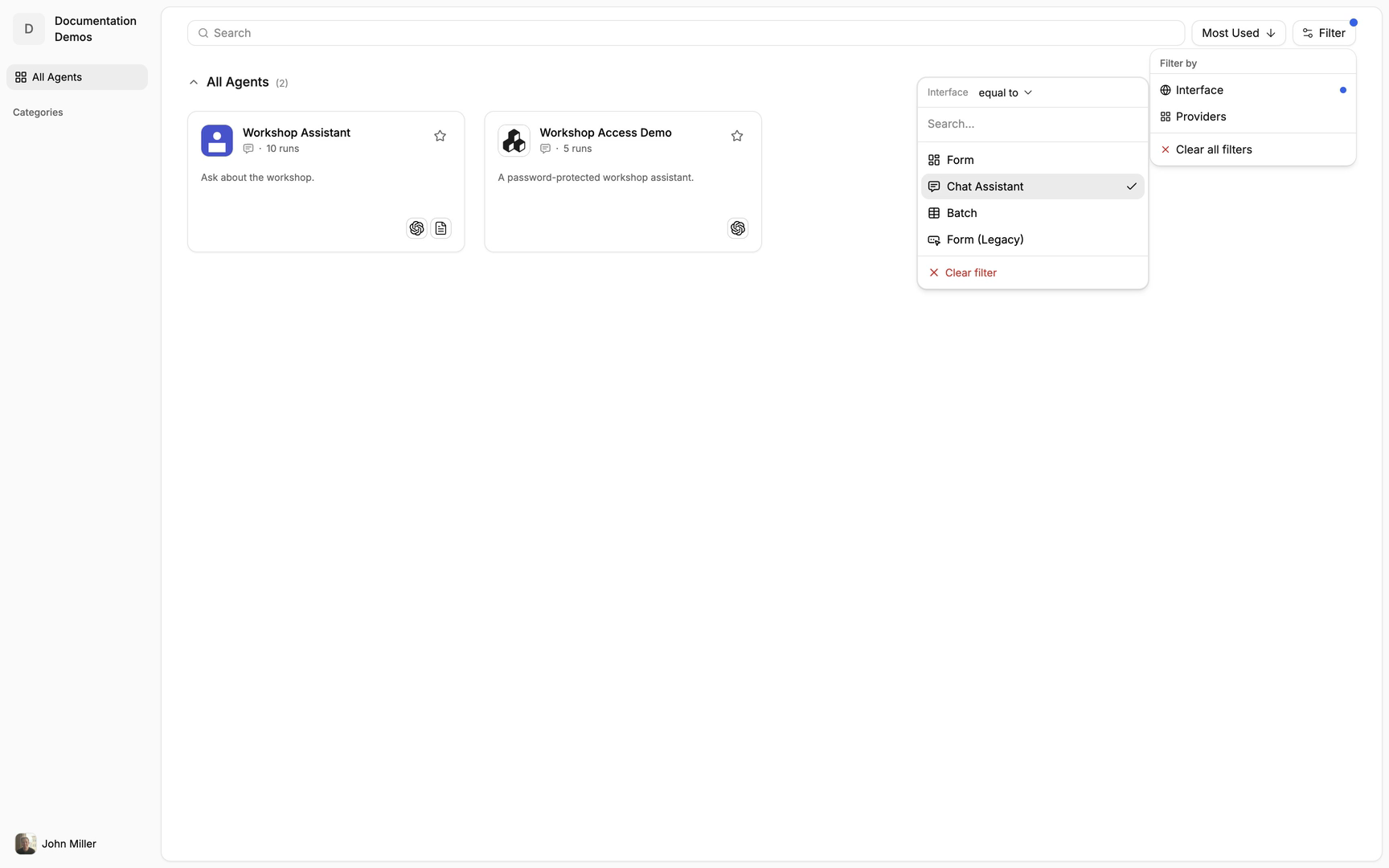
Review the remaining cards to find an experience suited to your task.
Add an agent to Favorites
Use the favorite control on an agent you use often.
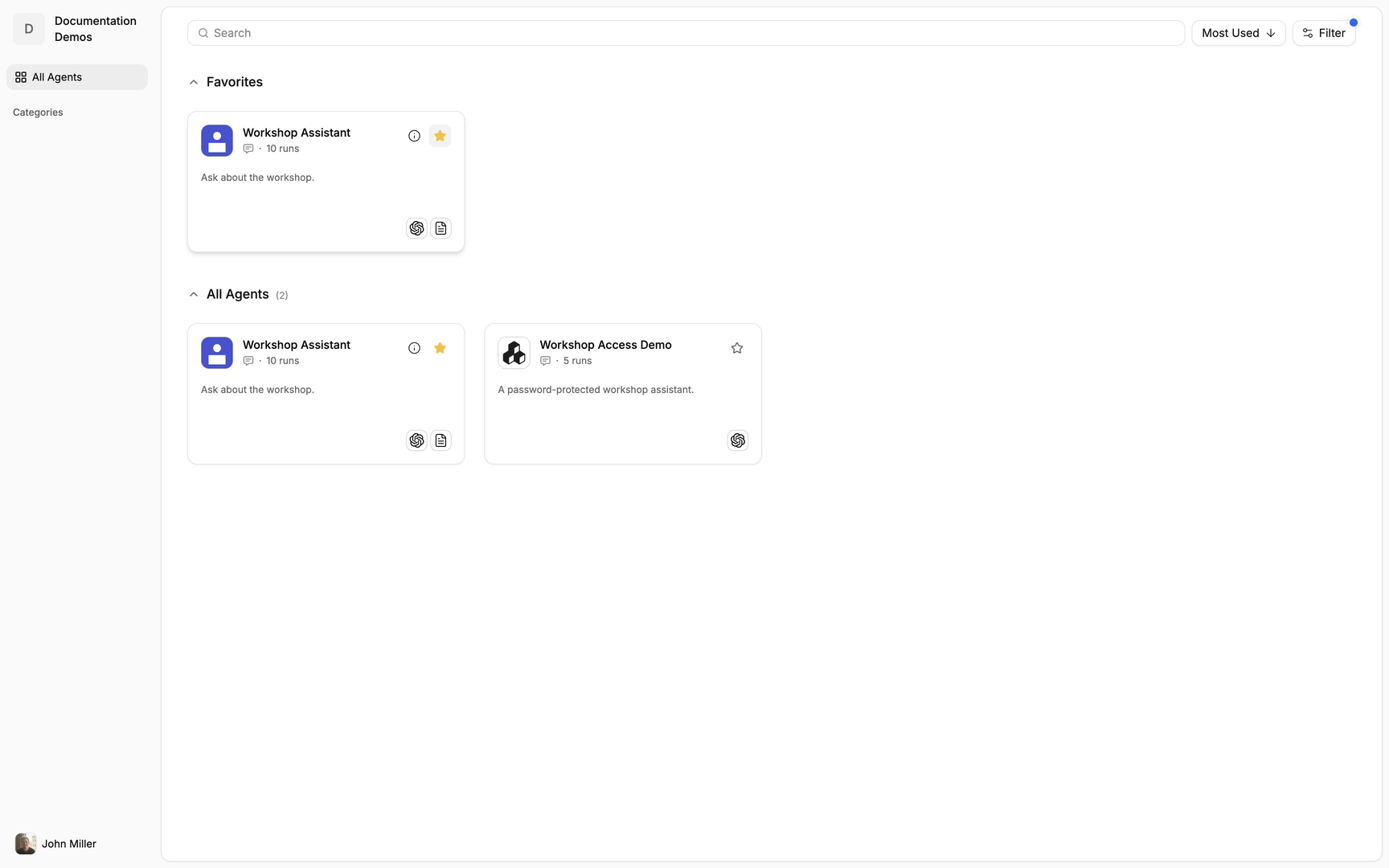
Confirm that it appears in Favorites for quicker access.
Open and use an agent
Select the agent card to open its interface.
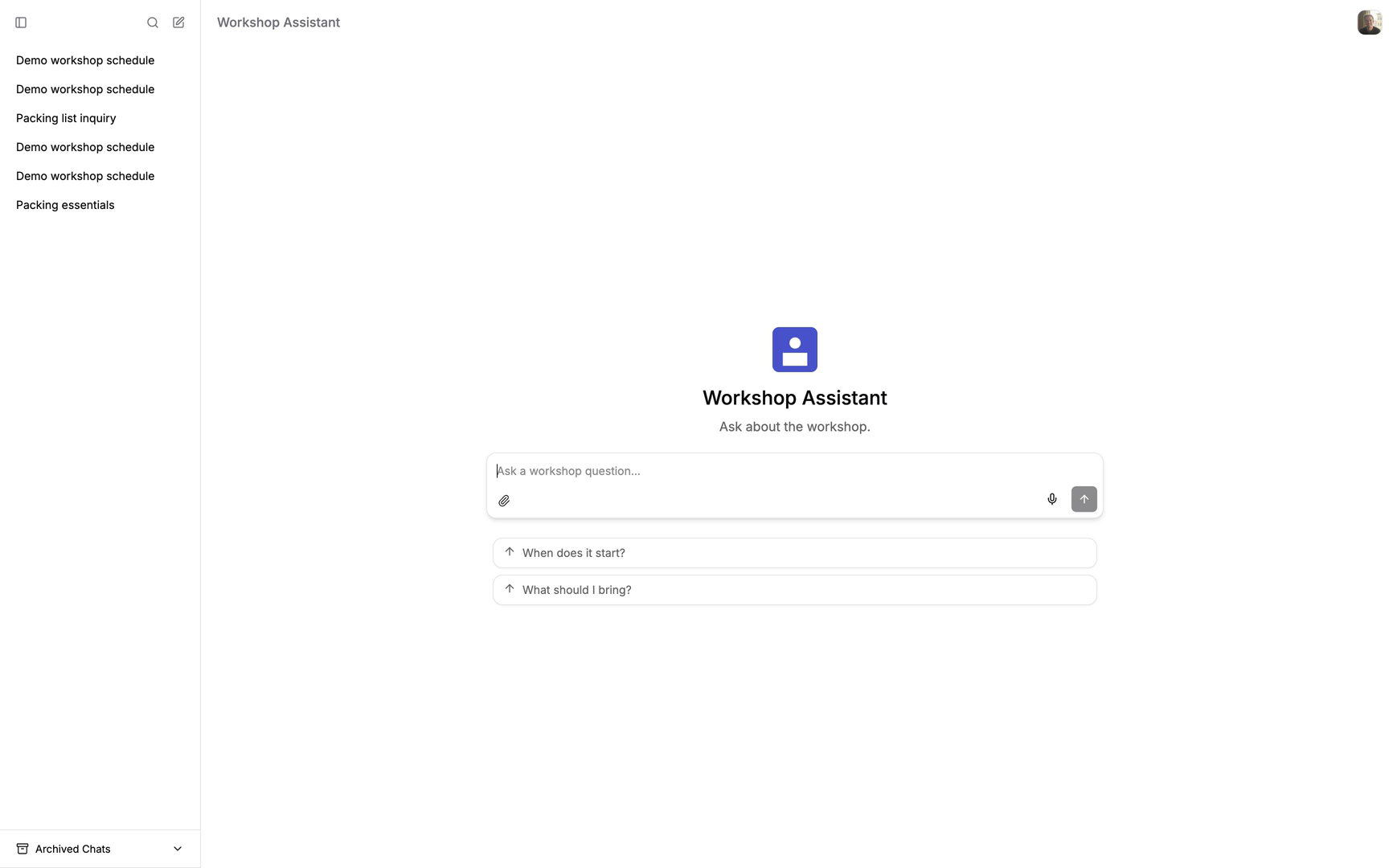
Complete any access check required by that interface.
Submit a request in the agent’s interface.
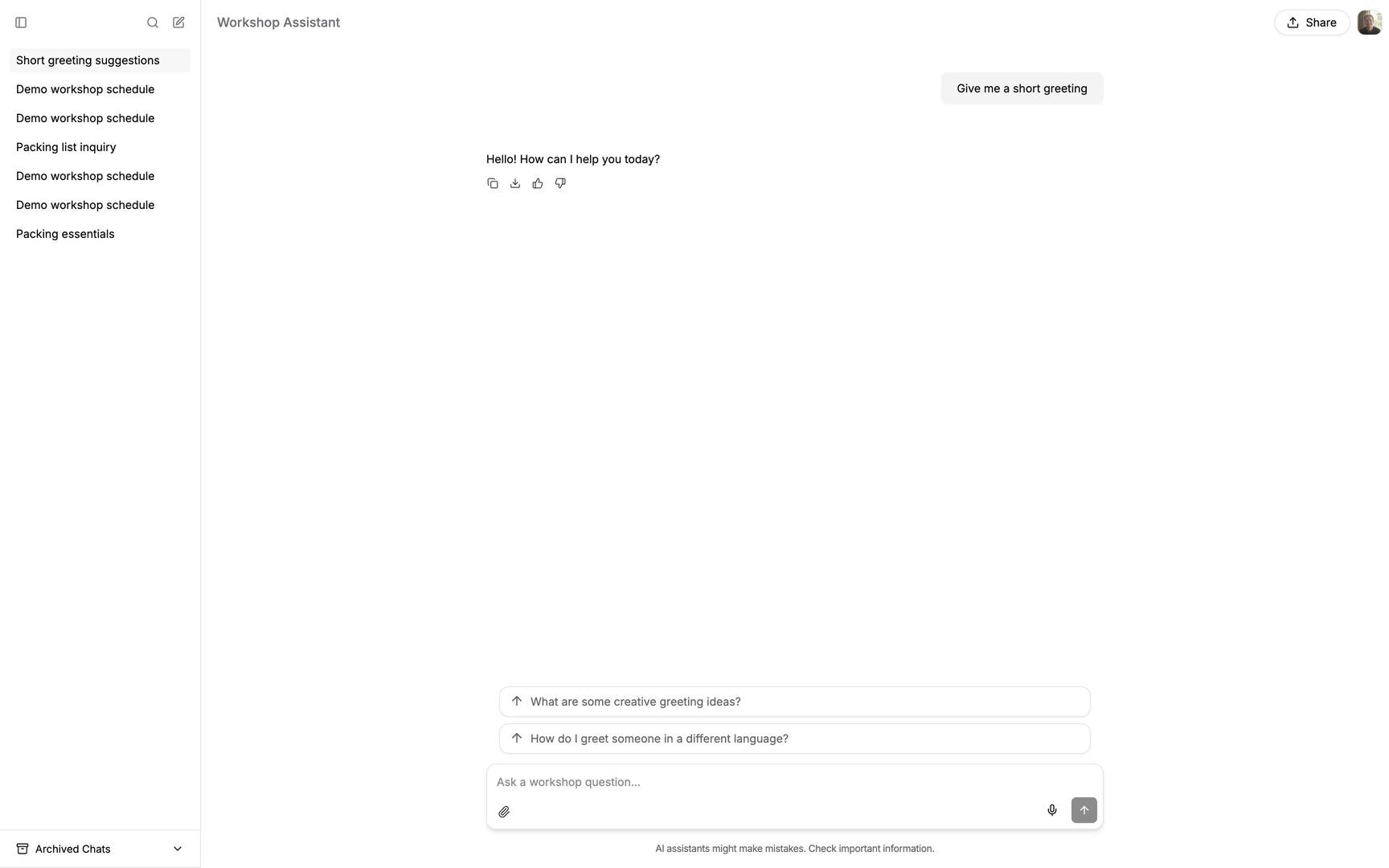
The connected workflow processes the request and returns its response.
Return to the catalog
Return to Published Agents to choose another agent.
Clear search terms or filters that no longer match what you need.
Important behavior
The catalog shows agents published and made visible to your account. An interface may require additional authentication when opened.
Continue
Last updated
Was this helpful?