

Evaluate retrieval
Evaluate searches a knowledge base directly. Use it to inspect which source passages a query retrieves and how search settings affect the results.
Before you start
Open a knowledge base containing Indexed documents. Choose a question with an answer you can locate in an original source. Follow Create a knowledge base if the collection is not ready.
Start with a search question
In Evaluate, enter a question and inspect a returned passage and its source.
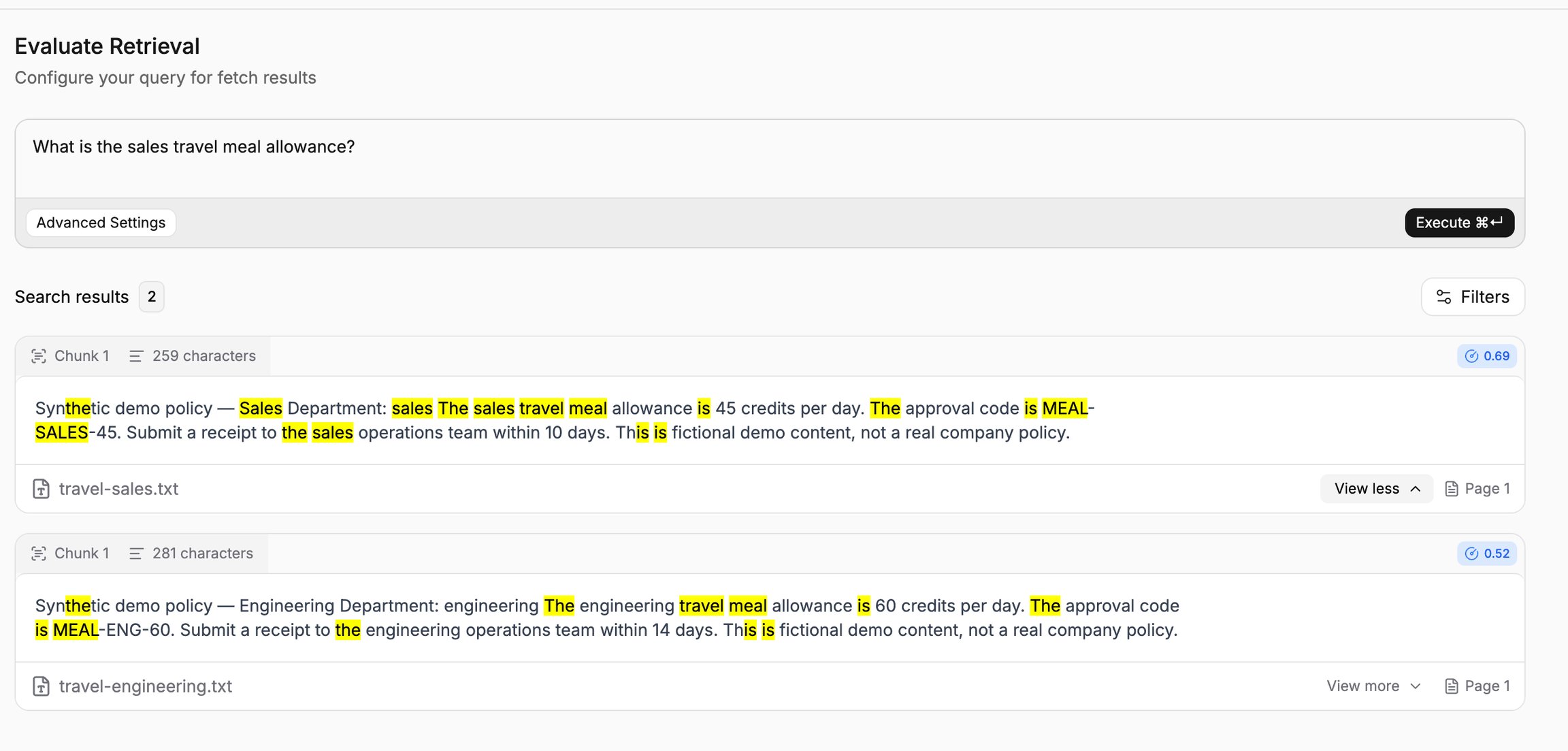
Start with information you can locate in the documents so you can judge relevance directly.
Set the result limit
Open Advanced Settings and adjust Top K while retaining the search method.
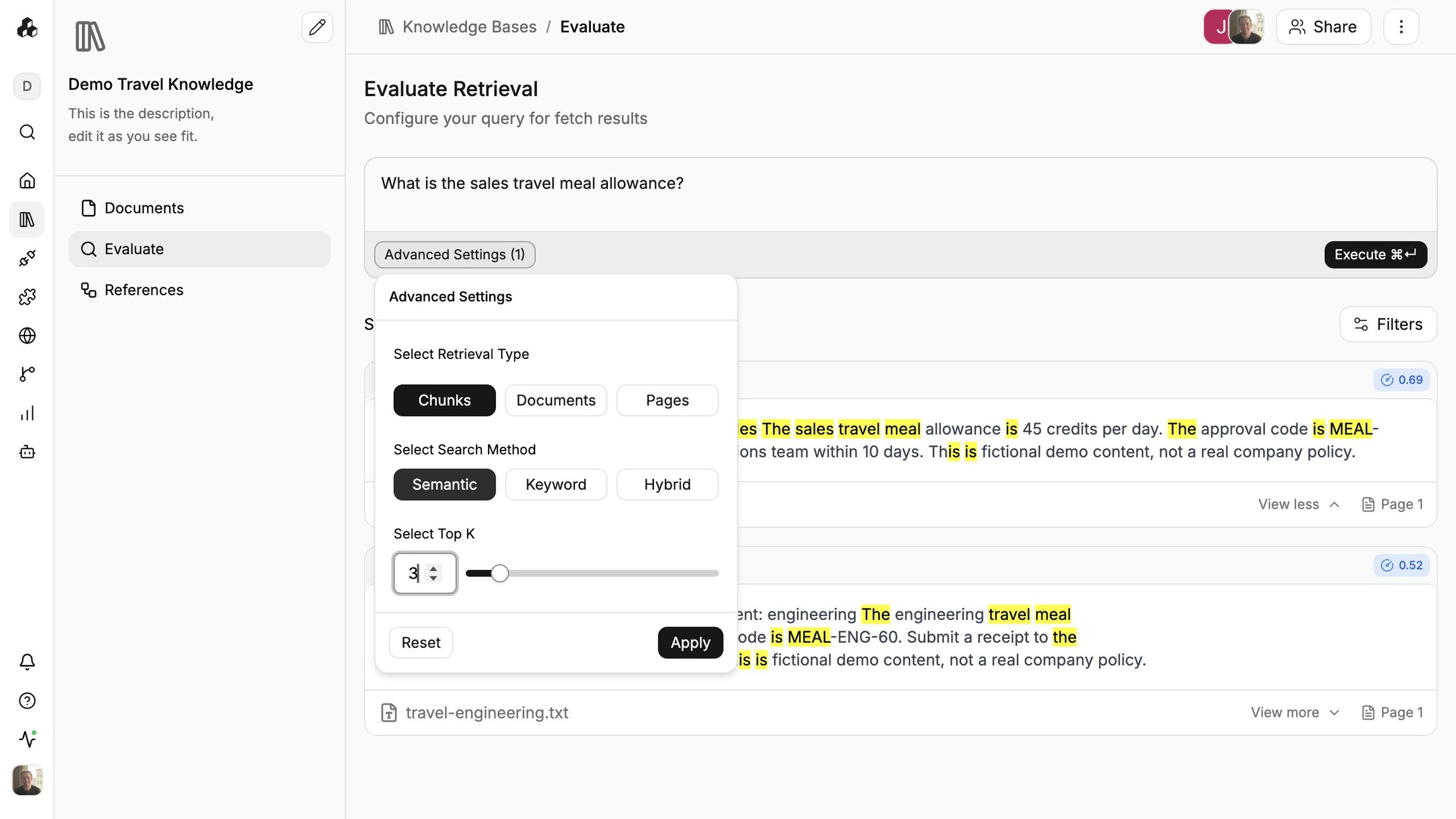
Top K sets the maximum number of results. It does not guarantee that many results.
Choose a search method
Choose Keyword when you need to compare literal term matching.
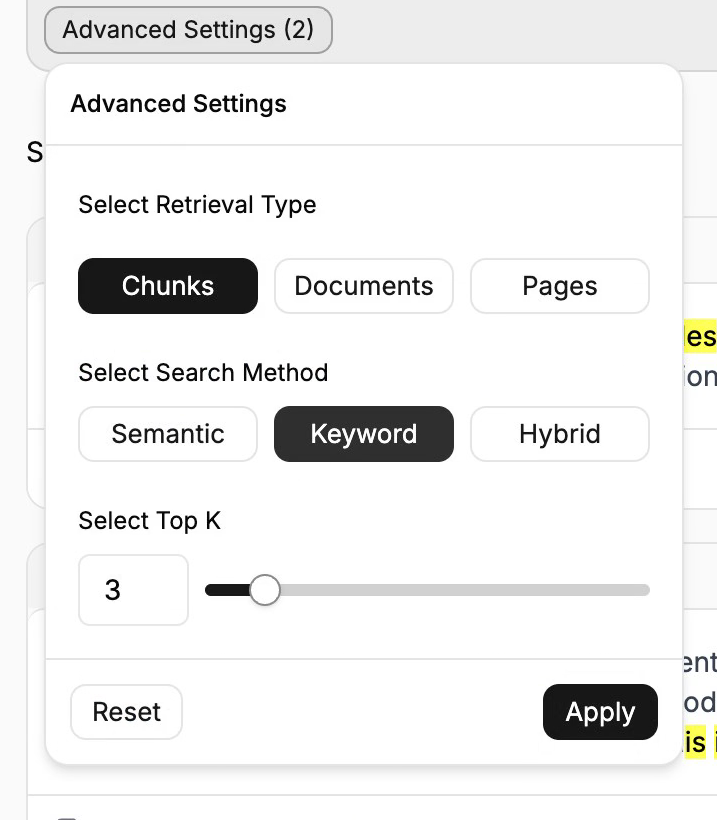
Apply the setting and inspect the passages returned for the exact term.
Switch to Hybrid and run the same query to compare results.
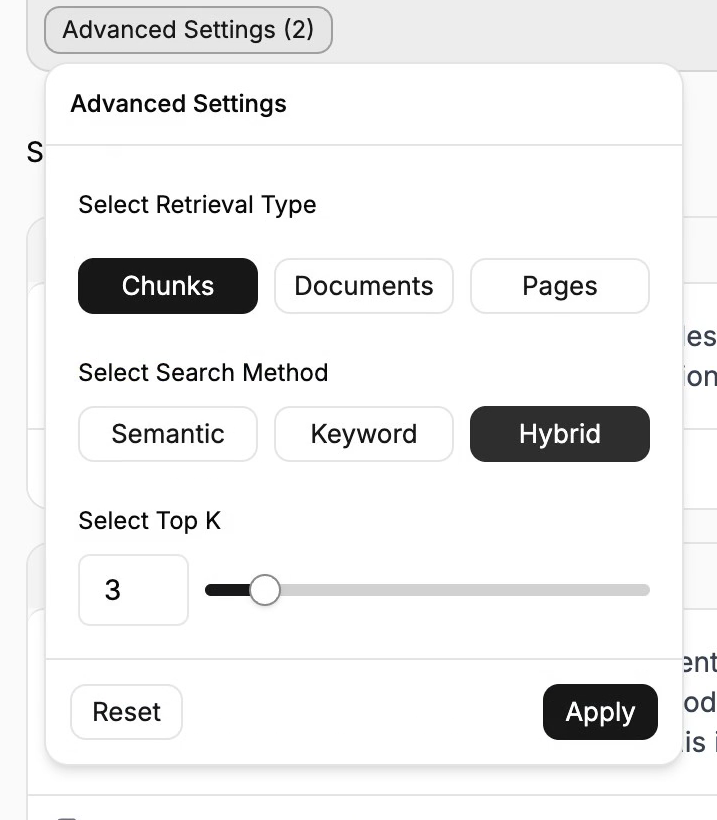
Evaluate the usefulness of the passages rather than treating scores from different methods as interchangeable.
Choose the retrieval unit and order
Choose Documents as the retrieval unit when comparing document-level results.
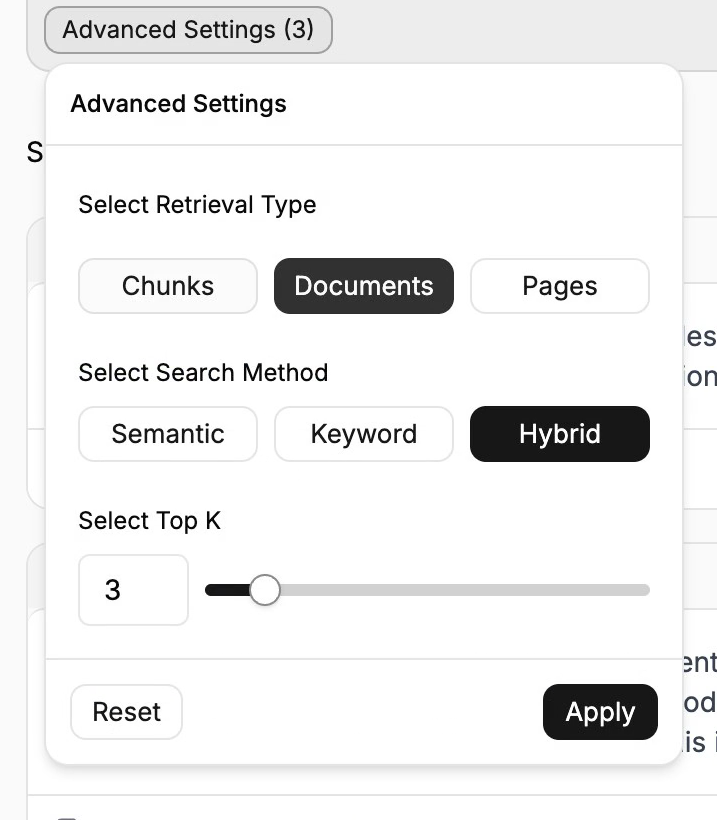
Use sources with enough content to understand how this differs from returning individual chunks.
Open Filters to inspect sorting by score or chunk.
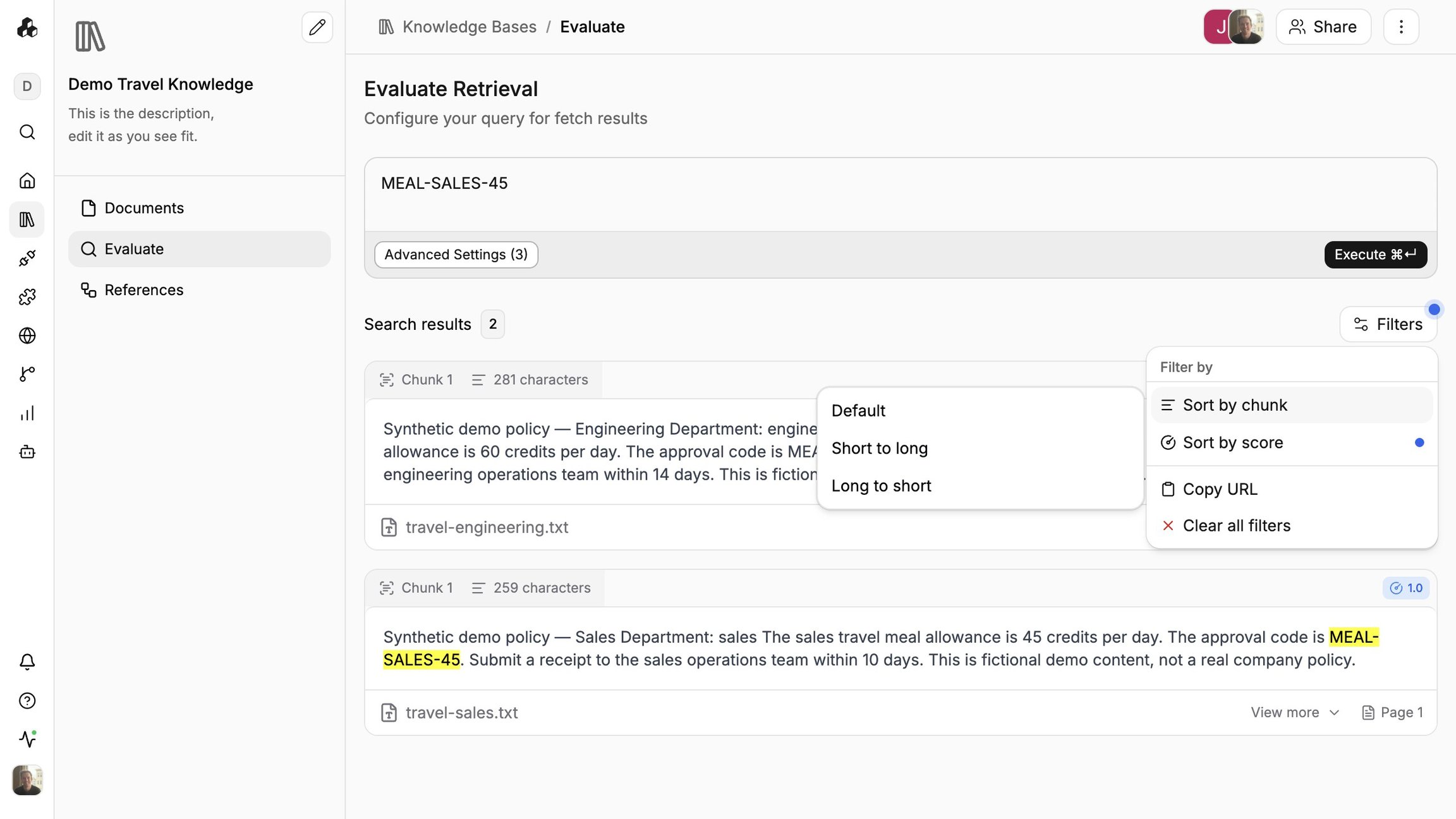
The order can change what you see first without changing the question you submitted.
Choose Pages to inspect page-based retrieval results.
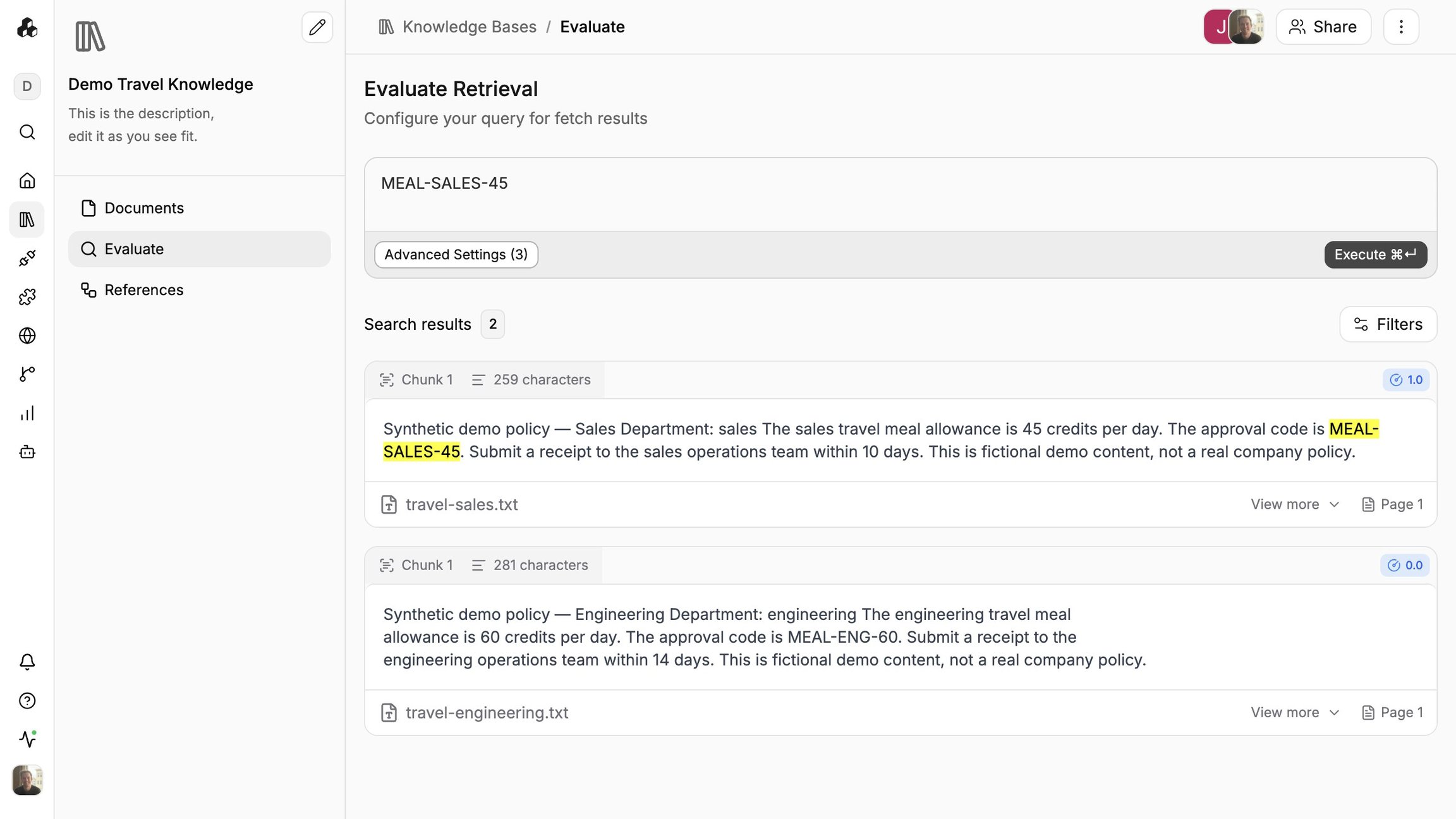
Check the page labels against the source, especially when a document has several pages.
Reset evaluator settings
Select Reset, then Apply to return the evaluator to its default settings.
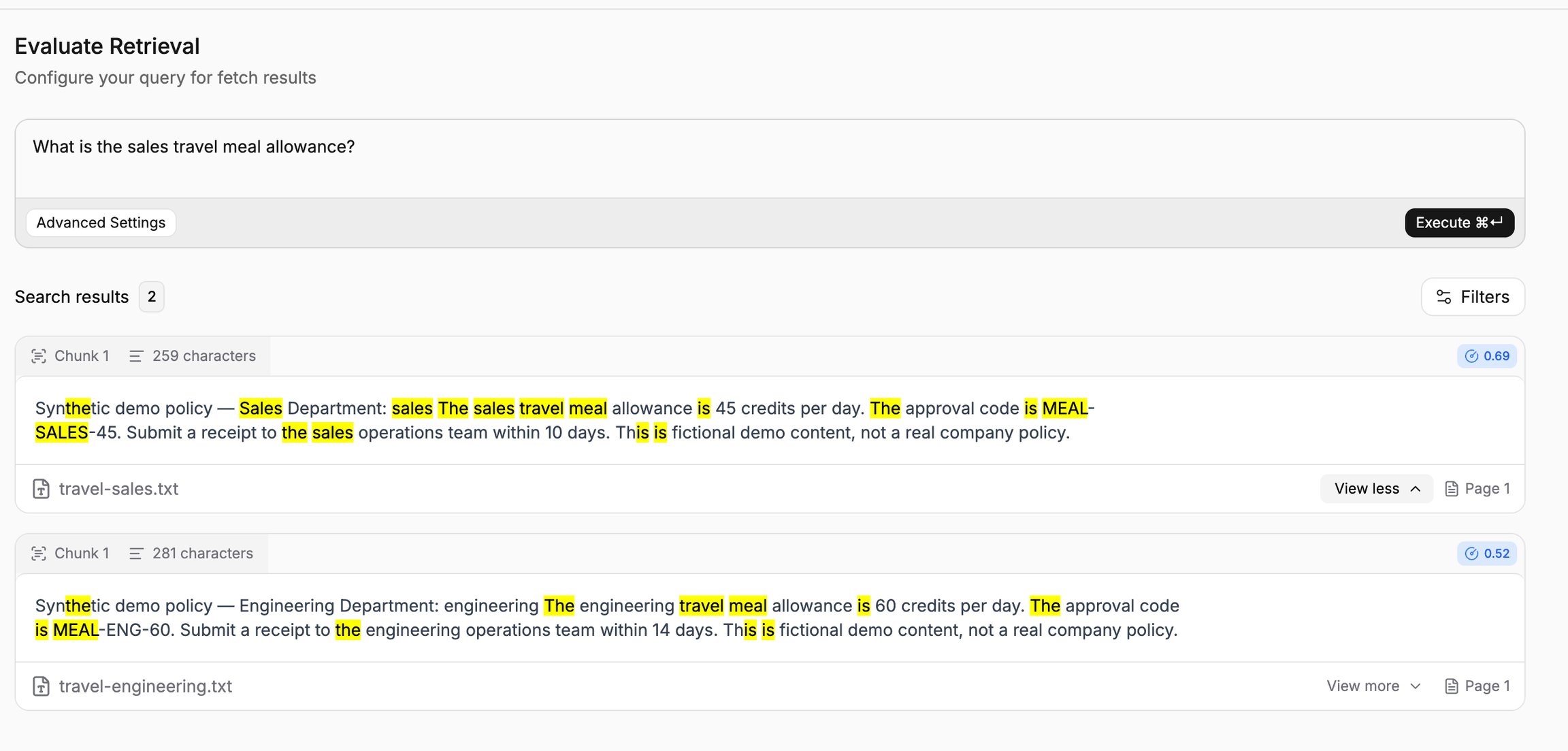
Run the query again to see results with those settings.
Important behavior
Top K is a maximum result count. The search may return fewer results.
Scores from different search methods are not directly interchangeable. Compare the relevance of the returned content.
Evaluate settings apply to the evaluator. Configure workflow search parameters separately.
Continue
Last updated
Was this helpful?