

Inspect knowledge base references
References lists the projects that use a knowledge base. Use it to understand dependencies before changing shared sources or removing a collection.
Before you start
Open the knowledge base you intend to change. You need access to each consuming project to inspect its configuration; ask the project owner for help if View Project is unavailable.
Find consuming projects
Open References to see which projects use the knowledge base.
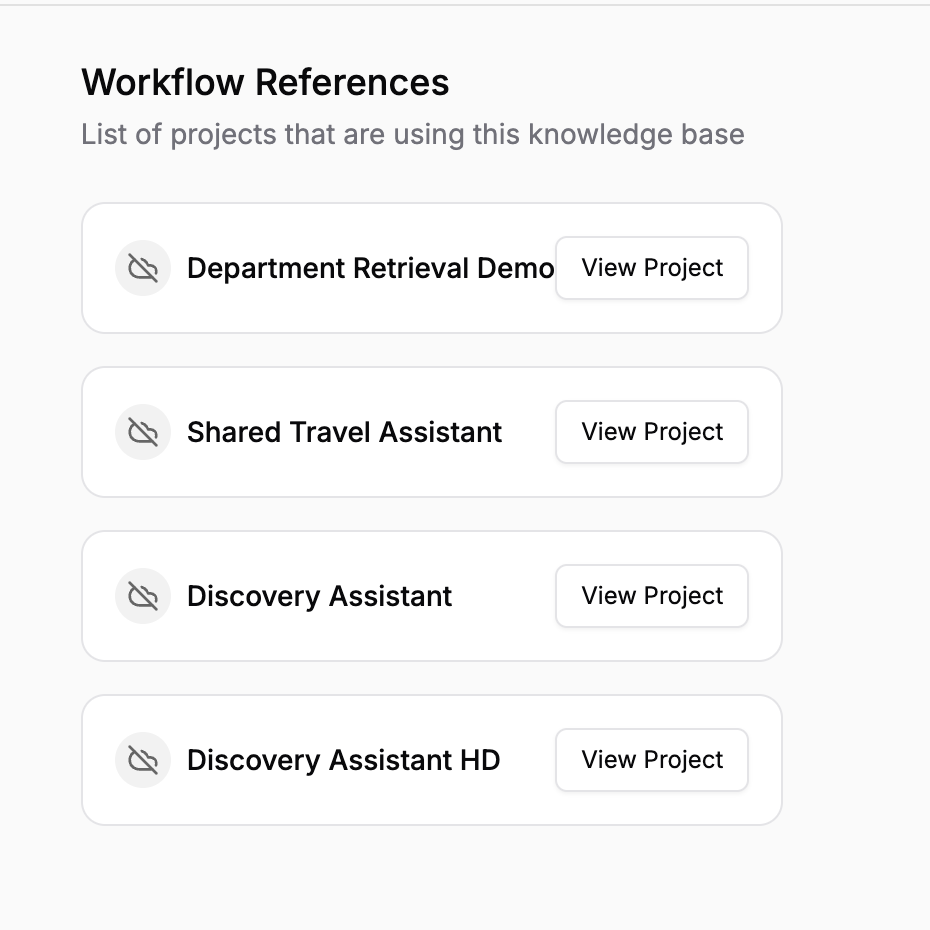
Identify affected projects before changing or removing shared source content.
Inspect workflow retrieval settings
Use View Project to open a workflow and inspect its knowledge-base node.
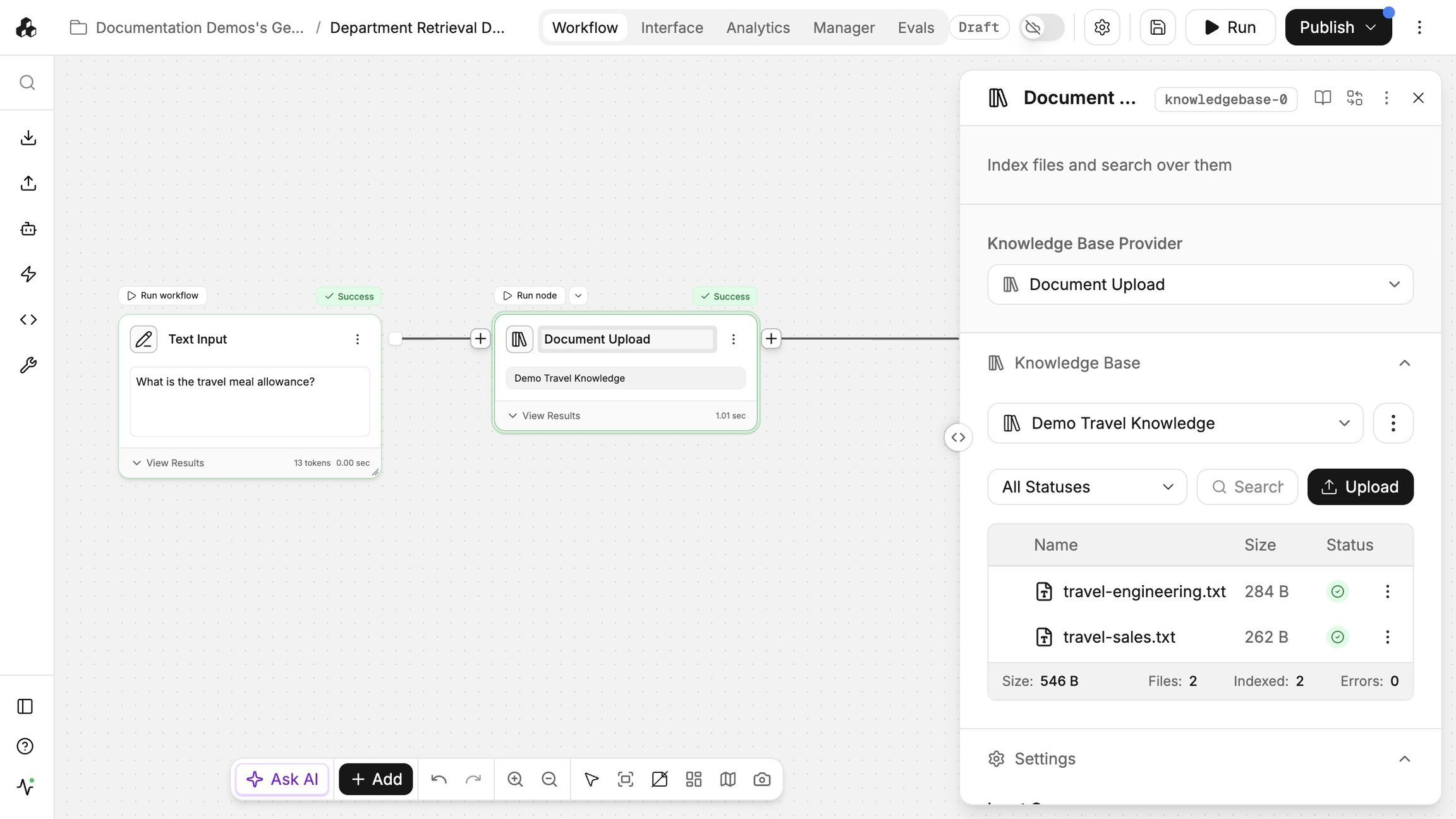
Confirm which base is attached and which sources it contains.
Review the node's input query and Search Parameters.
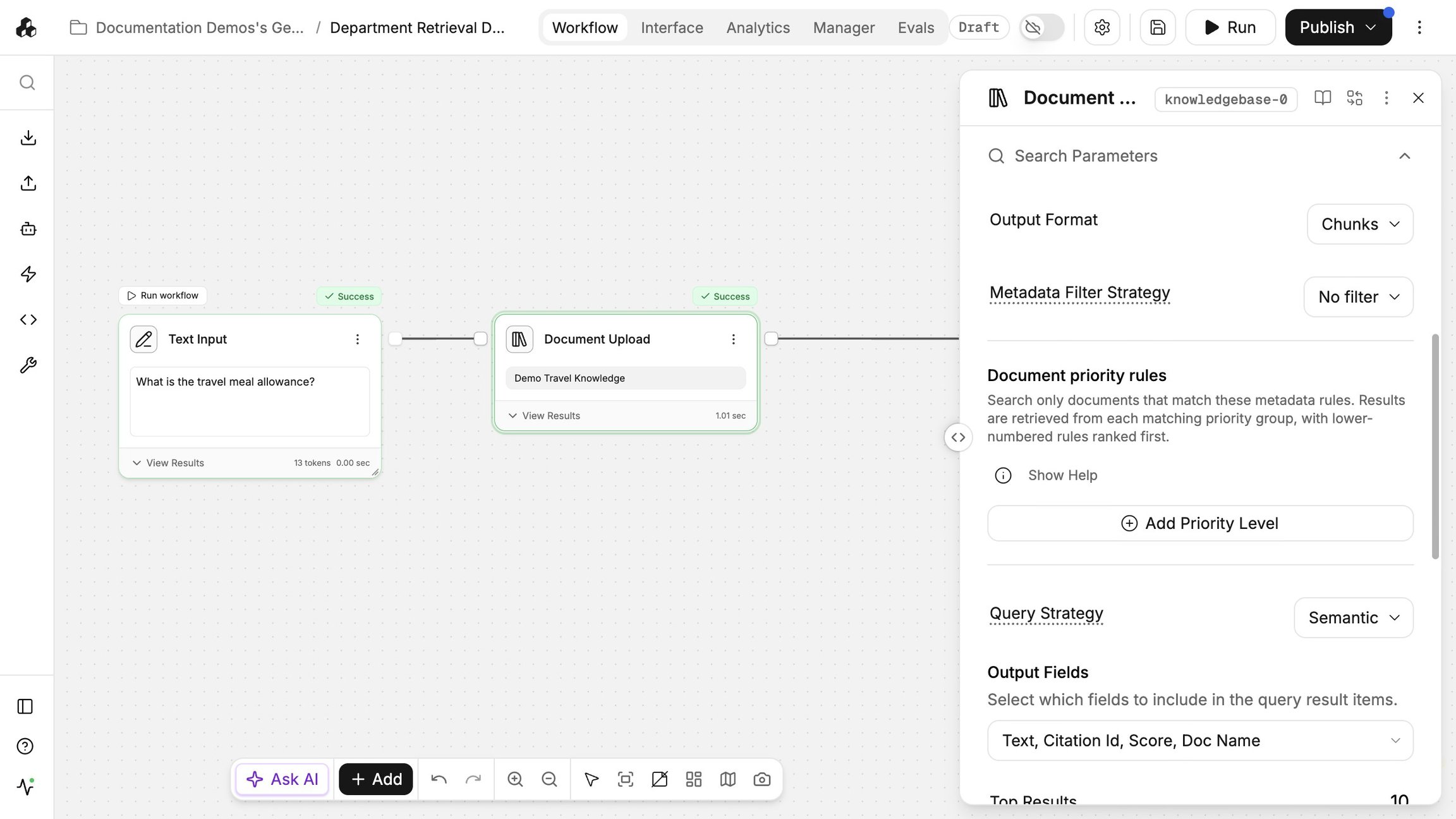
Filters and retrieval settings can make two consumers of the same base return different results.
Inspect an agent’s knowledge sources
Open an agent listed in References and inspect its Knowledge sources.
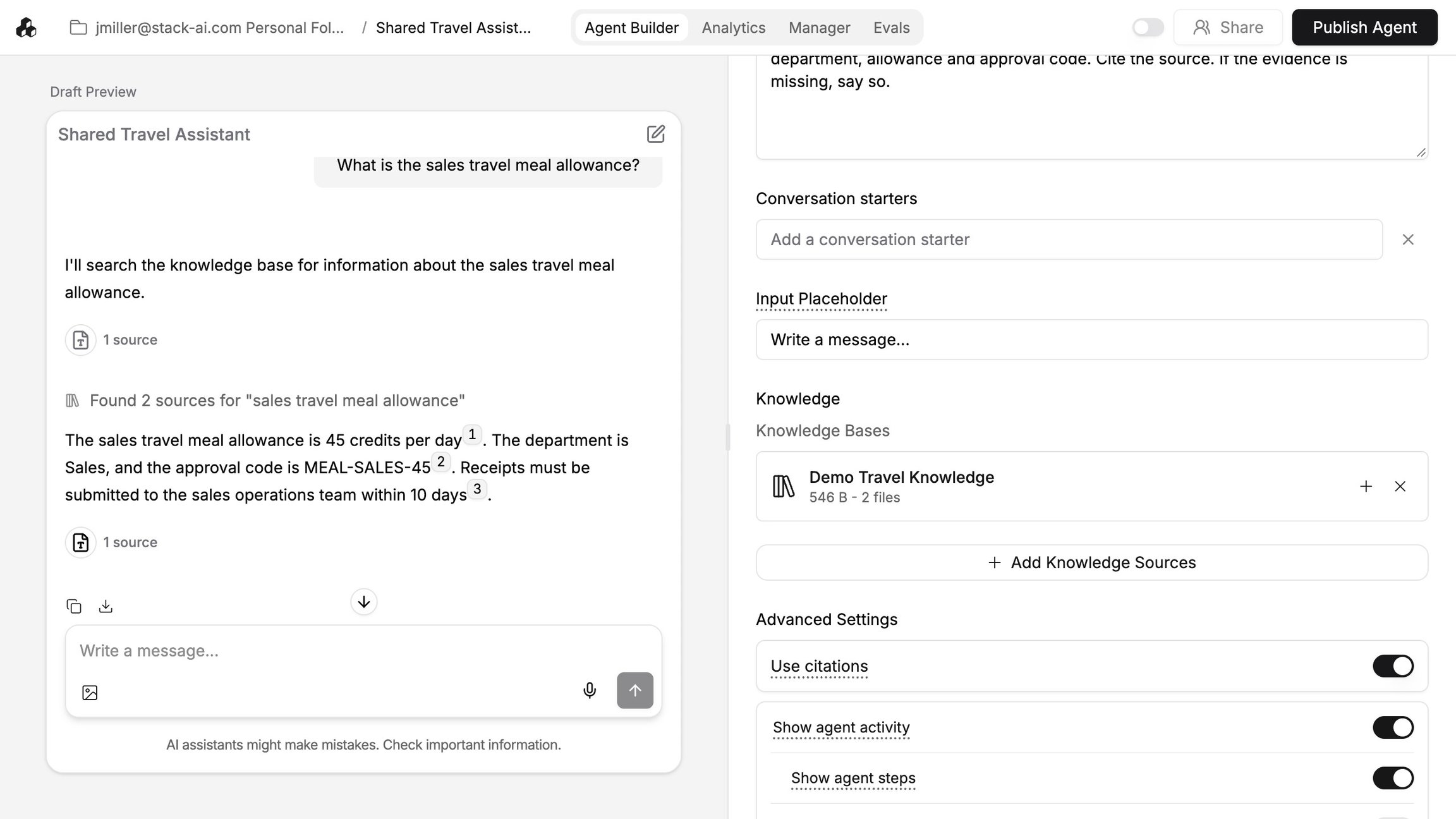
Confirm that it uses the same base and review the instructions that govern retrieval.
Review the effect of source changes
Inspect important source content before changing it, then check the consuming projects after the update.
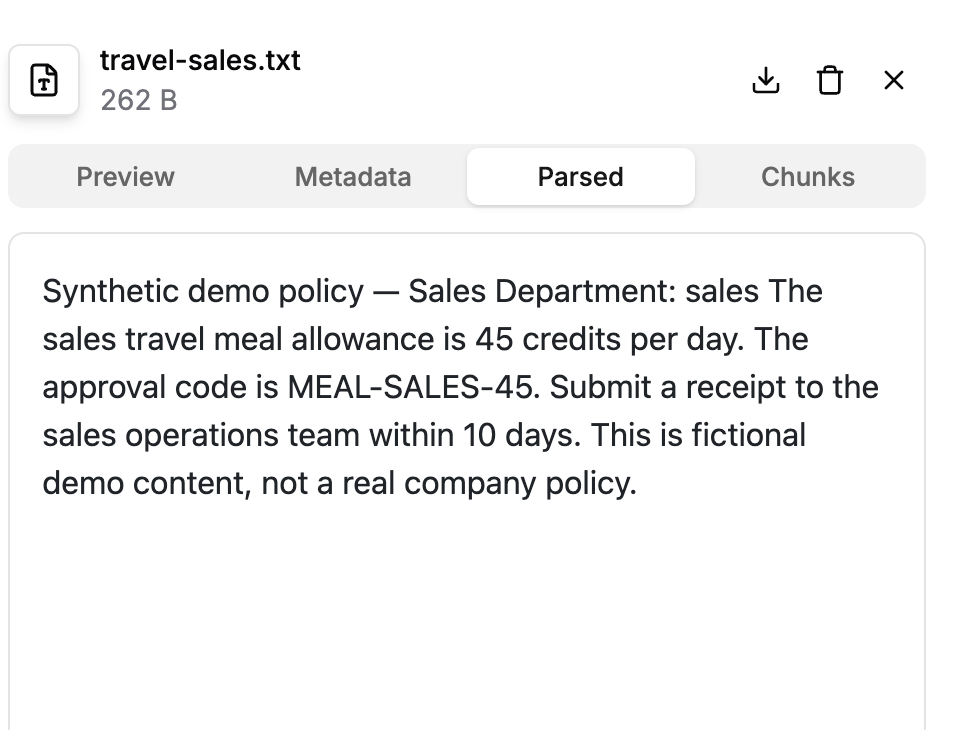
Use their normal questions and source evidence to confirm the effect of the change.
Important behavior
Projects can use different queries, filters, and search settings with the same knowledge base. These settings can produce different results.
Continue
Last updated
Was this helpful?