

API key management
API keys let an application authenticate requests to StackAI. Create a key with suitable permissions and an expiration, then revoke it when the application no longer needs access.
Before you start
Ask the application owner which StackAI operation and permissions the integration needs and where its credential is securely stored. For an application calling a published workflow, use Expose a project through API to prepare the endpoint and request. Have that owner perform the API-client verification if you do not operate the integration. Inventory the consuming application before revocation so you know which service will lose access.
You need permission to create API keys with the required operations.
Create an API key
Open Settings → API Keys and review existing key status and activity logs.
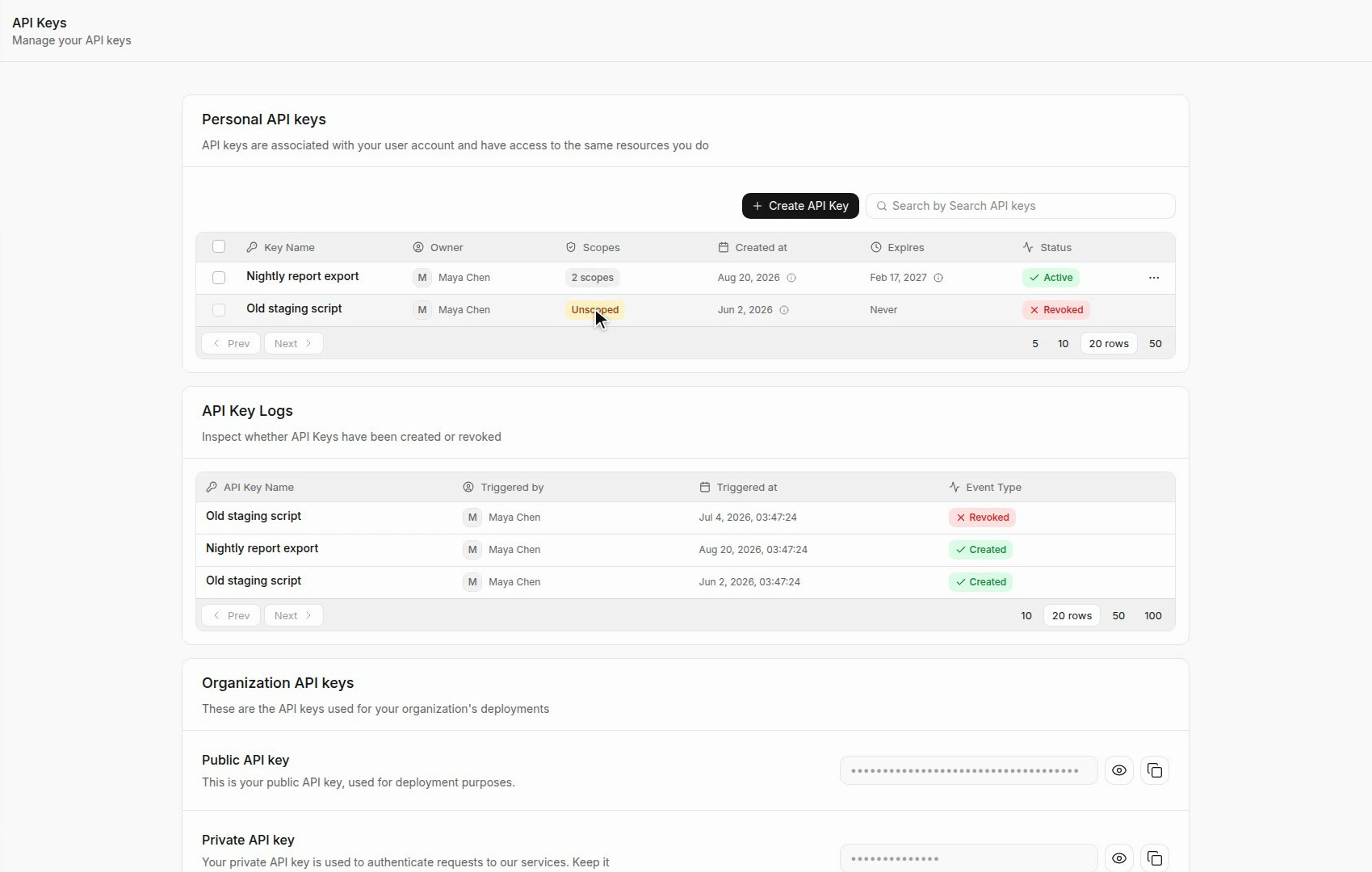
Check whether an appropriate active credential already exists before creating another one.
Select Create API Key and enter a descriptive name and expiration.
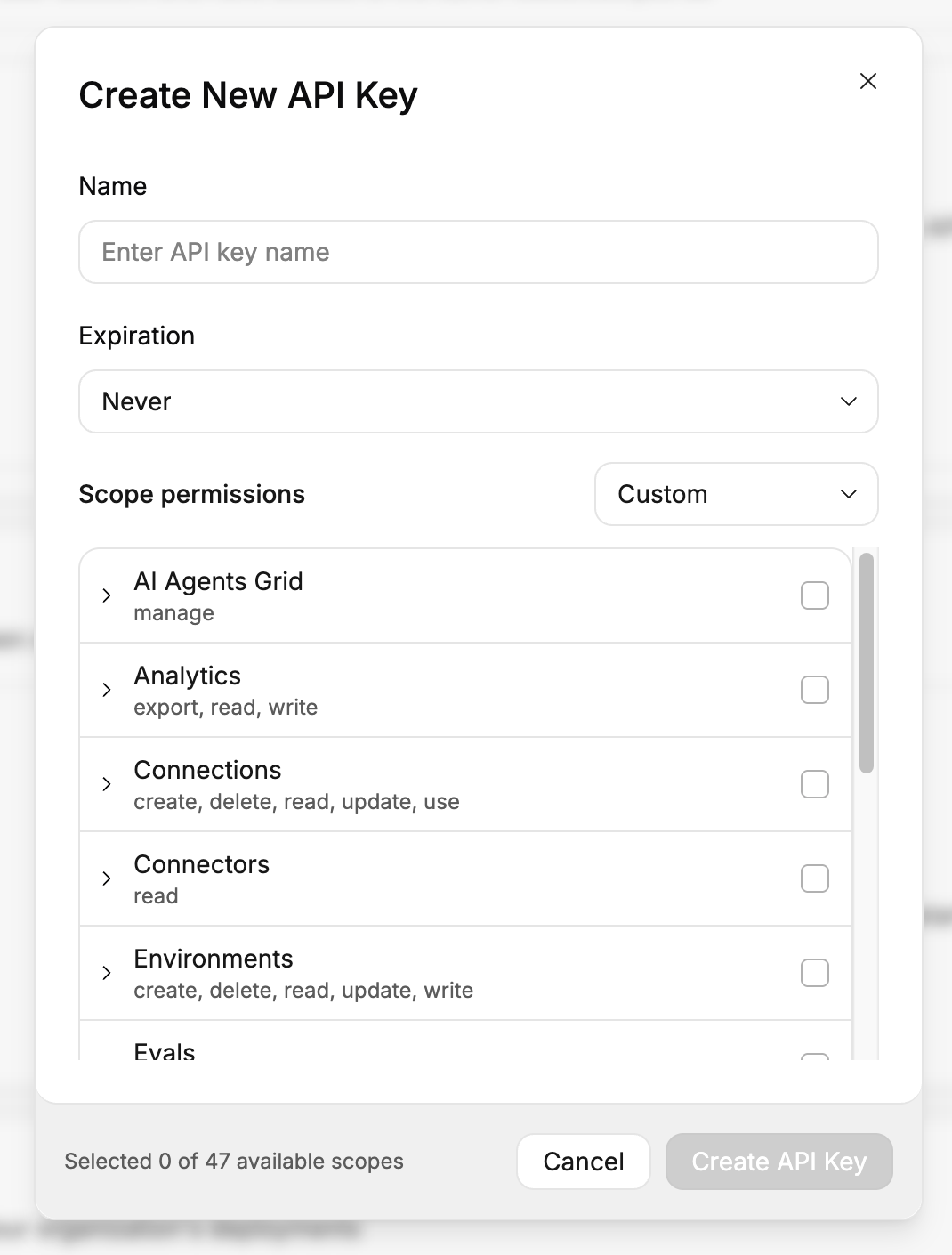
Use a name that identifies the application or purpose responsible for its use.
Select the permissions required by the integration.
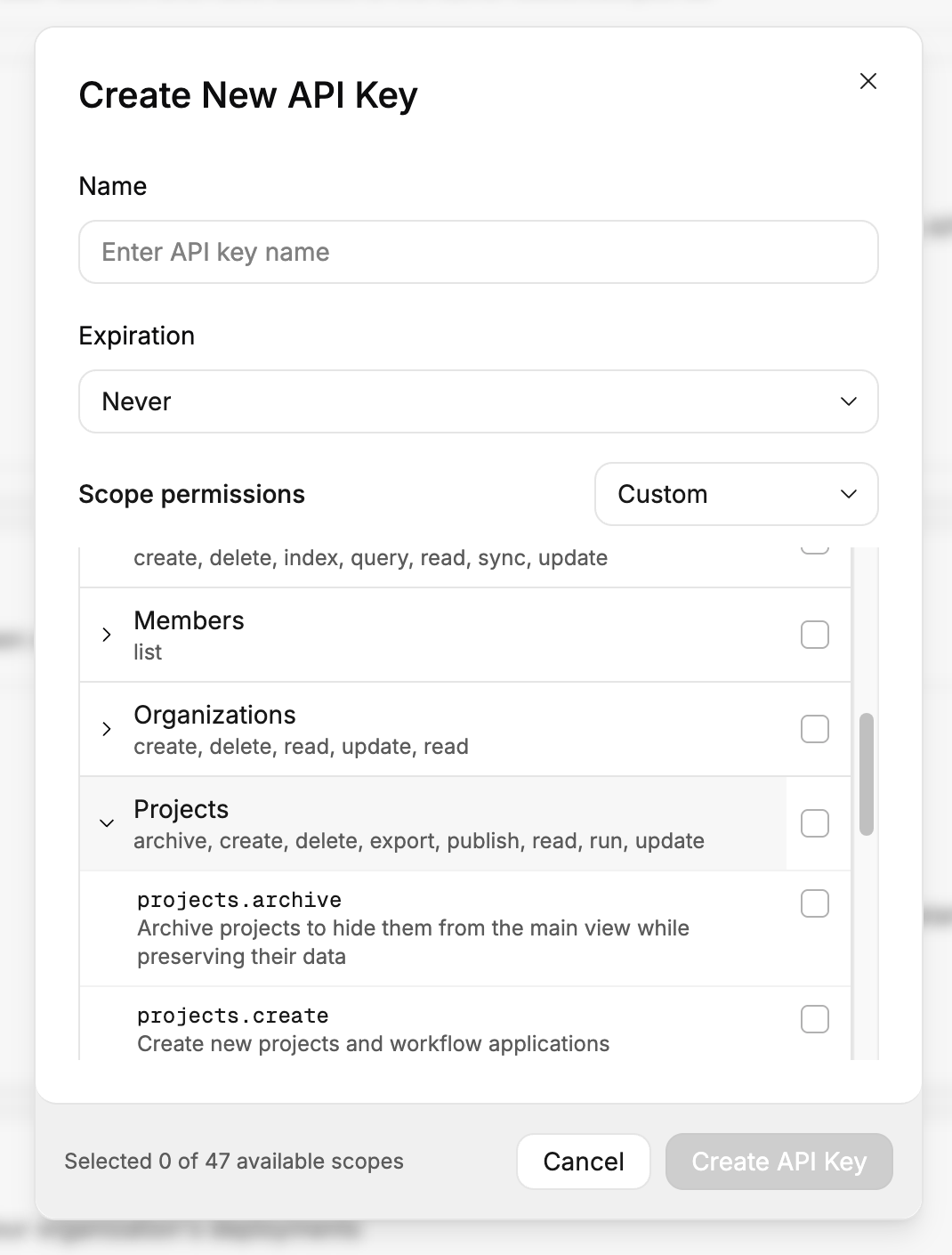
Grant only the operations that application needs before creating the key.
Store the newly issued key in a secure credential store and close the creation dialog.
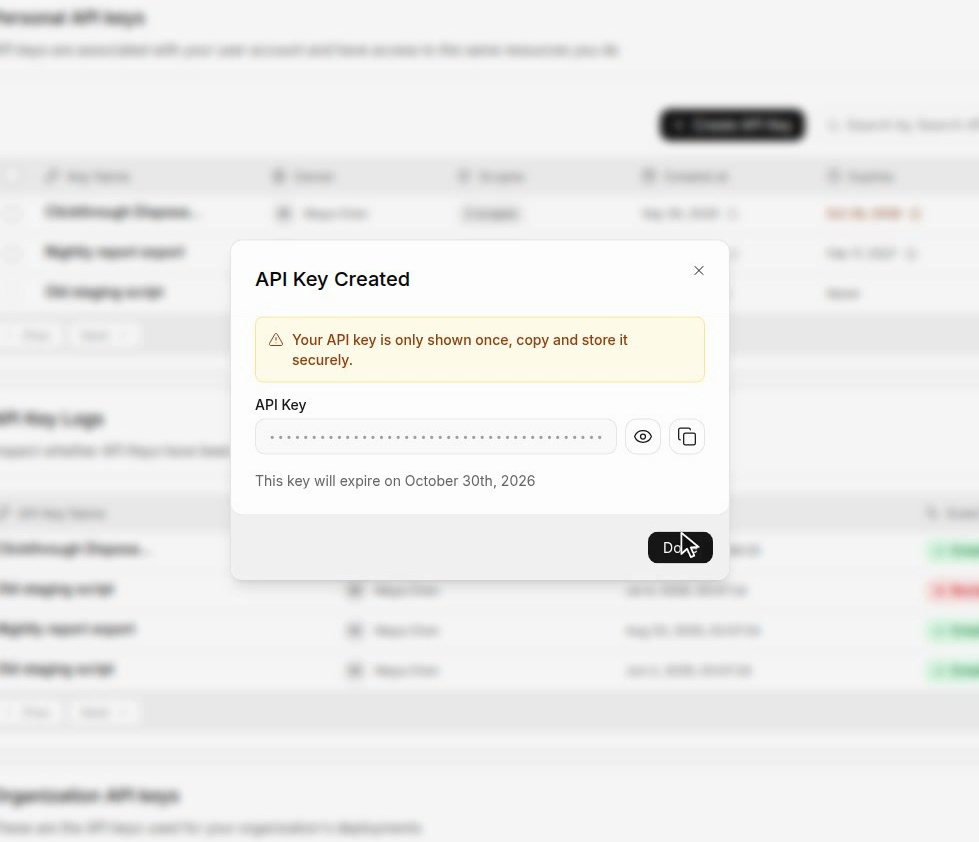
Do not place the credential in documentation, screenshots, or source code.
Verify the required API operation
Use the key with the intended endpoint in your API client.
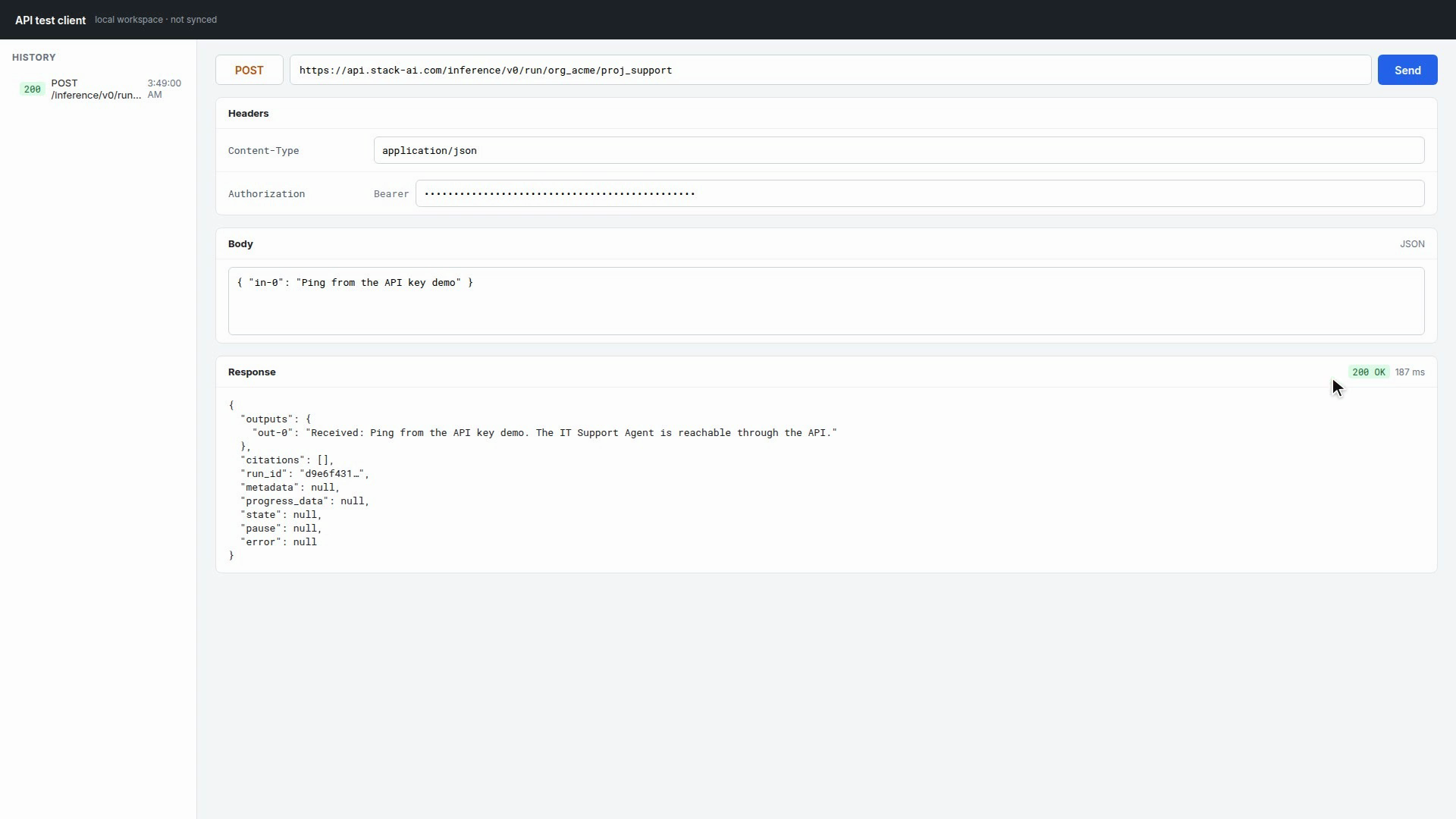
Inspect the response status and body to confirm that its permissions support the required operation.
Revoke a key
To end access, identify the exact key and review the Revoke API key confirmation.
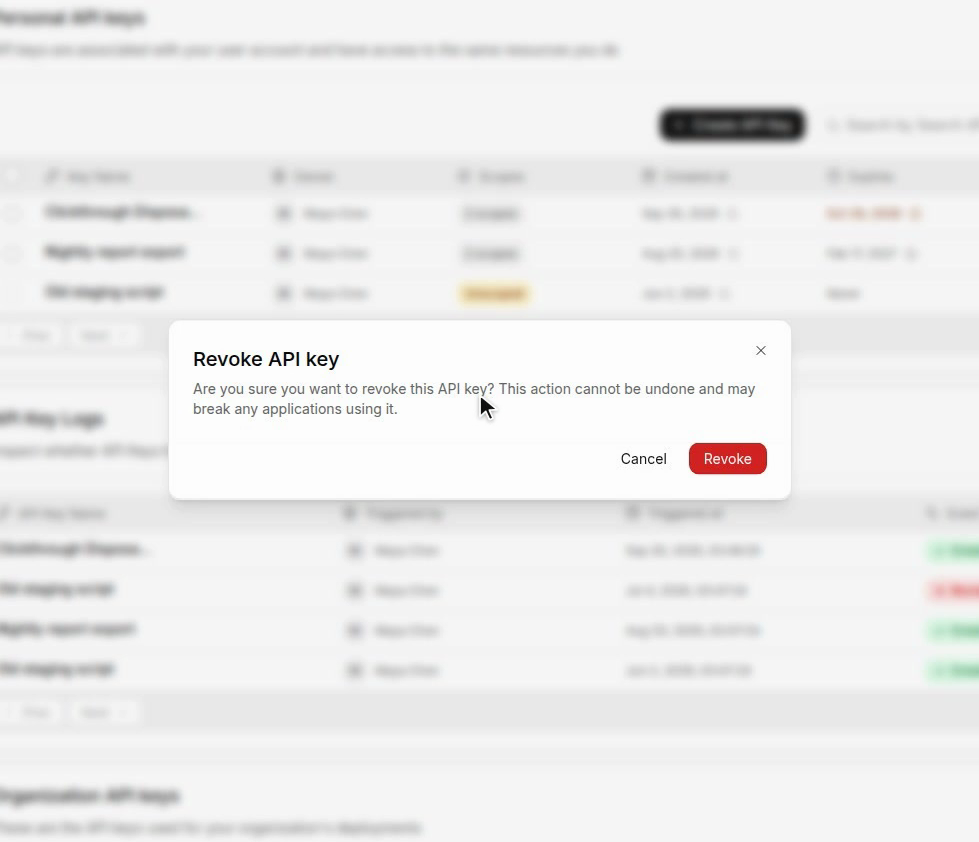
Confirm only after checking which application uses that credential.
Check that a request using the revoked key is rejected.
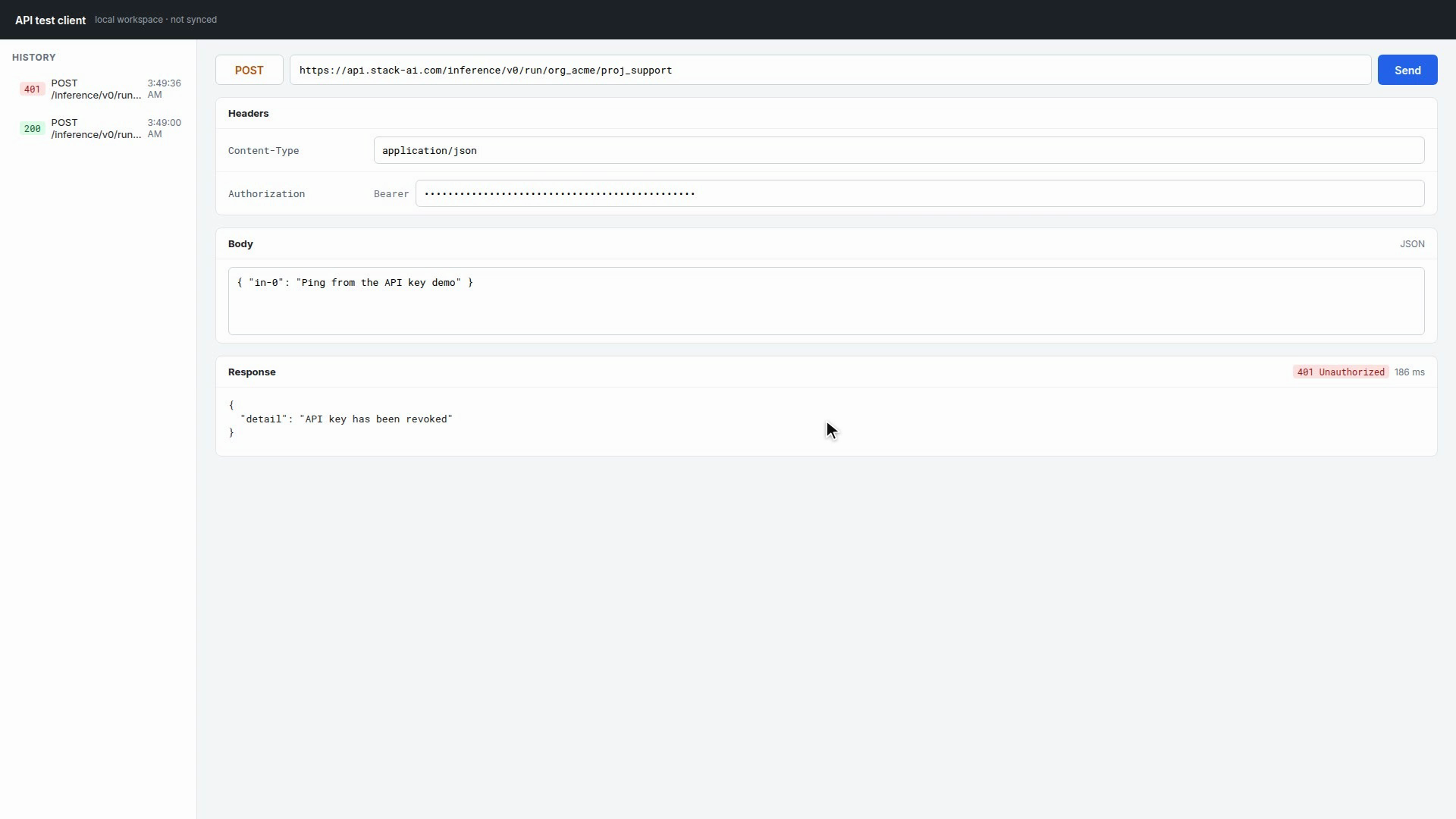
Revocation should prevent further authorized use of that credential.
Return to API Keys and inspect the final status and activity log.
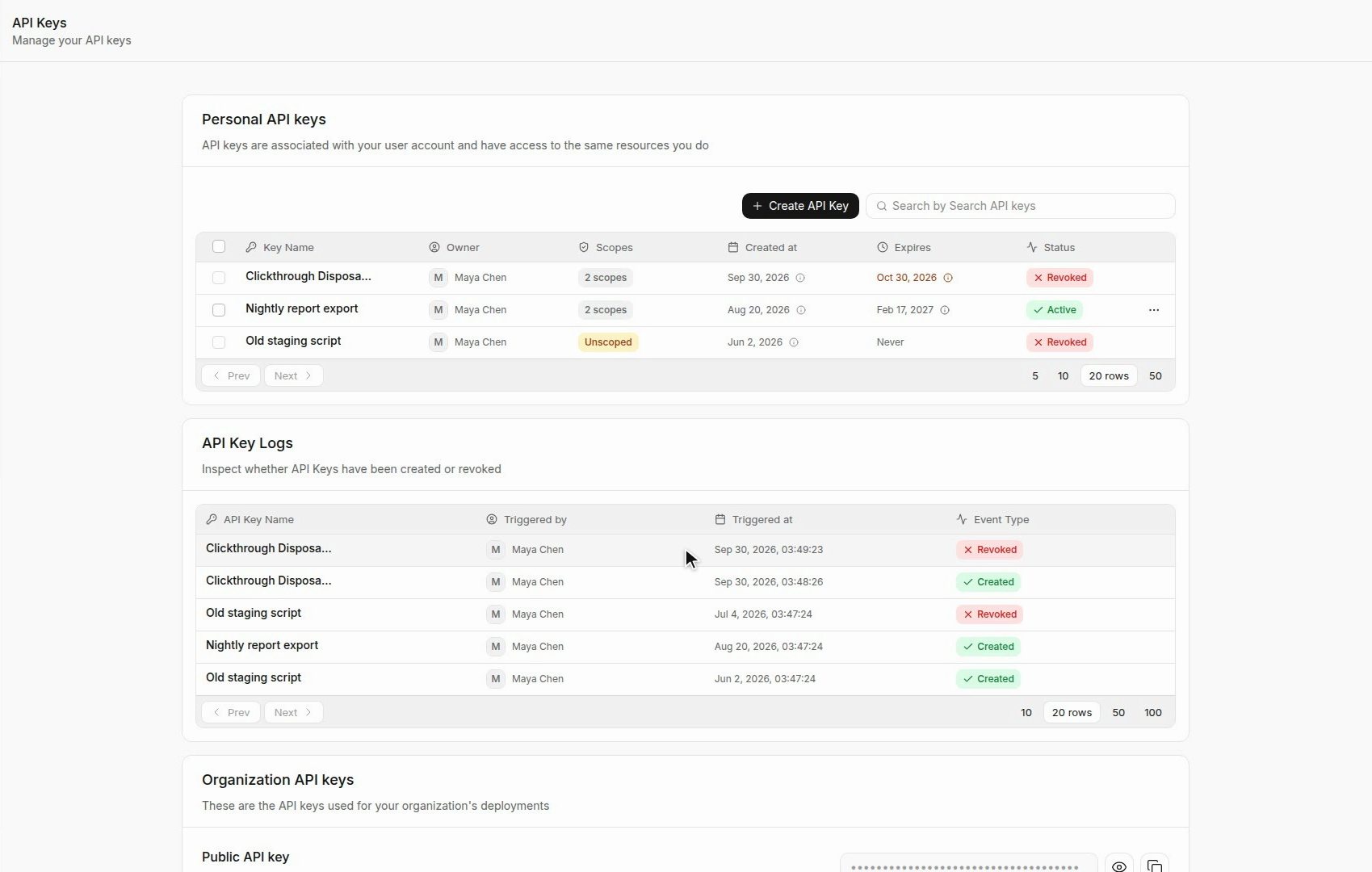
Confirm that the intended key was revoked while other required credentials remain available.
Important behavior
Store keys in a secure credential store. Do not include them in source code, screenshots, or documentation.
Revoking a key stops applications that rely on that credential. Identify its users before revocation.
Last updated
Was this helpful?