

Audit logs
Audit logs record organization activity and access decisions. Use them to investigate who performed an action, which resource it affected, and whether access was allowed.
Before you start
Have the organization, actor or affected resource, and investigation time range ready. Reading events is an administrator investigation task. Use Roles and permissions to investigate the role behind an unexpected denied action. Forwarding events through OpenTelemetry requires an observability administrator to supply the endpoint and authentication; involve IT for that integration.
You need access to organization audit logs. Event export also requires the destination endpoint and its authentication settings.
Choose a reporting period
Open Settings → Audit Logs and review the event fields.
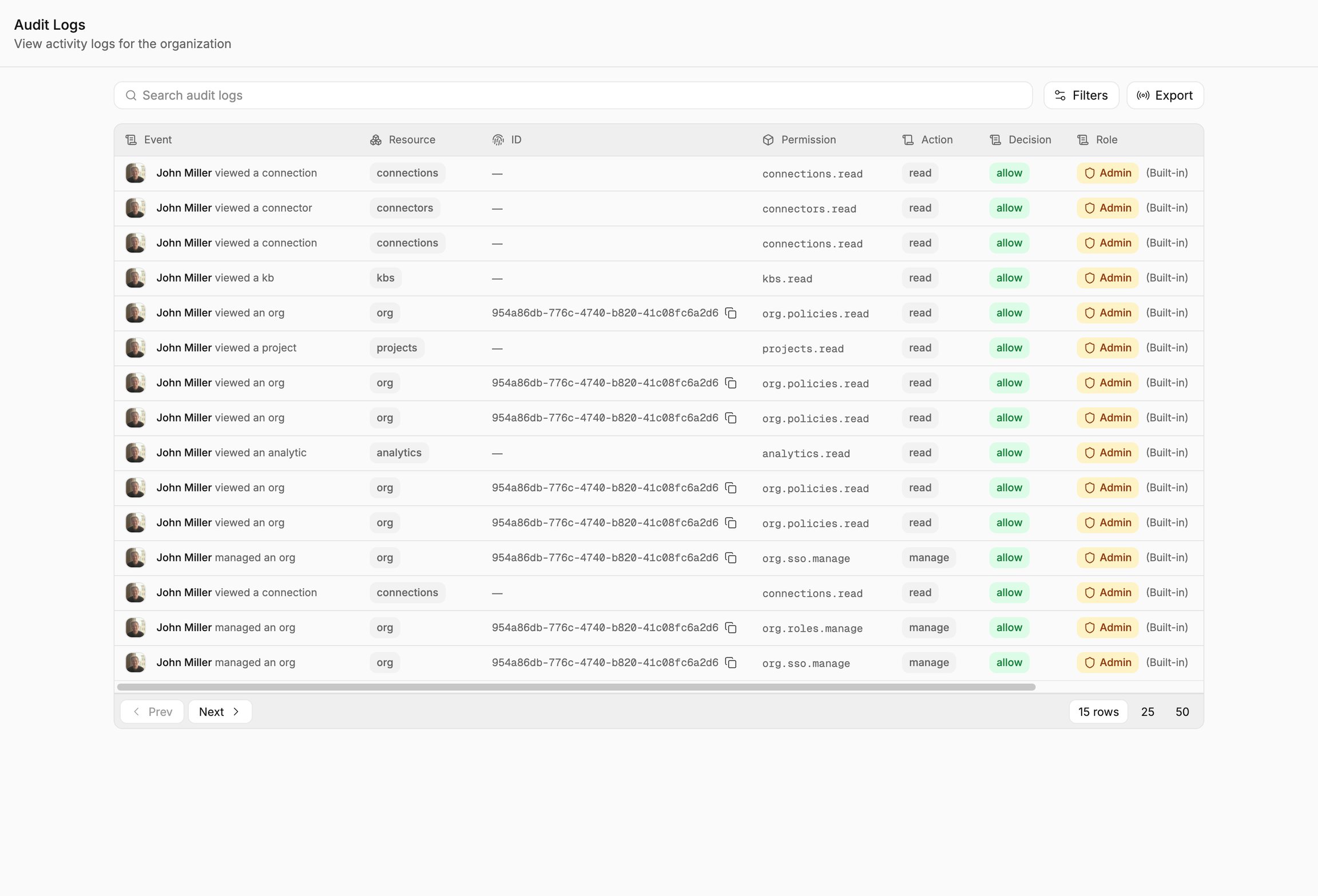
Use resource, action, actor, decision, role, and timestamp together to interpret an event.
Choose the date or interval relevant to the investigation.
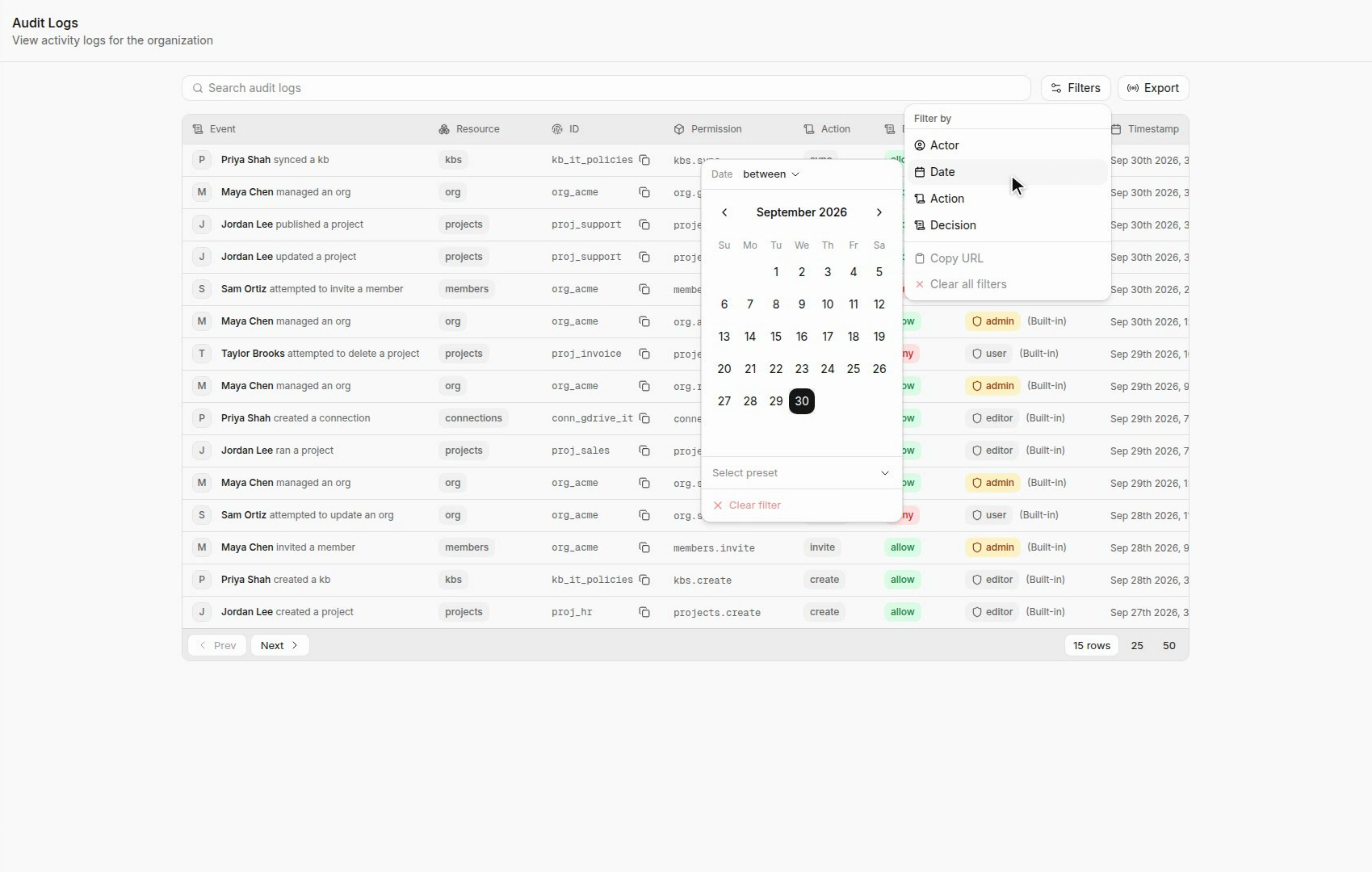
Keep the reporting period explicit when comparing events.
Filter and inspect events
Use Filters to narrow results to the actor or user you need.
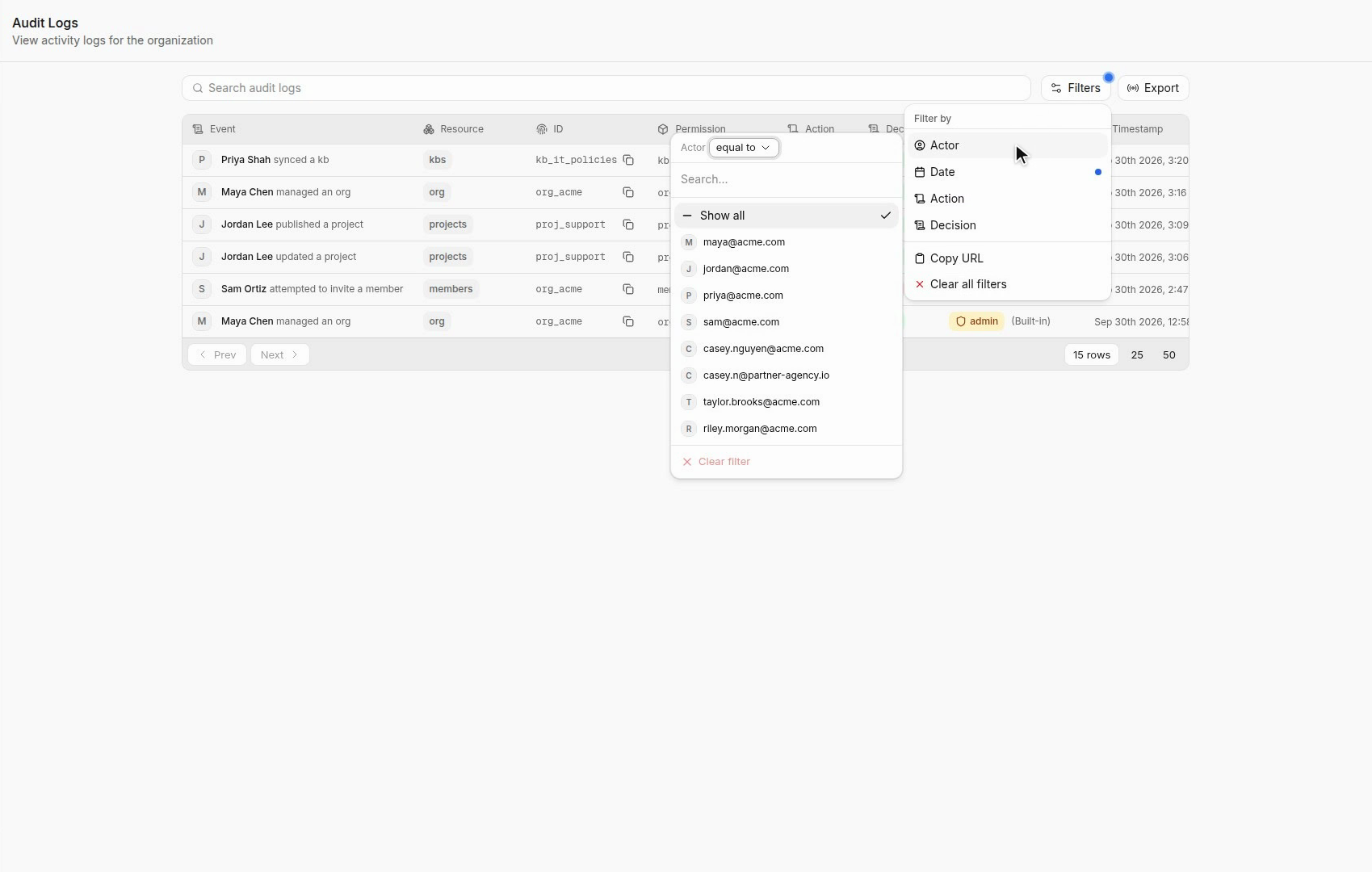
Check the resulting rows before adding more restrictions.
Filter by the relevant Action and combine it with date or actor filters as needed.
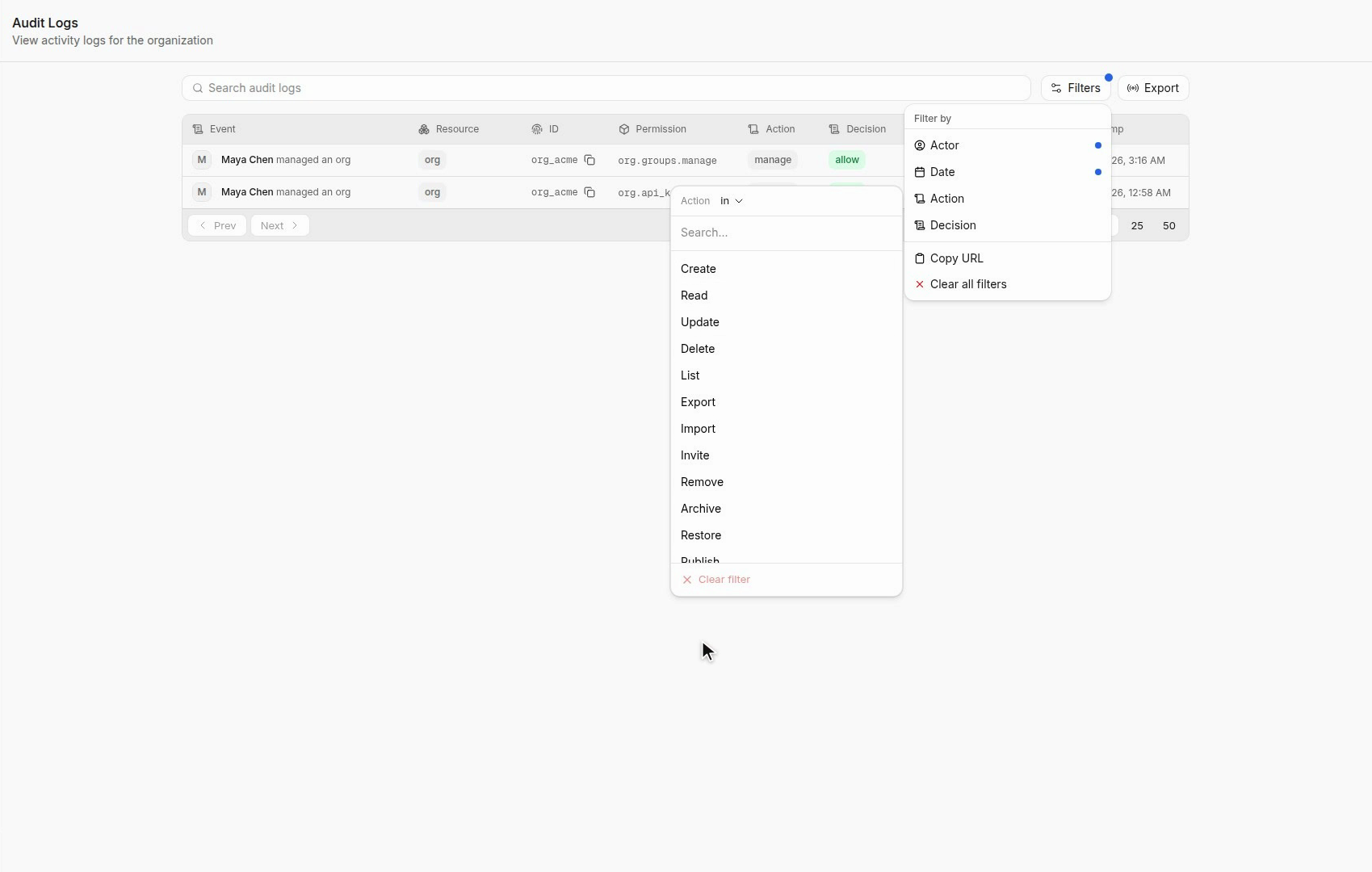
This narrows the list to the operations under investigation.
Search for a relevant term within the result set.
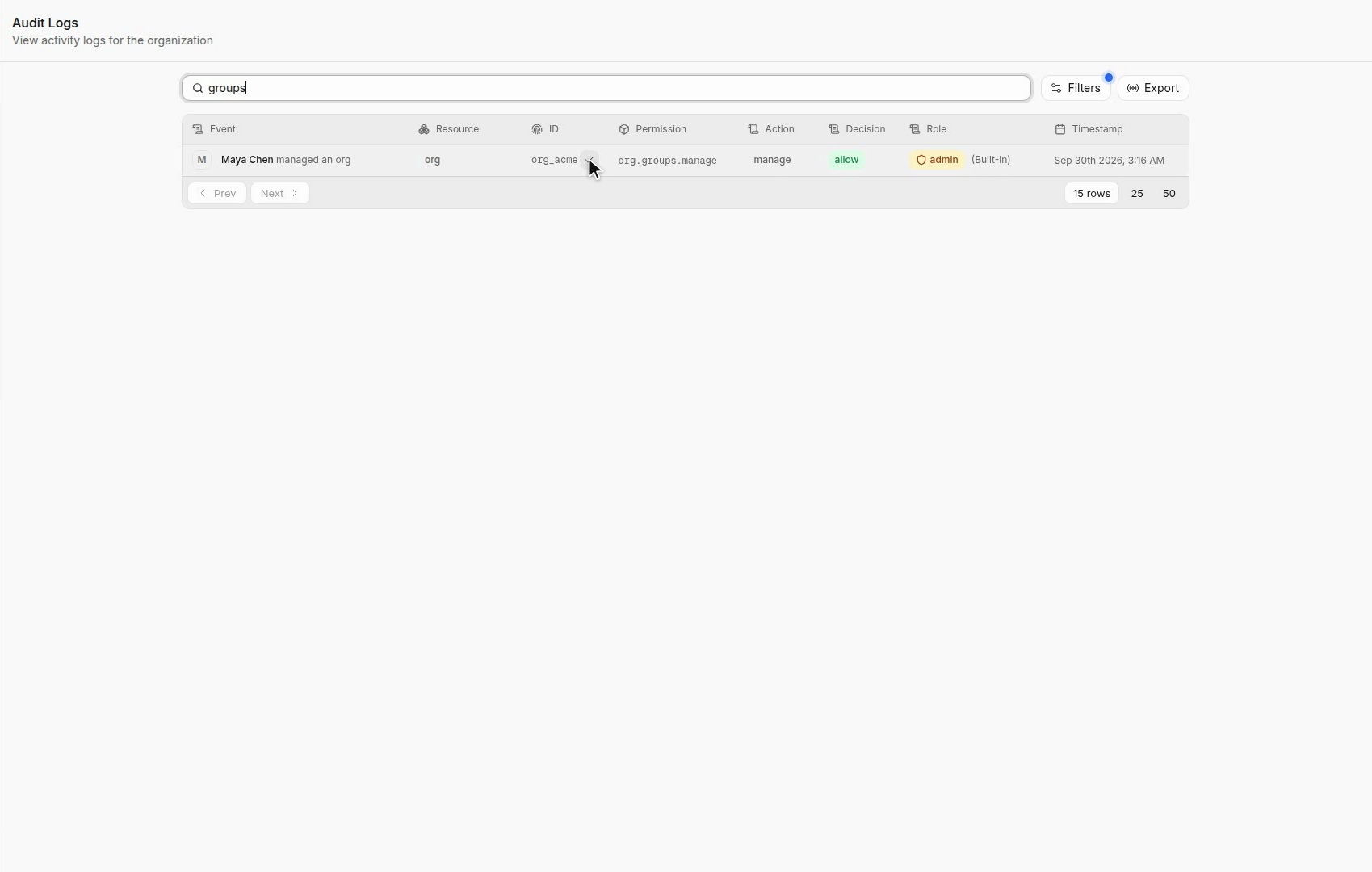
Compare the matching events and their allow or deny decisions.
Use the Decision filter to inspect denied actions.
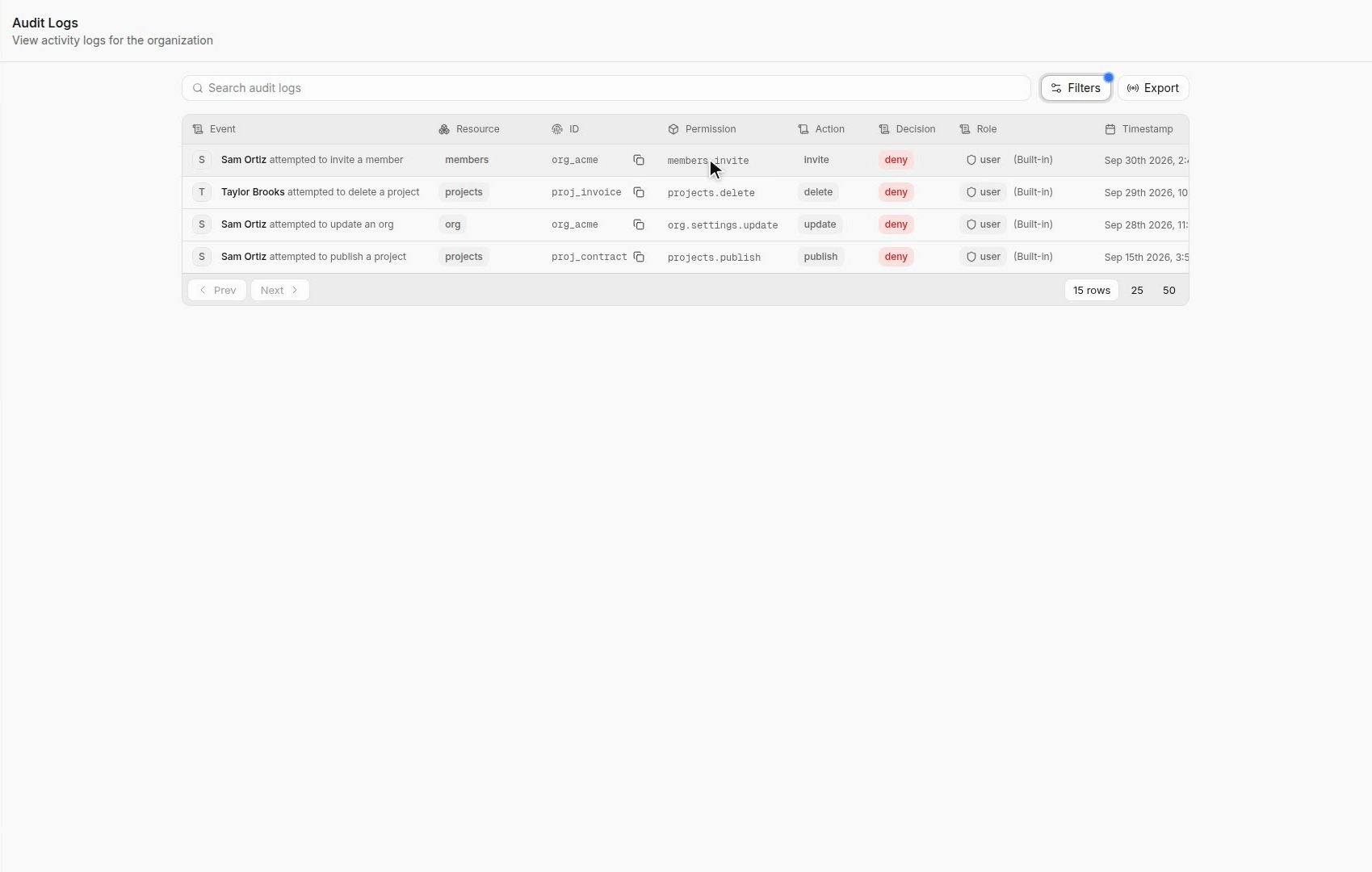
Compare the attempted operation with the actor's role and resource access before drawing a conclusion.
Configure event export
Open Export to review OpenTelemetry Export settings.
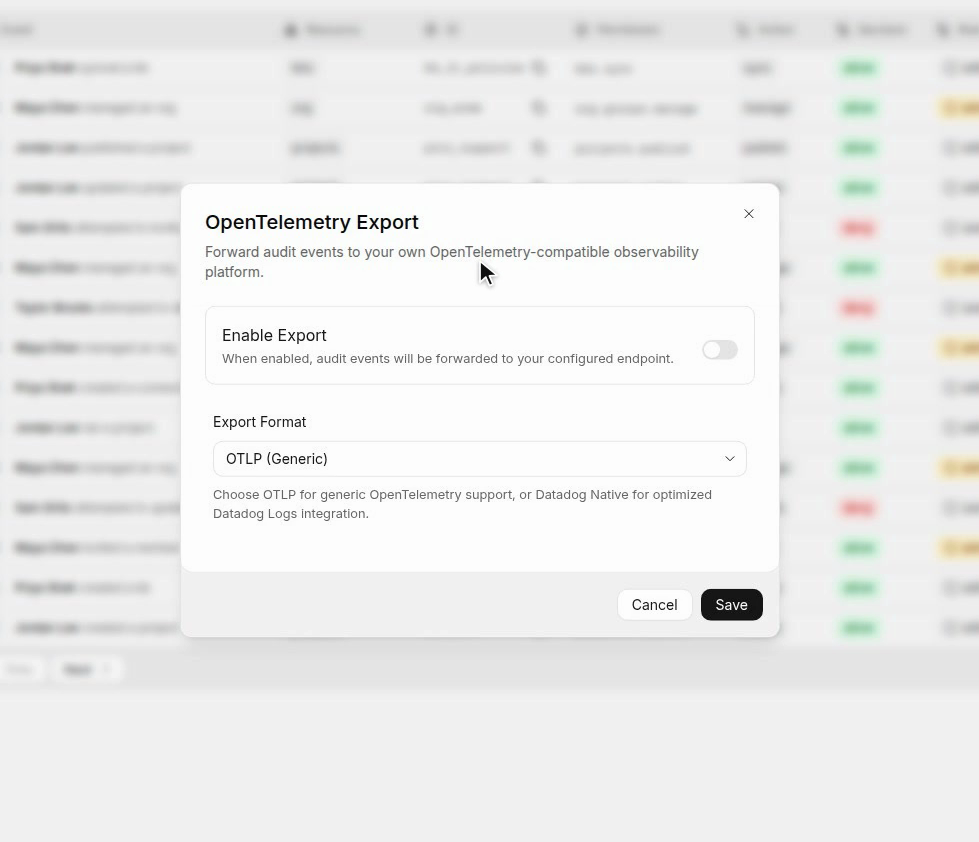
This forwards events to an observability platform. Configure its endpoint and authentication for the intended integration rather than expecting a spreadsheet download.
Important behavior
An audit event records an operation and its access decision. Use the actor, resource, role, and timestamp together when investigating it.
OpenTelemetry Export forwards events to an observability platform. It is not a spreadsheet download.
Last updated
Was this helpful?