

SCIM provisioning with Microsoft Entra ID
Use Microsoft Entra provisioning to synchronize assigned users and groups with StackAI. Configure the endpoint, attribute mappings, and assignment scope before provisioning records.
Before you start
Complete SCIM provisioning first: SSO must exist and the provider, default role, and provisioning options must be set. Give the generated endpoint and dedicated token to your Entra administrator through an approved credential-sharing method. Agree on a pilot assignment before starting the full scope.
You need administrative access to Microsoft Entra and StackAI provisioning settings.
Prepare StackAI provisioning
Create a dedicated SCIM token in StackAI and choose its lifetime.
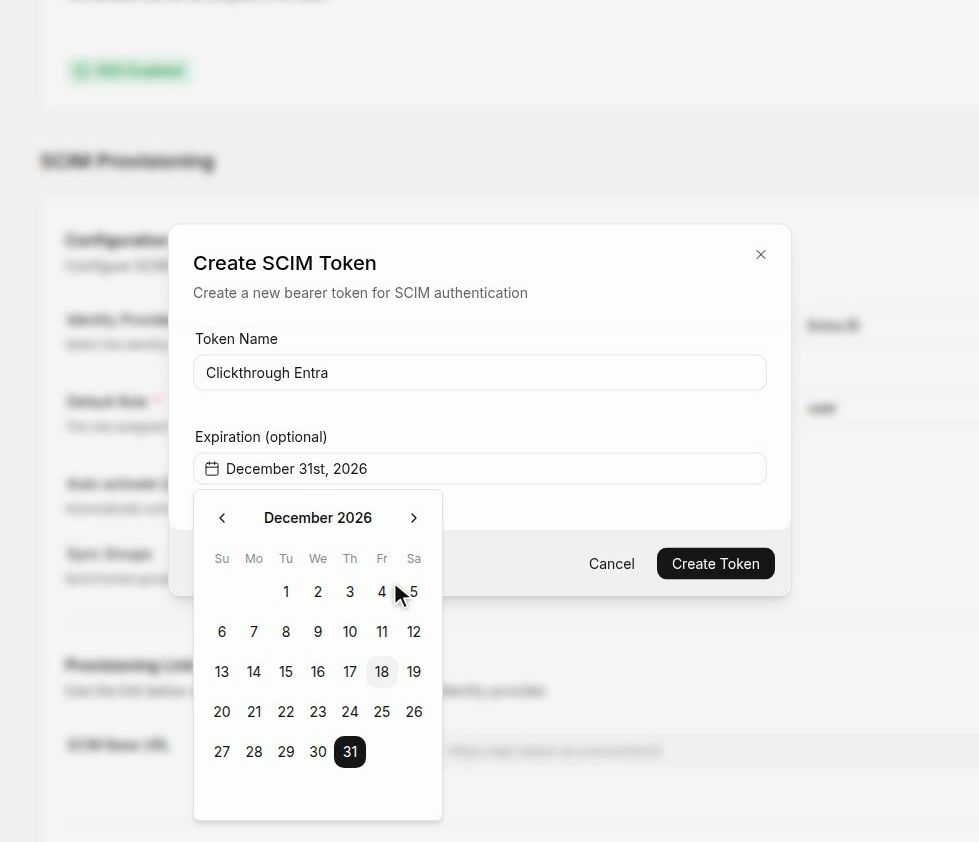
Store the token securely and copy the generated provisioning endpoint.
Map the incoming identity-provider role value to the required organization role.
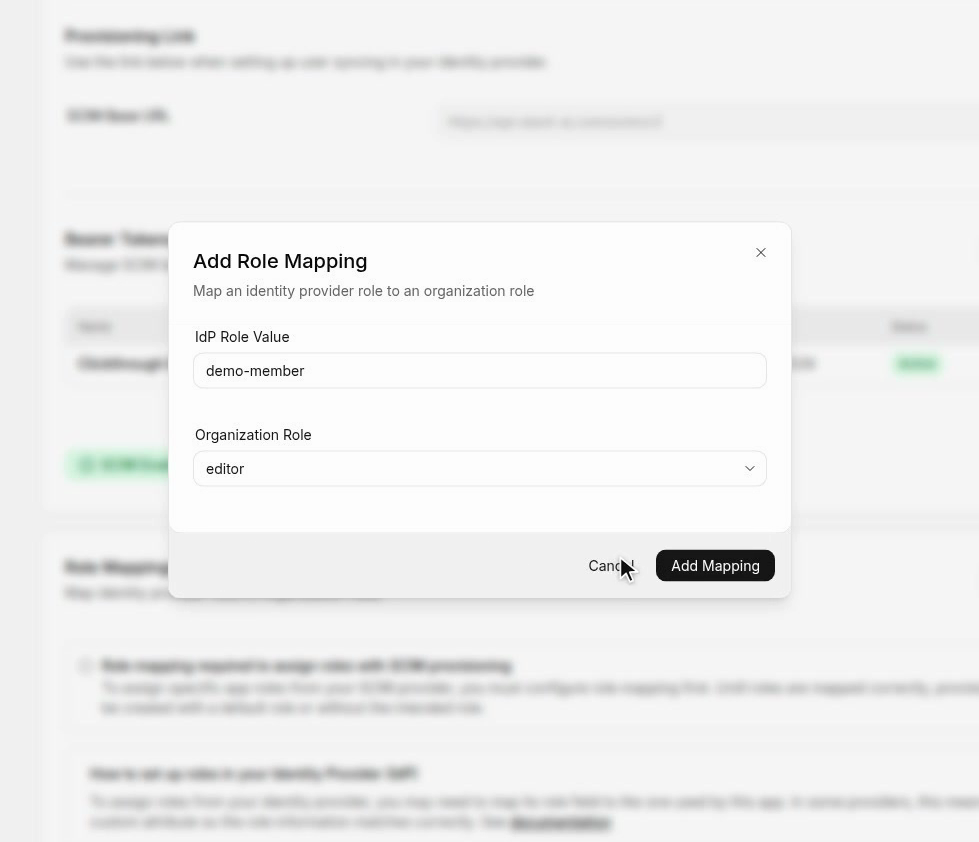
Configure the mapping before assigning users who need it.
Configure the Entra application
Create the StackAI enterprise application in Microsoft Entra.
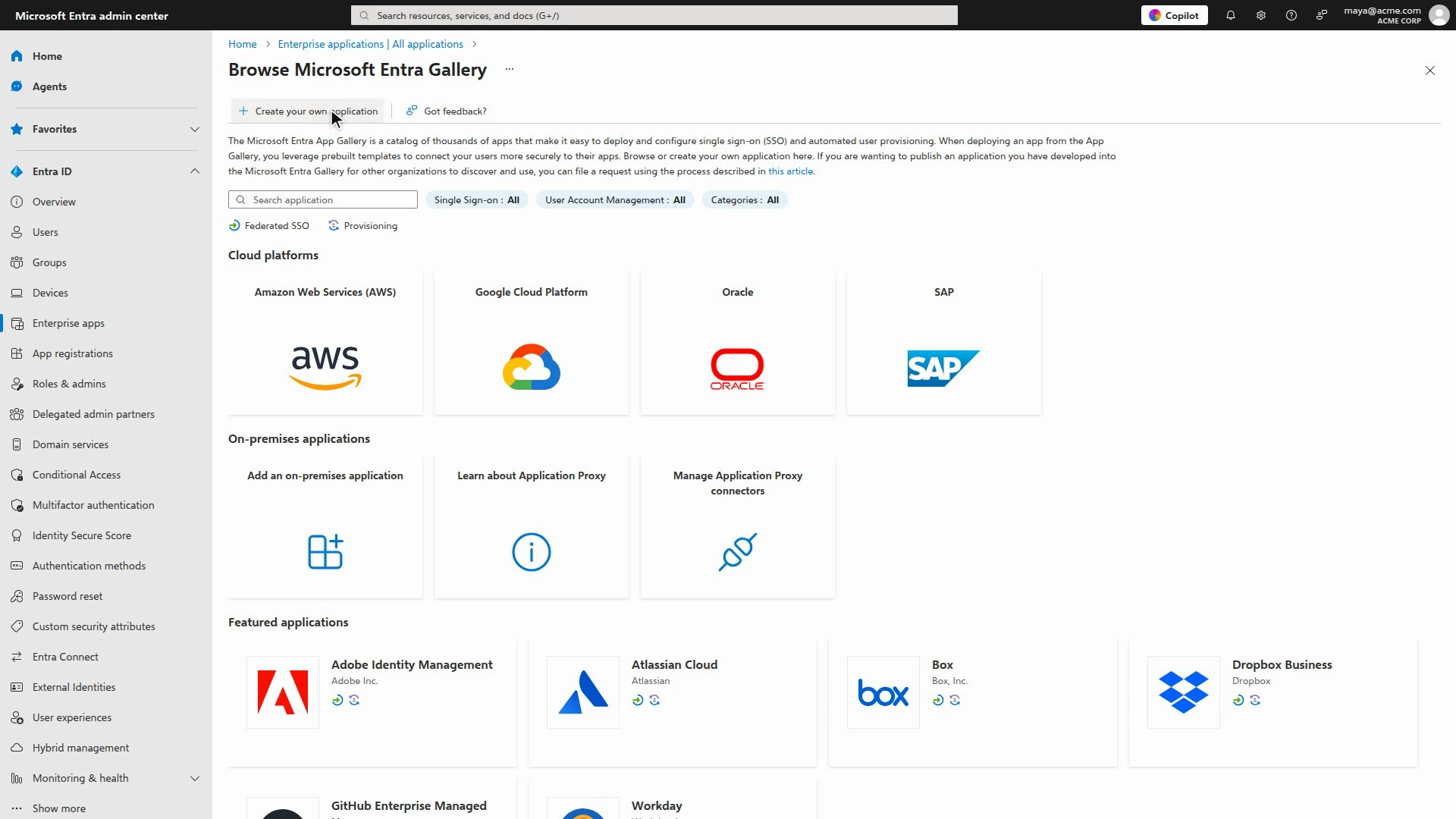
Use an application identity that clearly identifies its provisioning purpose.
Enter the generated endpoint and token in the provisioning configuration.
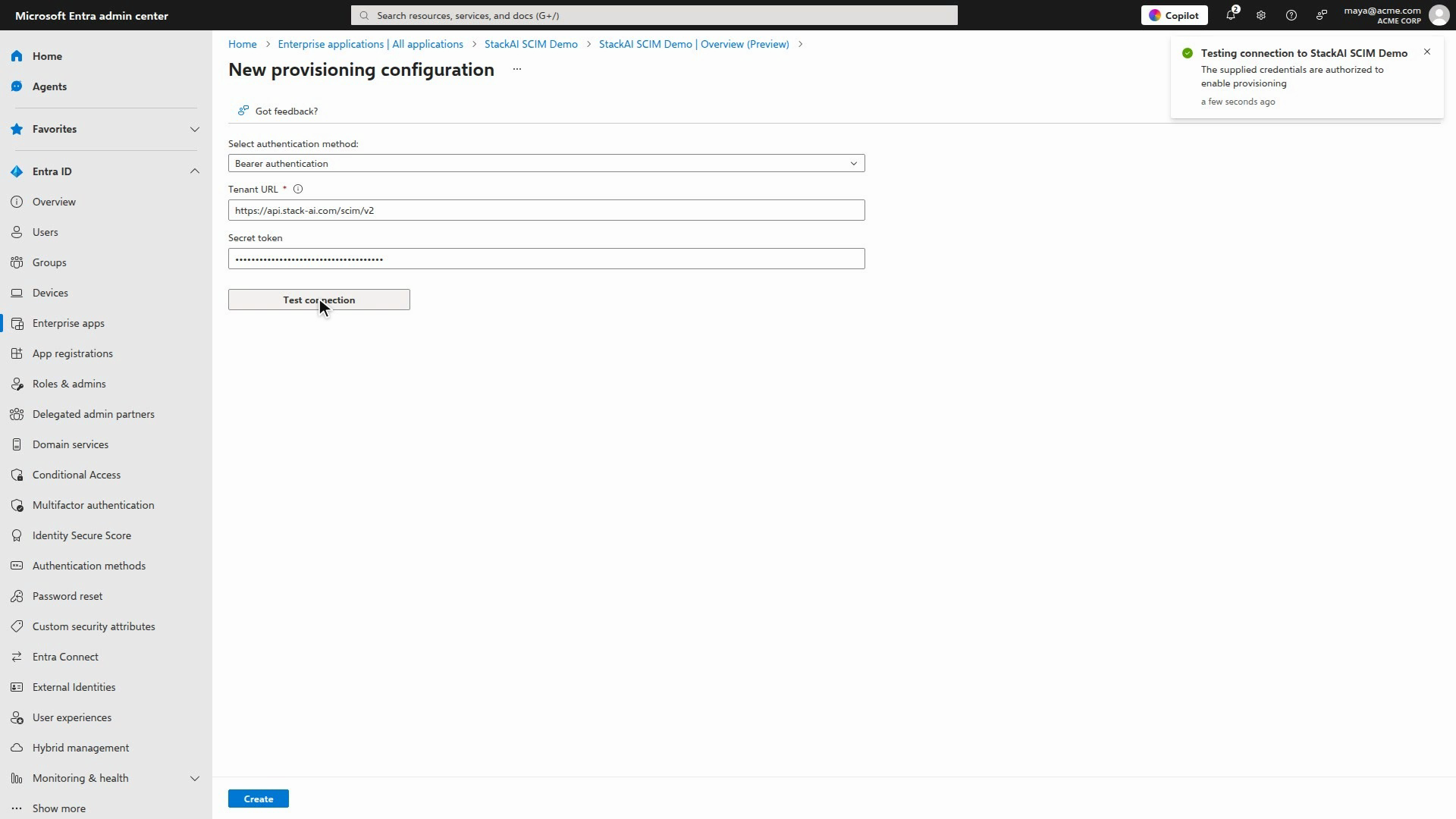
Check connectivity and save the intended settings.
Review source and target attribute mappings, including the user identifier and role.
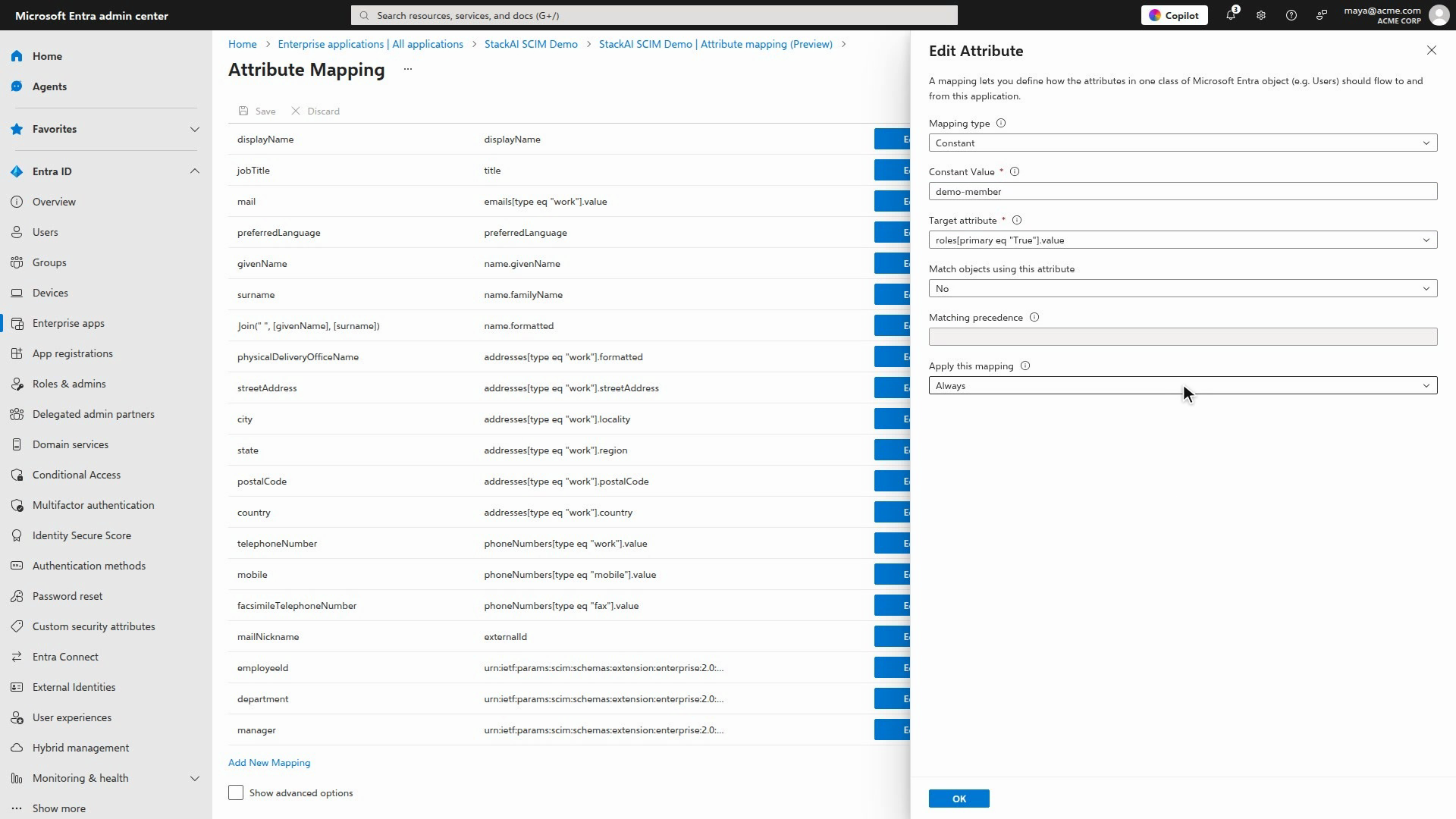
Confirm the expressions or values that will be sent for assigned identities.
Use Users and groups to assign the intended people or groups to the application.
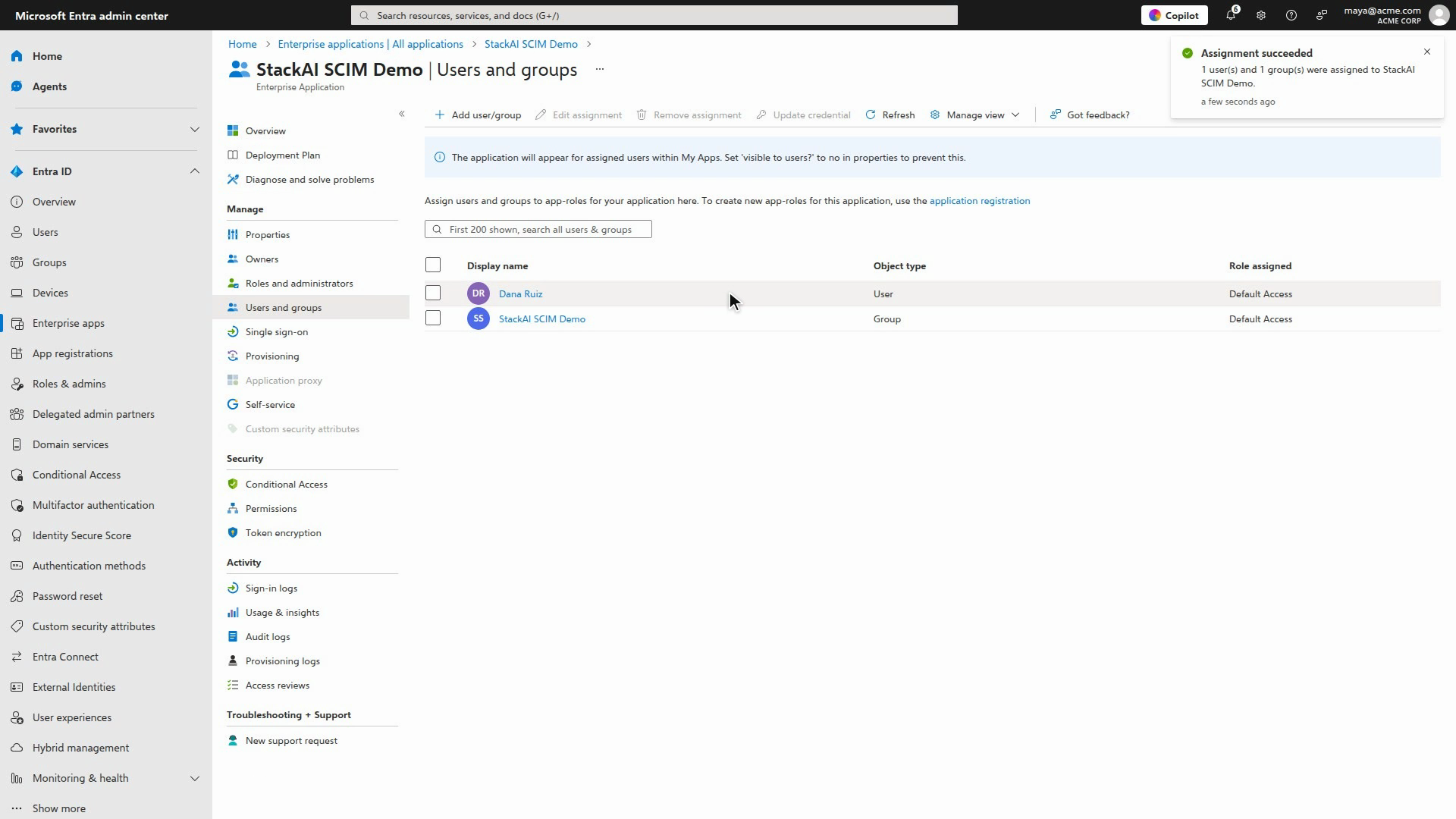
Review the scope before starting provisioning.
Provision an assigned object
Open Provision on demand and choose the object you want to provision.
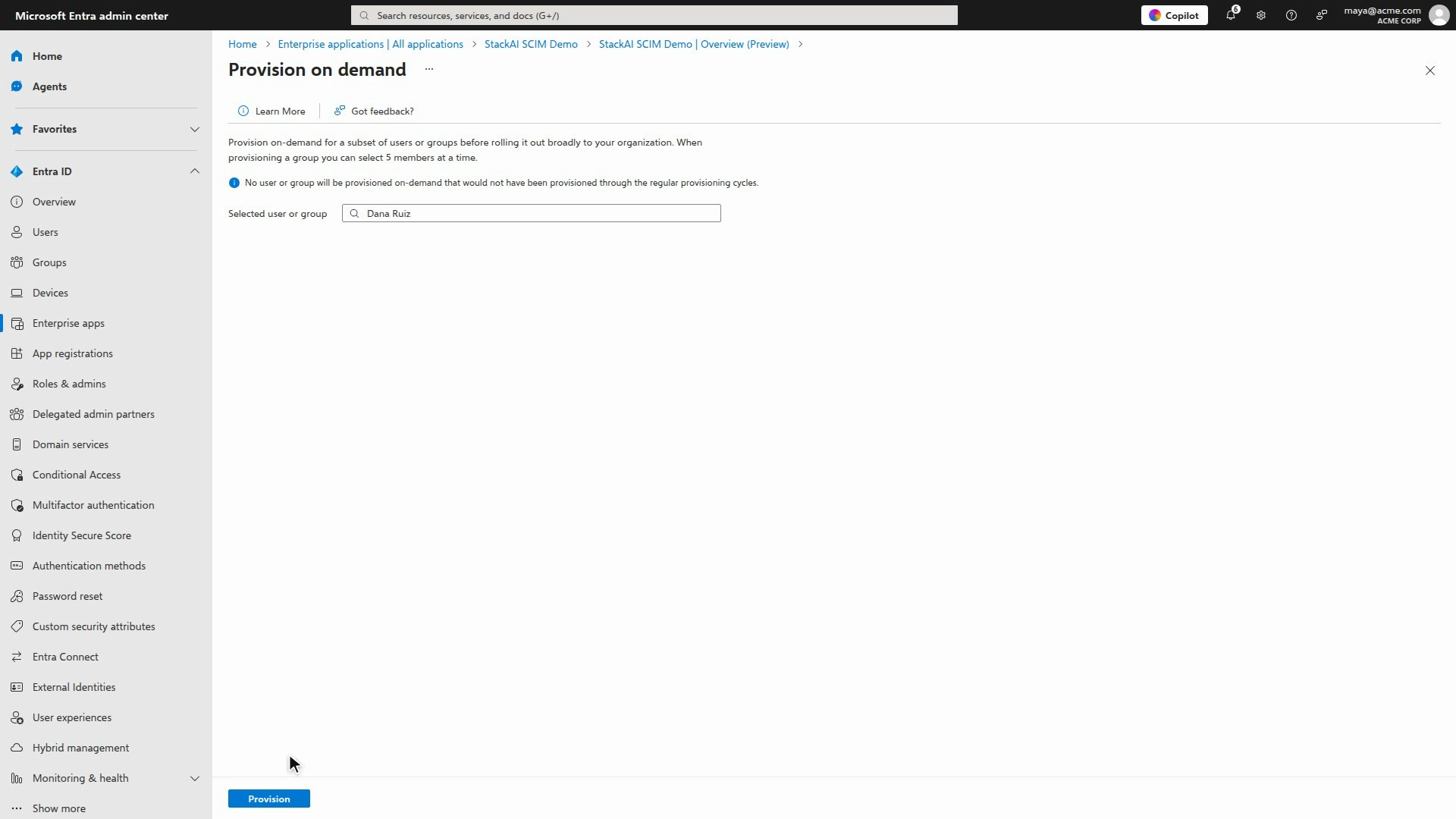
Inspect the operation's steps and result.
Read the import, scope evaluation, matching, and action outcomes.
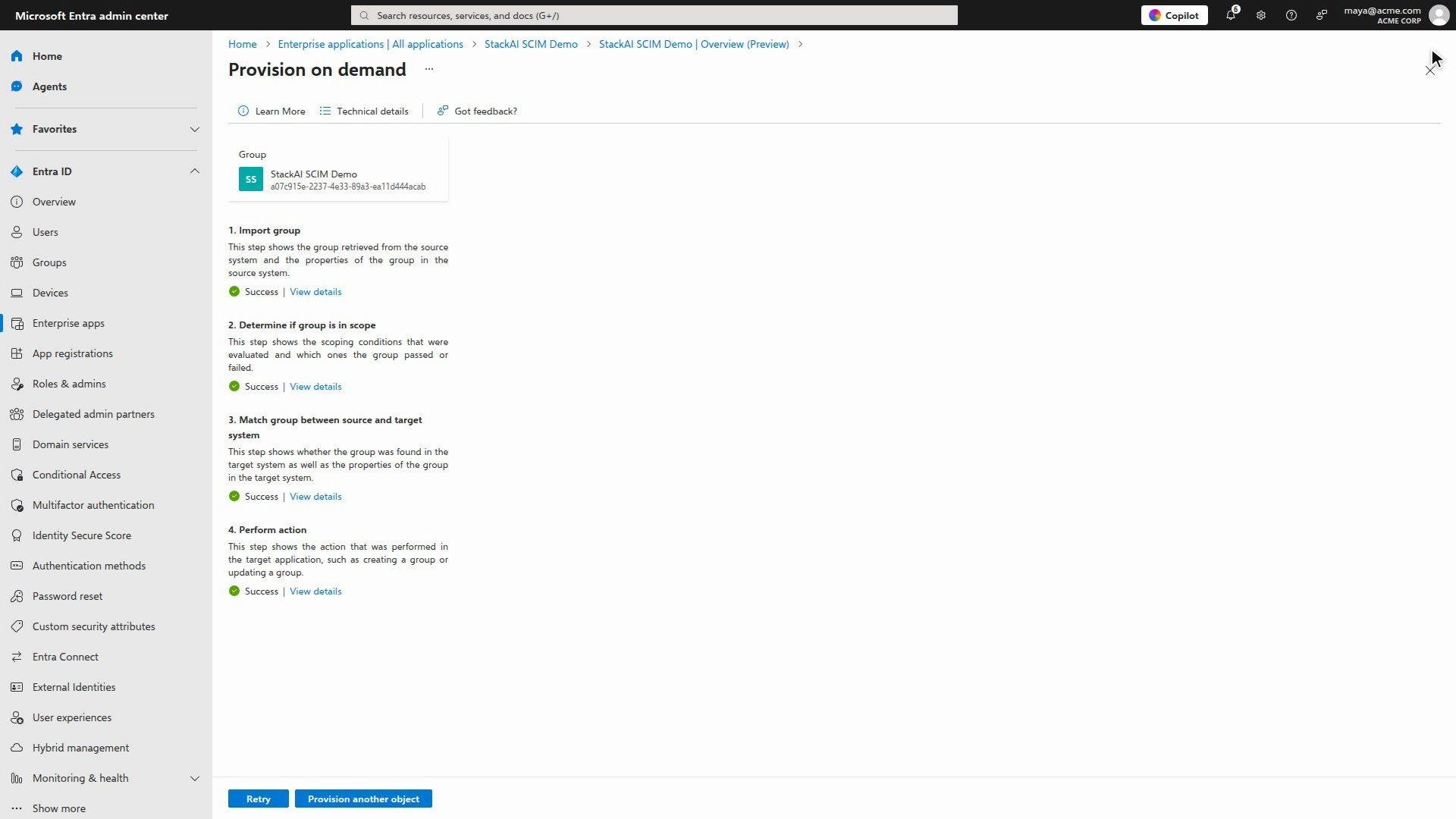
A successful connection does not replace these object-level checks.
Verify synchronization in StackAI
Return to StackAI and inspect the resulting members and groups.
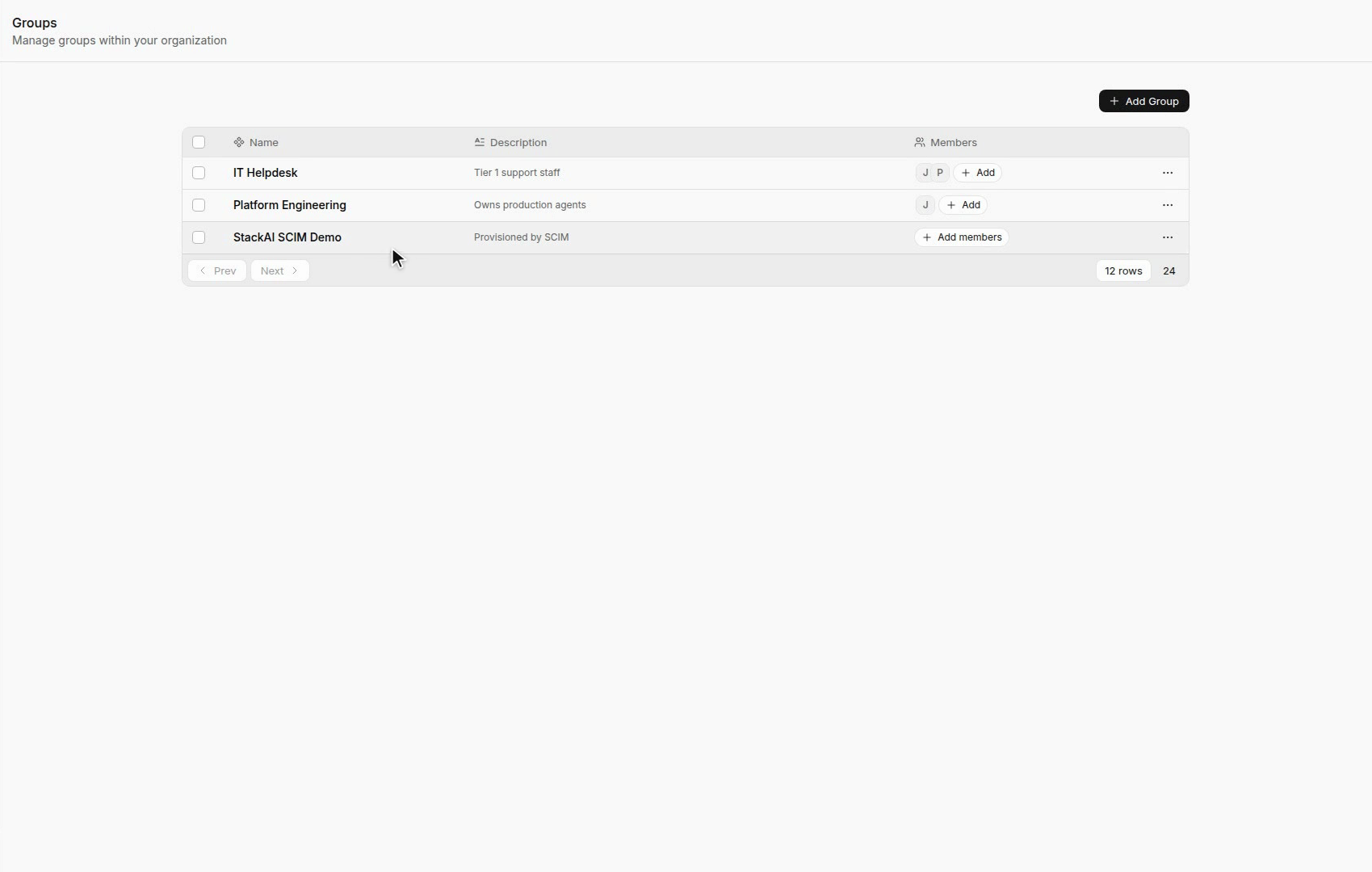
Compare their roles and membership with the Entra assignments.
After an intended membership change, check provisioning again and inspect the target state.
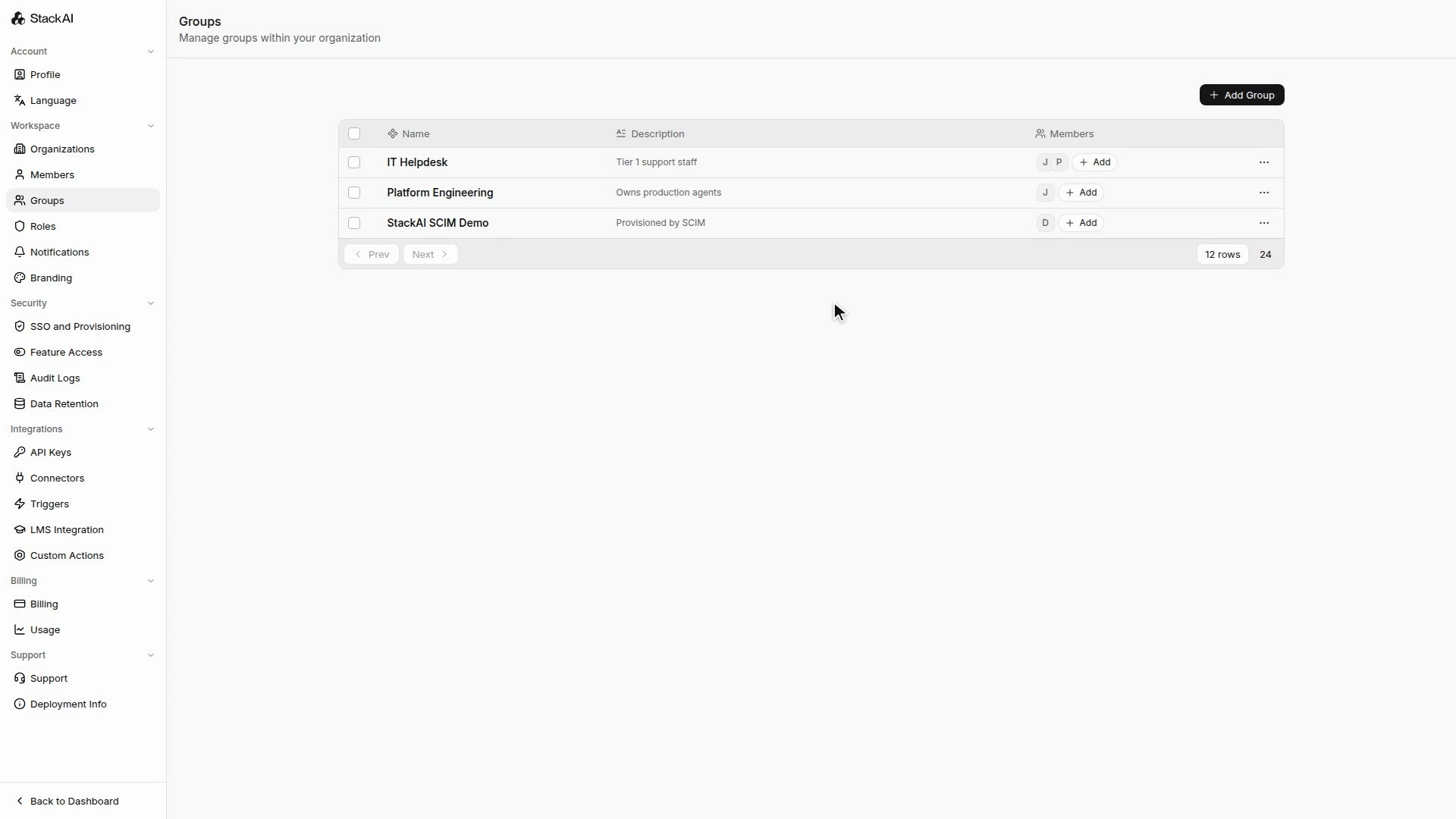
Confirm synchronization from the actual records rather than connectivity alone.
Important behavior
Provisioning on demand reports the result for a selected object. Check its scope, matching, and action results when an expected record is missing.
Connectivity alone does not confirm that users have the intended roles or group memberships.
Last updated
Was this helpful?