

Audio input and output
Text-to-speech converts written content into audio. Speech-to-text converts audio into written content. Use either action on its own or connect them to other workflow steps.
Before you start
Have an authorized connection for the speech provider you want to use.
Connect the audio steps
Inspect the connections between text input, speech generation, transcription, and output.
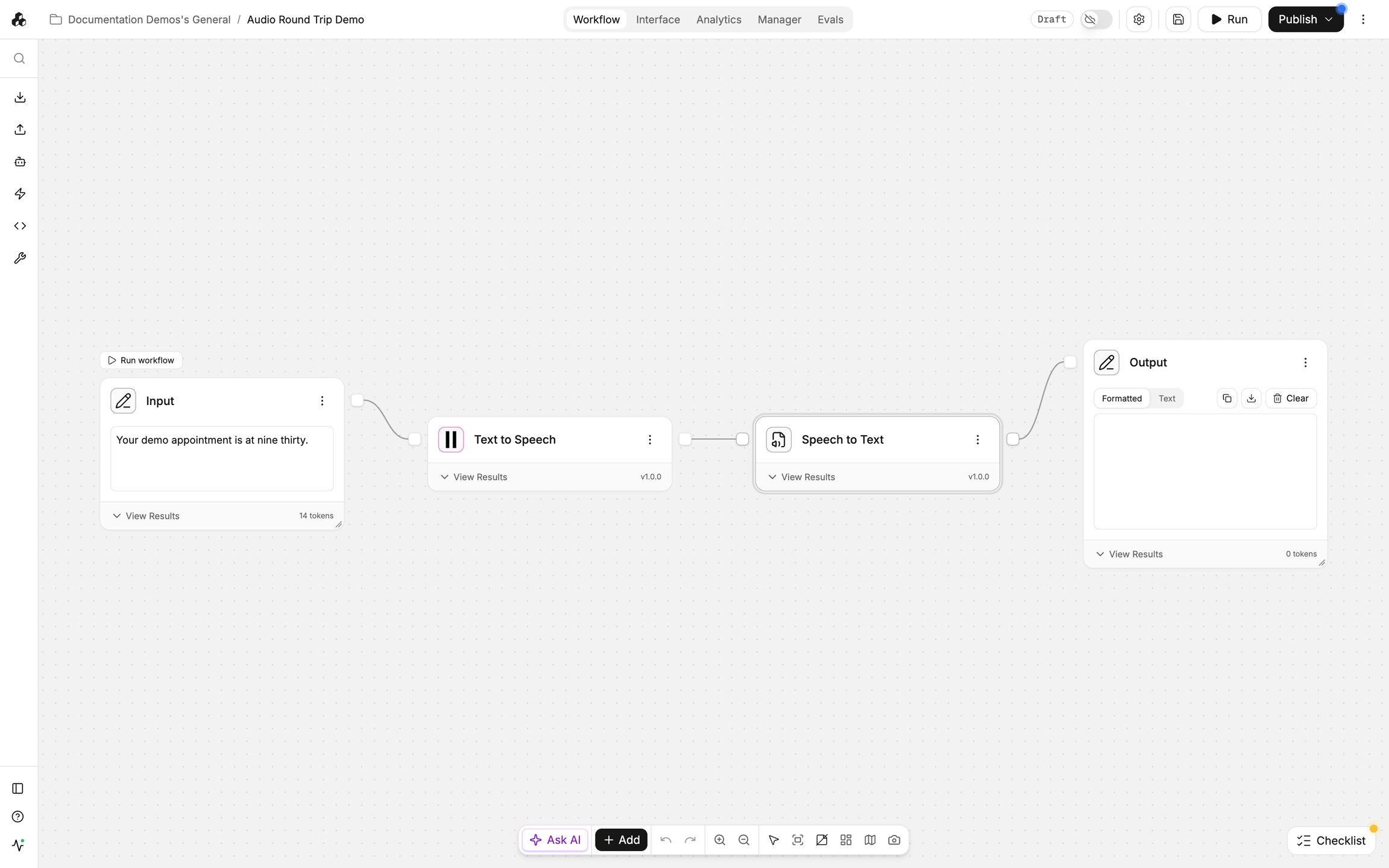
Each action must receive the data type it expects from the preceding step.
Generate speech
In Text to Speech, select the connection, voice, and speech model, then reference the input text.
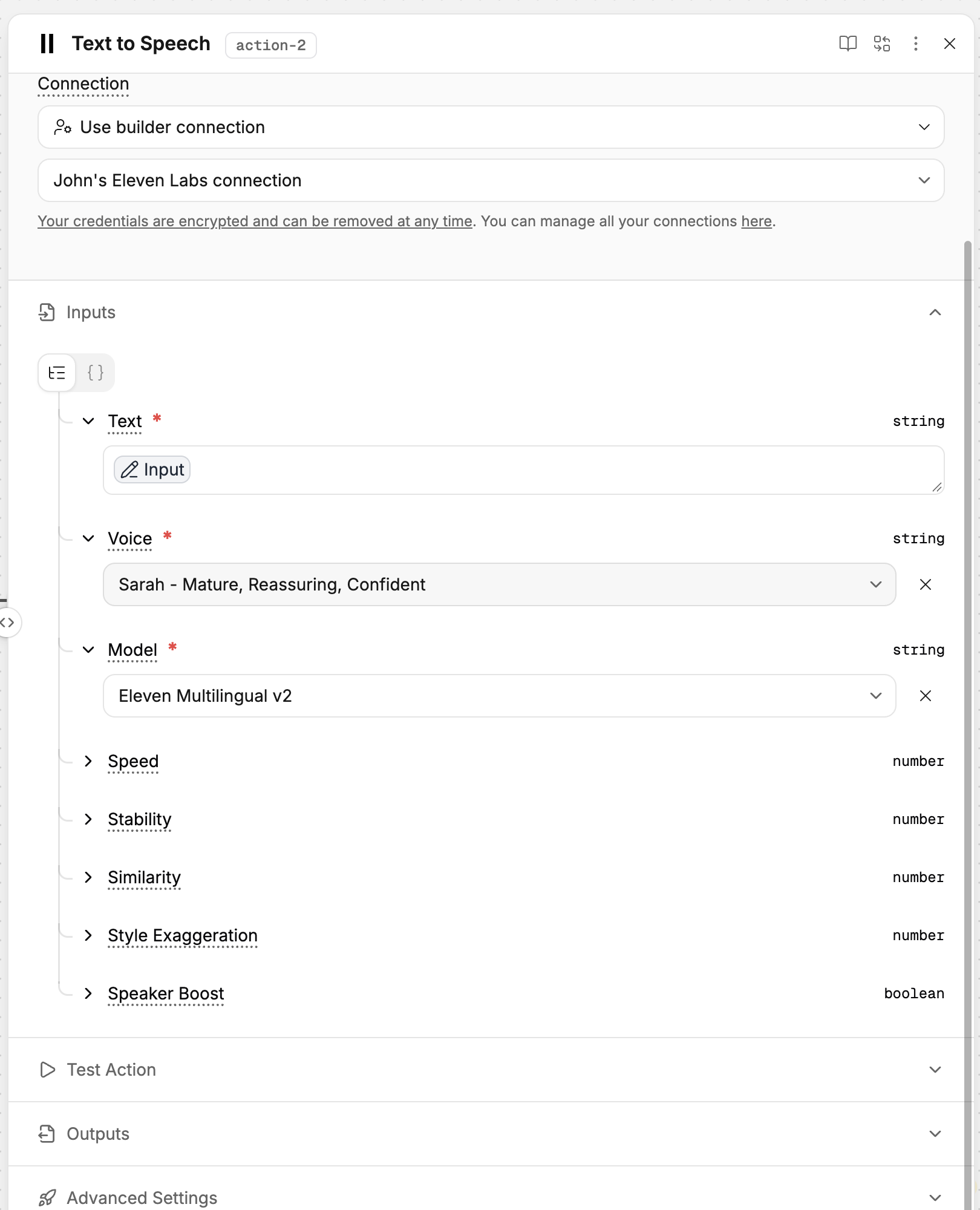
Available voices and models depend on the provider and account.
Transcribe audio
In Speech to Text, map Audio URL to the generated audio's Signed URL.
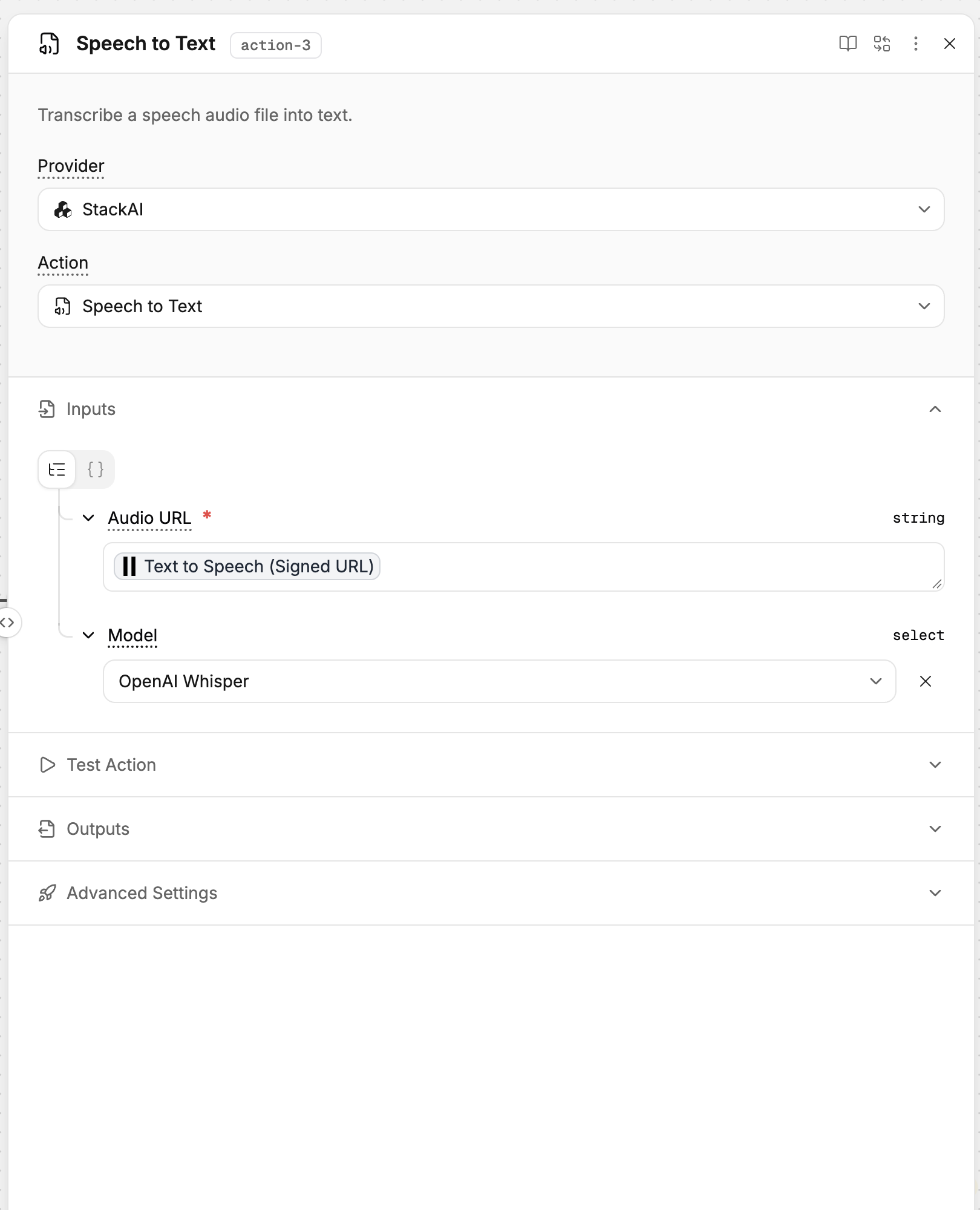
This passes the audio created during the current run into transcription.
Run the workflow and inspect the transcription.
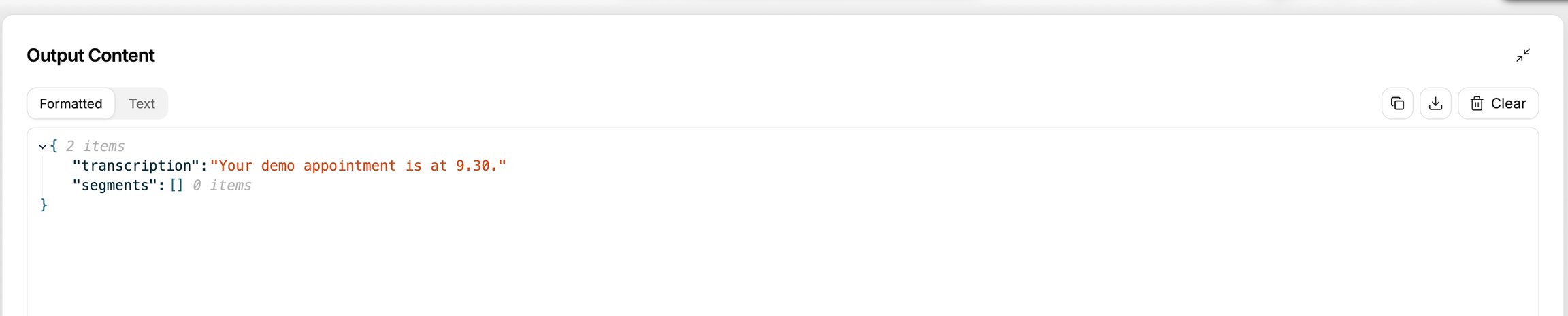
Compare its meaning with the original text, allowing for differences such as number formatting and punctuation.
Important behavior
Text to Speech and Speech to Text can be used independently. Connect them only when you need to transcribe generated speech.
Signed audio URLs can expire. If audio cannot be retrieved, supply a current, accessible URL.
Related steps
Last updated
Was this helpful?