

Workflow debugging and node results
Node results show the data and errors produced during a workflow run. Use them to find where processing first differs from the intended behavior.
Inspect the node results
Run the workflow and open the input node's results.
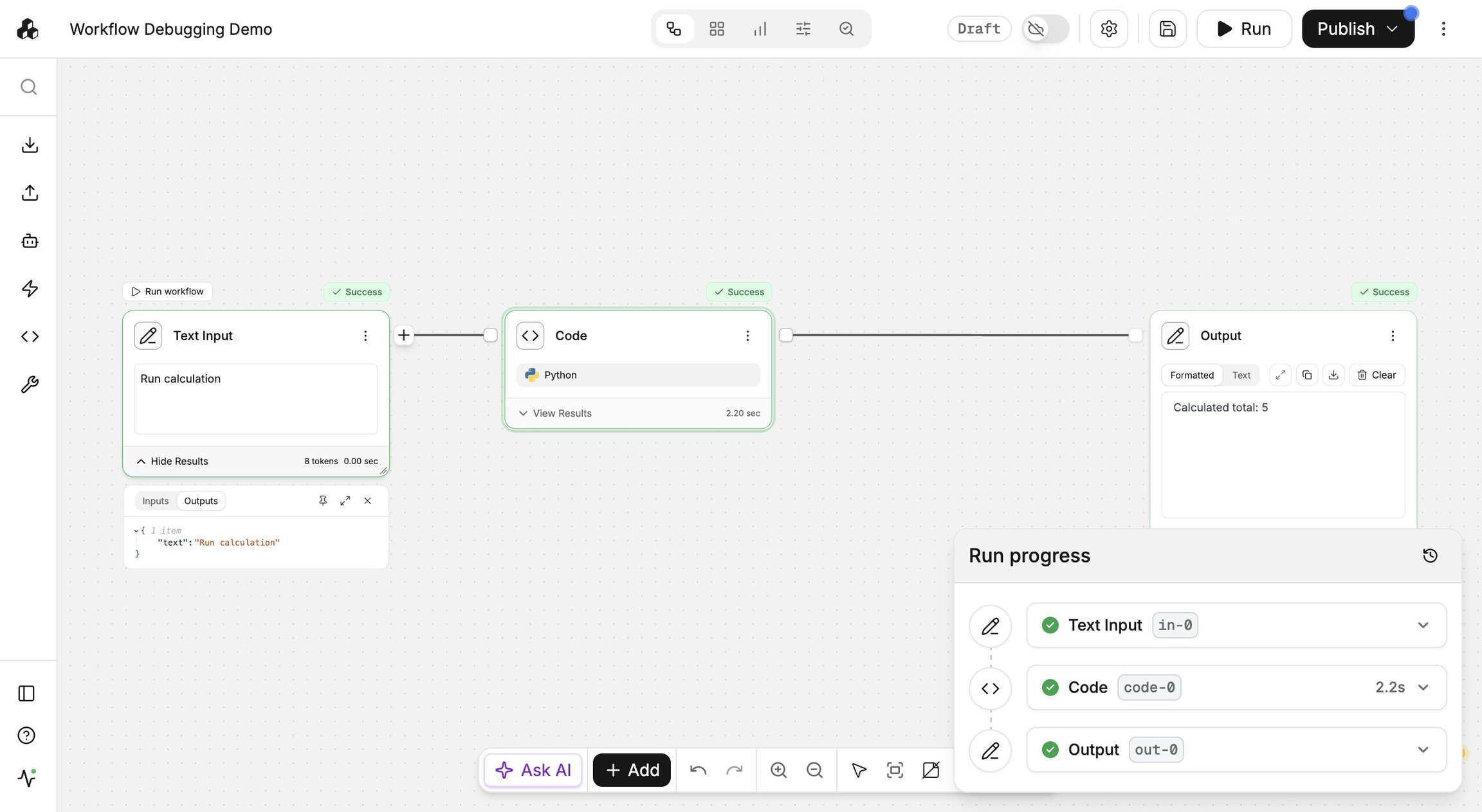
Confirm that you are inspecting the values from the execution you want to investigate.
Expand the processing node's results and inspect its output structure.
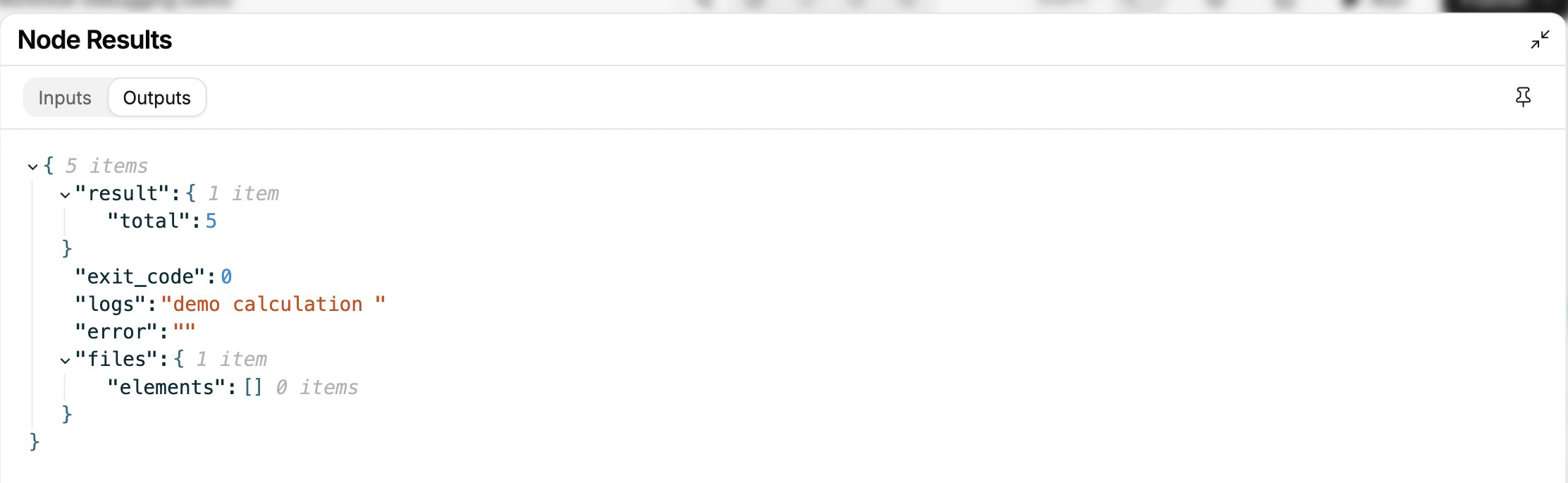
For Code, review the returned result, exit code, logs, and error details.
Check references between nodes
Check the downstream reference against the upstream result.
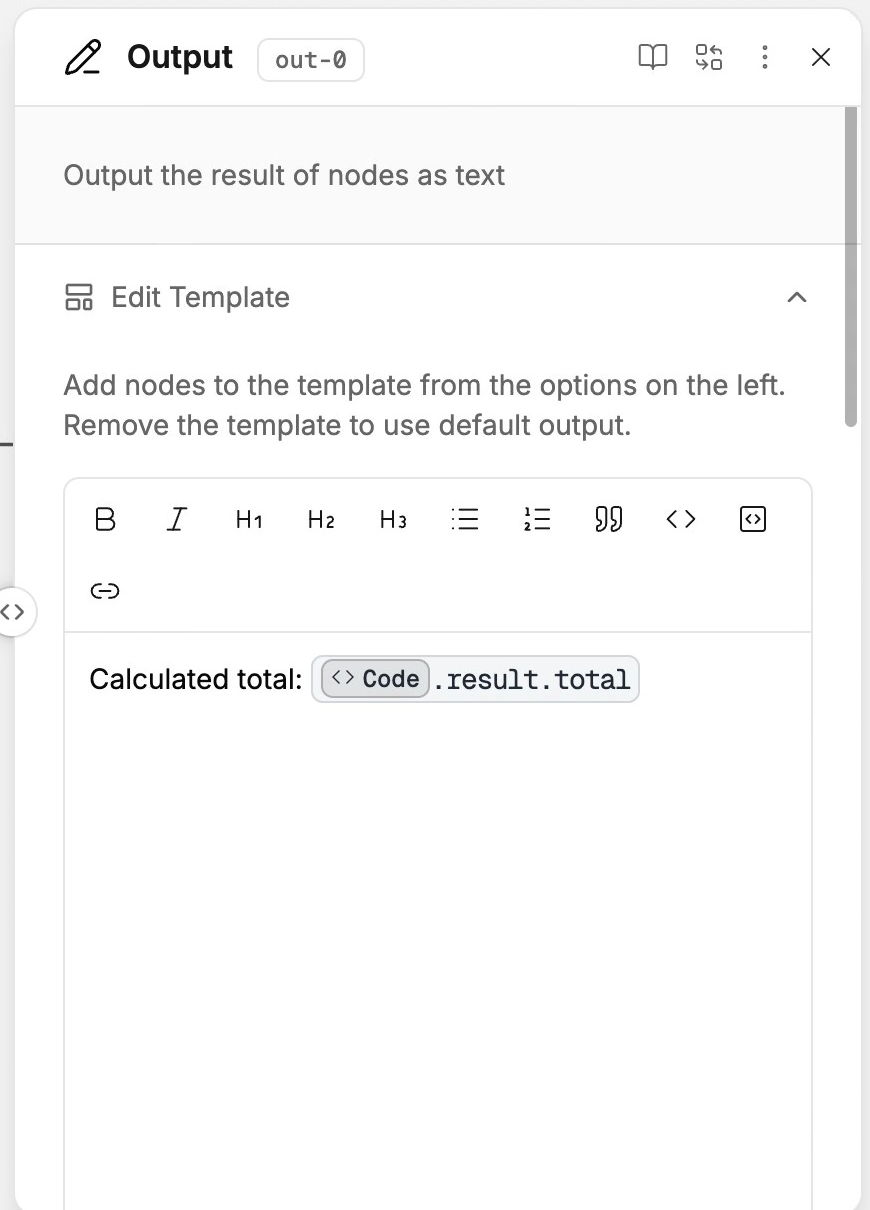
A wrong field path can produce a missing value even when the source node succeeds.
Investigate a failure
When a run fails, locate the first failing node and open its error details.
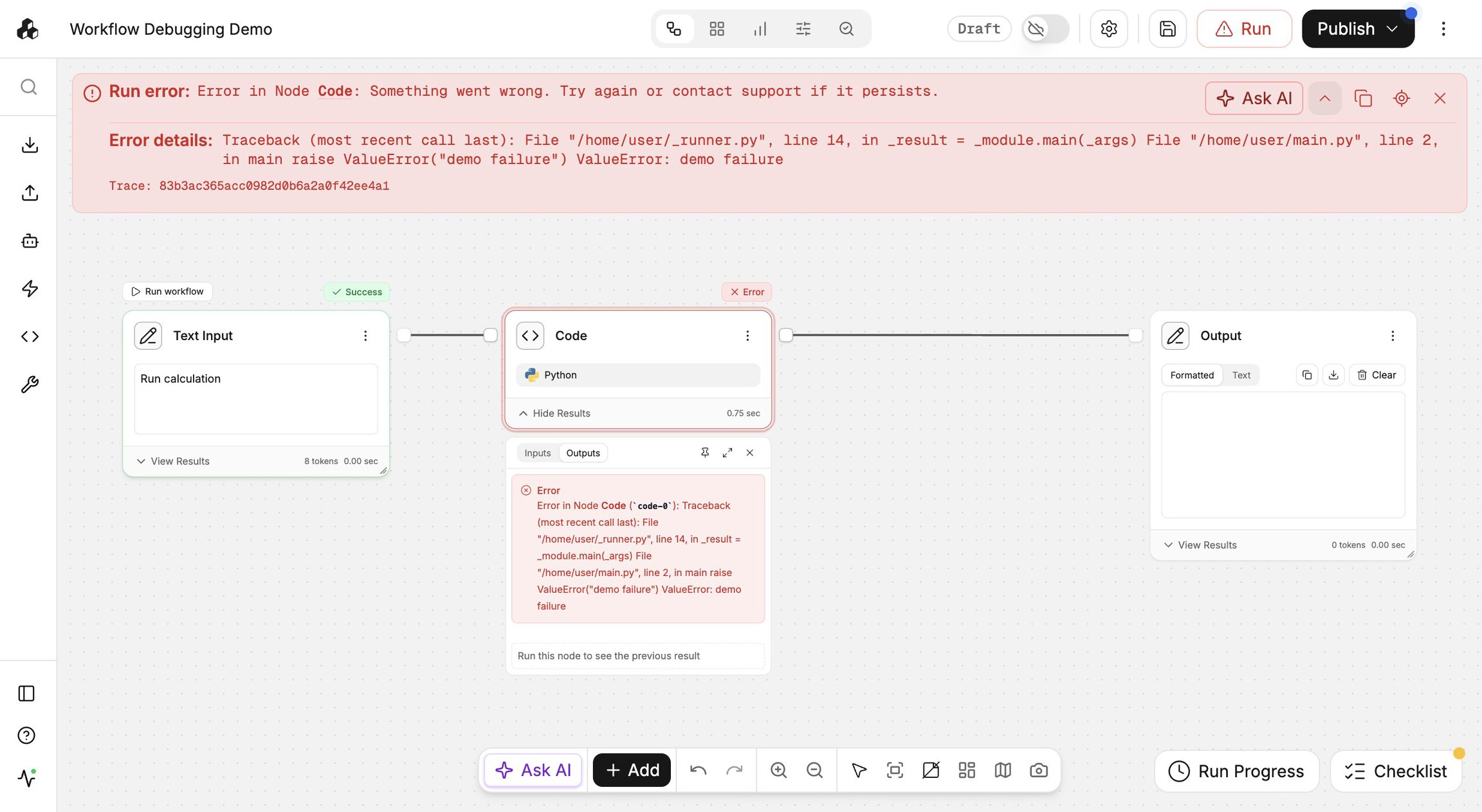
Investigate that error before treating missing downstream output as a separate cause.
Open the failed execution in Analytics and inspect Run Details.
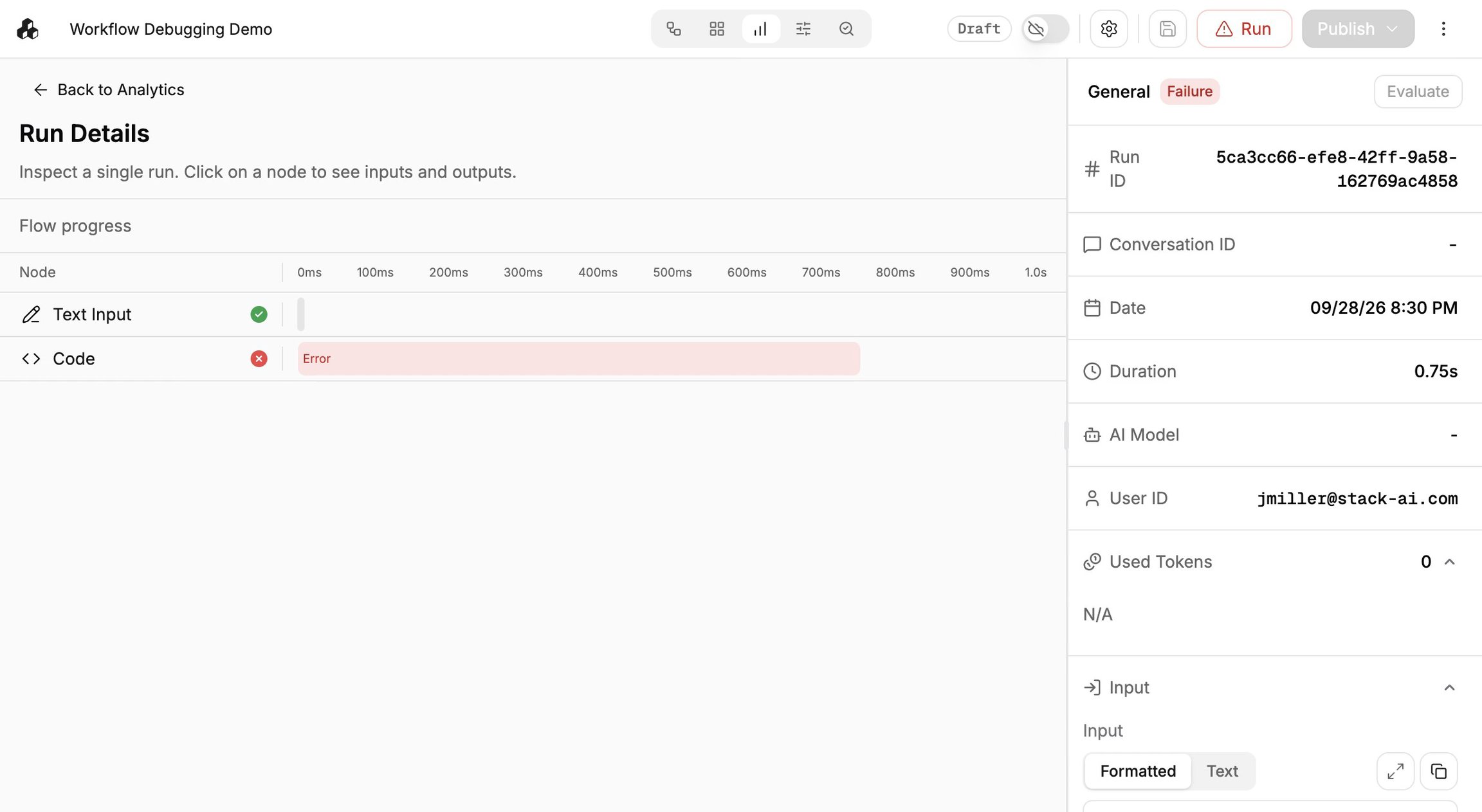
Use the run identifier, input, status, and node details to keep the investigation tied to one execution.
Run the corrected workflow
Correct the problem and run the complete path again.
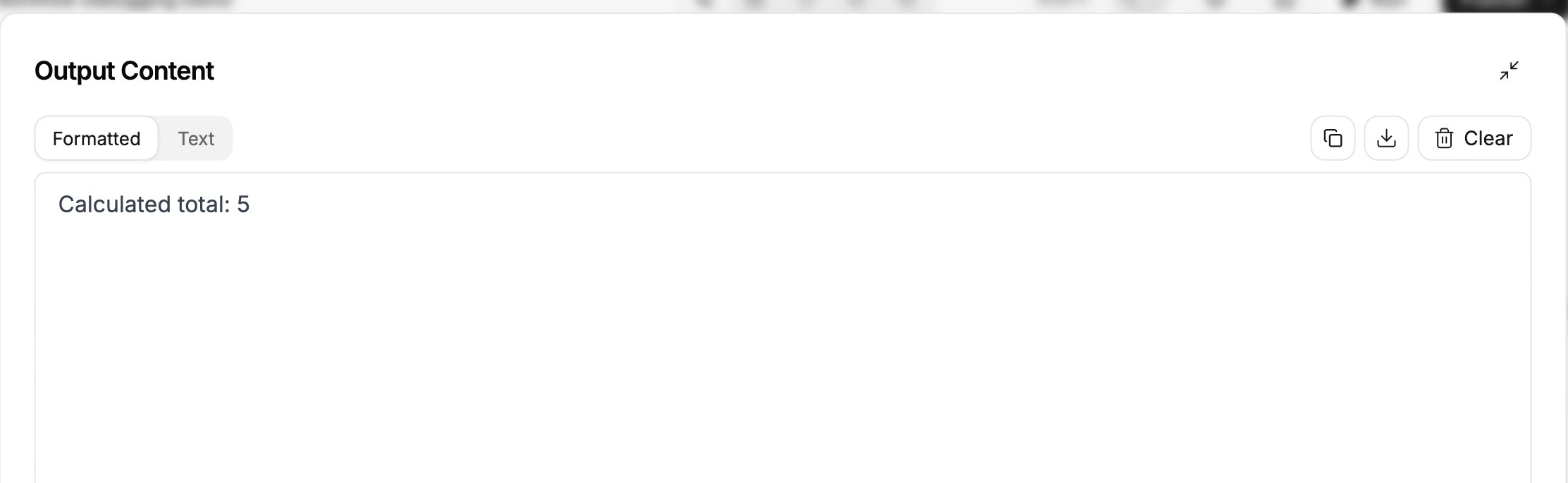
Verify a new successful result rather than relying on a status left from an earlier run.
Important behavior
Saved run details describe that execution. They may differ from the current draft after you edit the workflow.
Related steps
Last updated
Was this helpful?