> For the complete documentation index, see [llms.txt](https://docs.stackai.com/llms.txt). Markdown versions of documentation pages are available by appending `.md` to page URLs; this page is available as [Markdown](https://docs.stackai.com/guides-and-tips/stackai-hacks/troubleshooting-a-workflow.md).
# Troubleshooting a Workflow
Most of the time, your workflow just works - and that’s the point!
When something doesn’t look right, the cause is usually something small. This article helps you get comfortable diagnosing those moments quickly.
### **Ask AI**
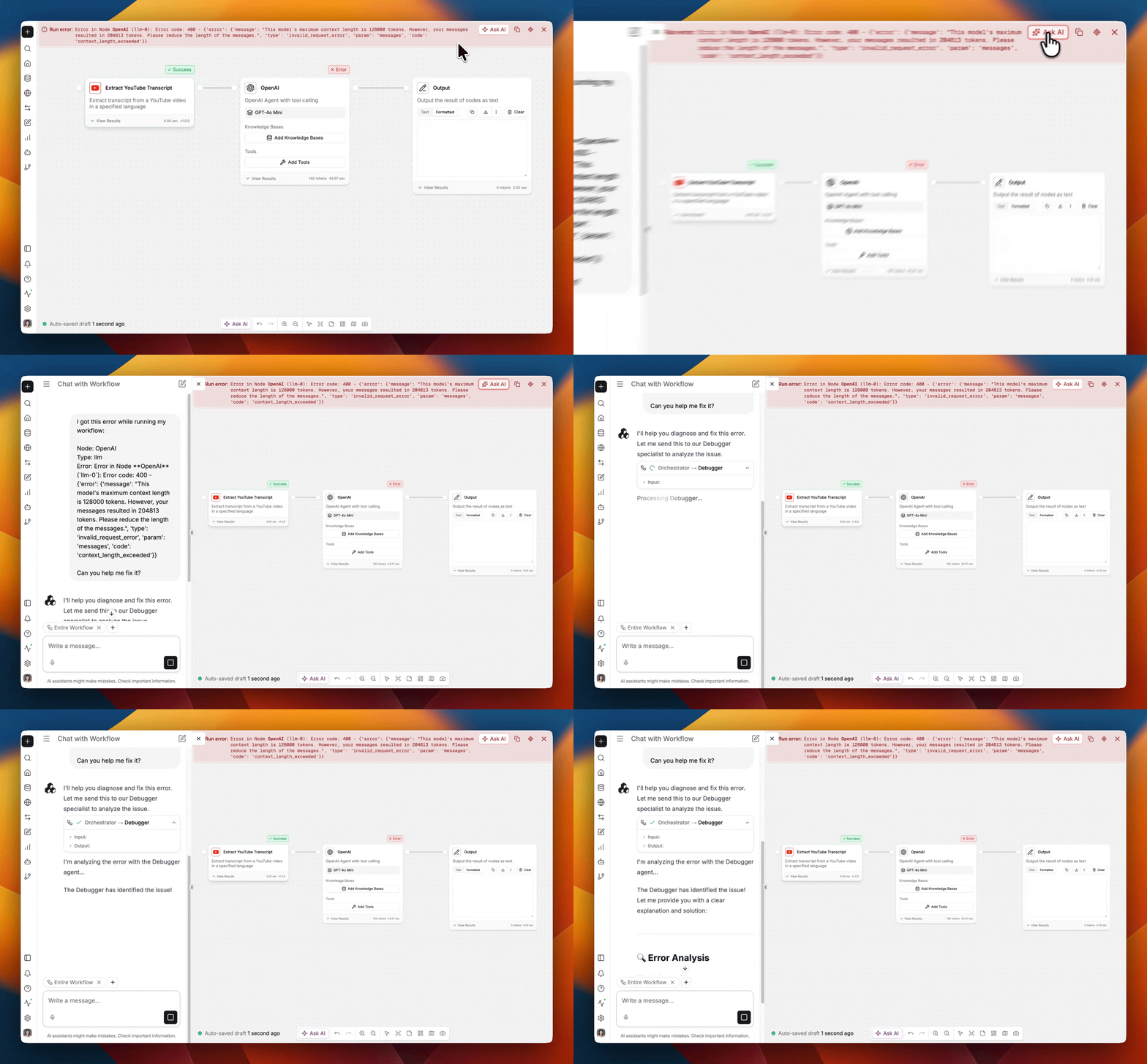
The easiest way to root cause an error is to chat with the built-in AI expert that has extensive knowledge about the StackAI platform.
The Ask AI feature can also help you when there is not an error. It is located at the bottom of the screen, and it can handle advanced tasks, such as updating and adding nodes into the workflow based on your prompt.
### **Inspect Nodes**
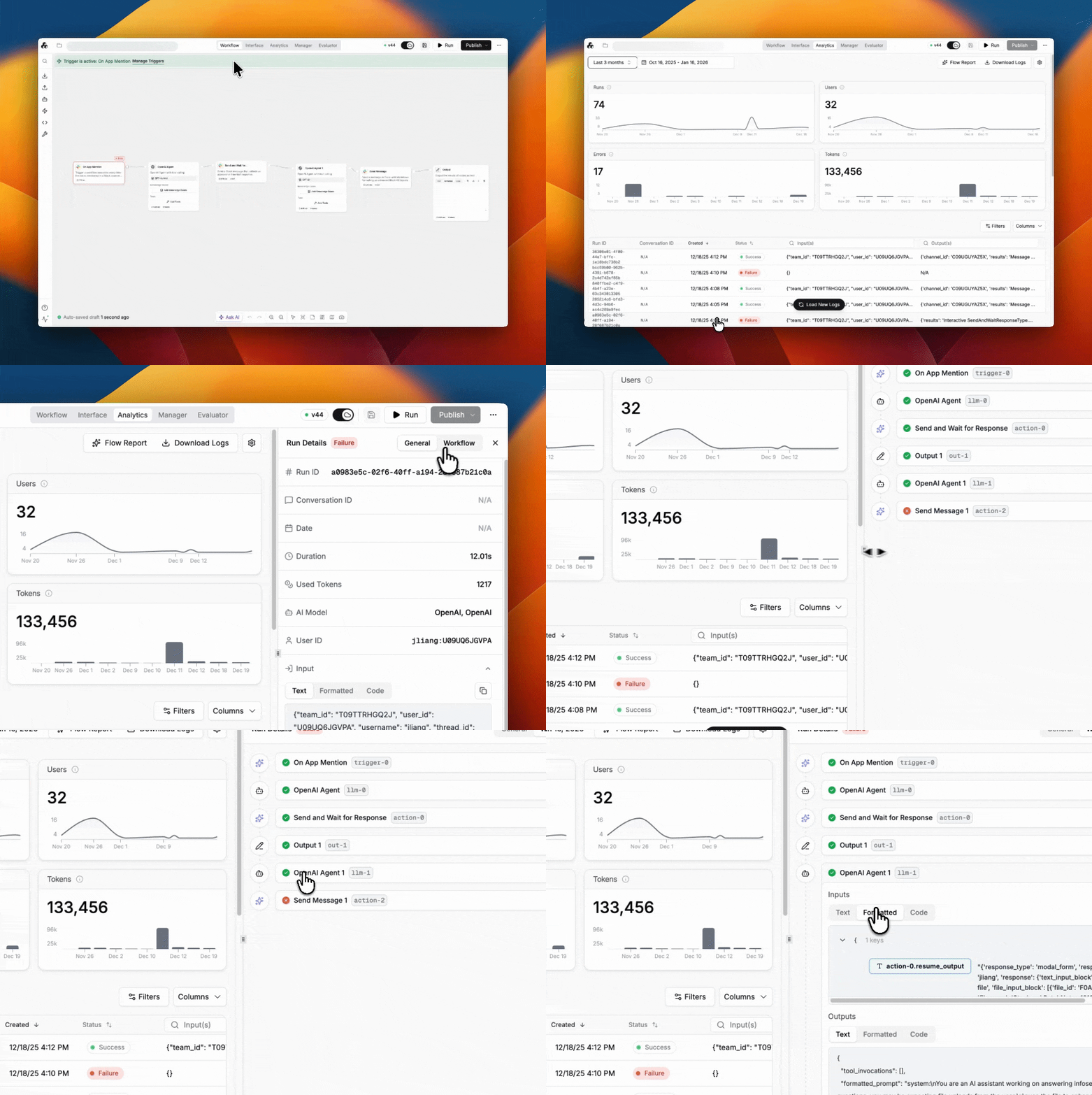
The Analytics page provides node-level information to help you deep dive on the data flowing through the workflow and trace any actions taken at various steps.
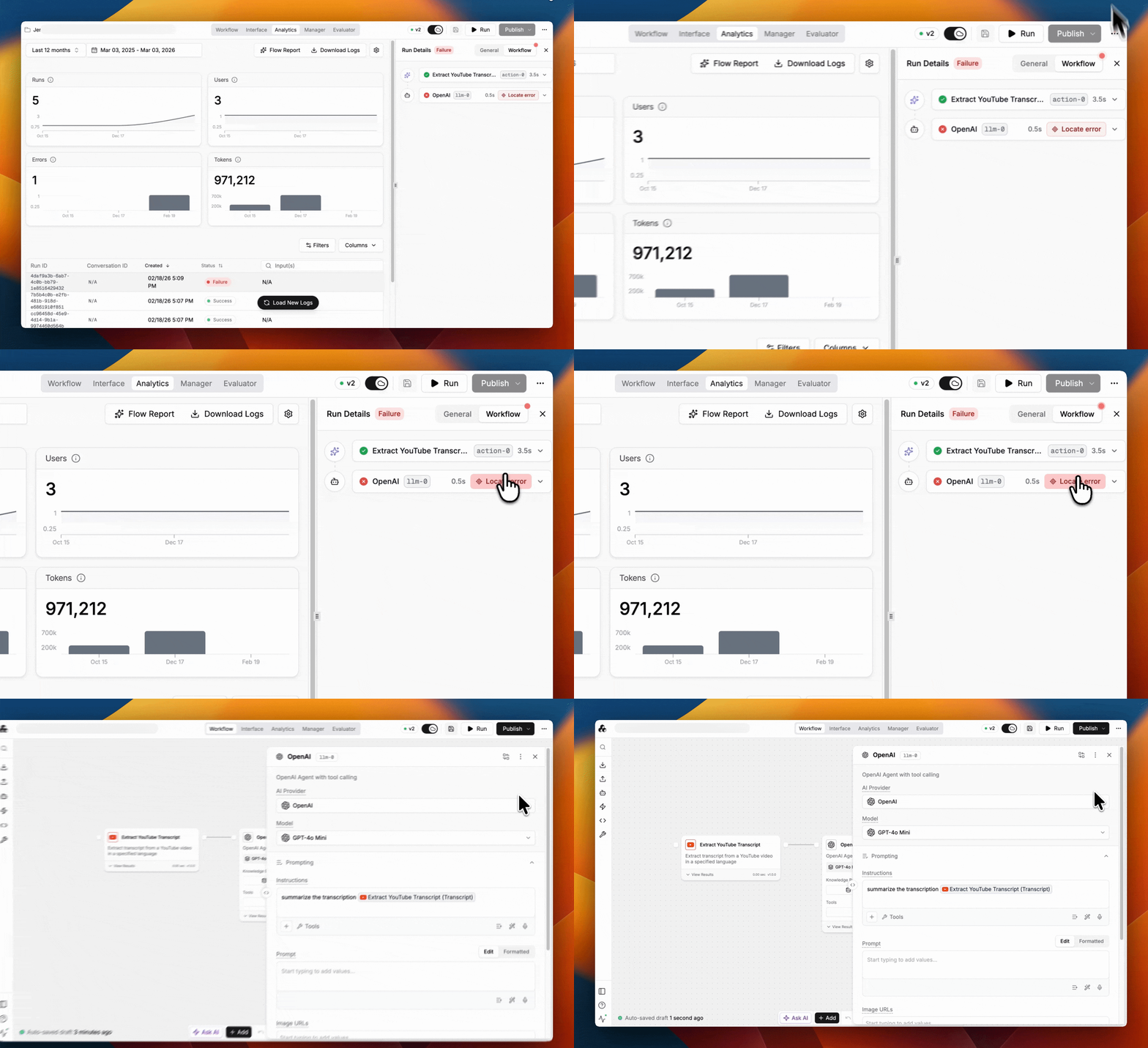
You can also easily locate the node where the error originated from the Analytics view.
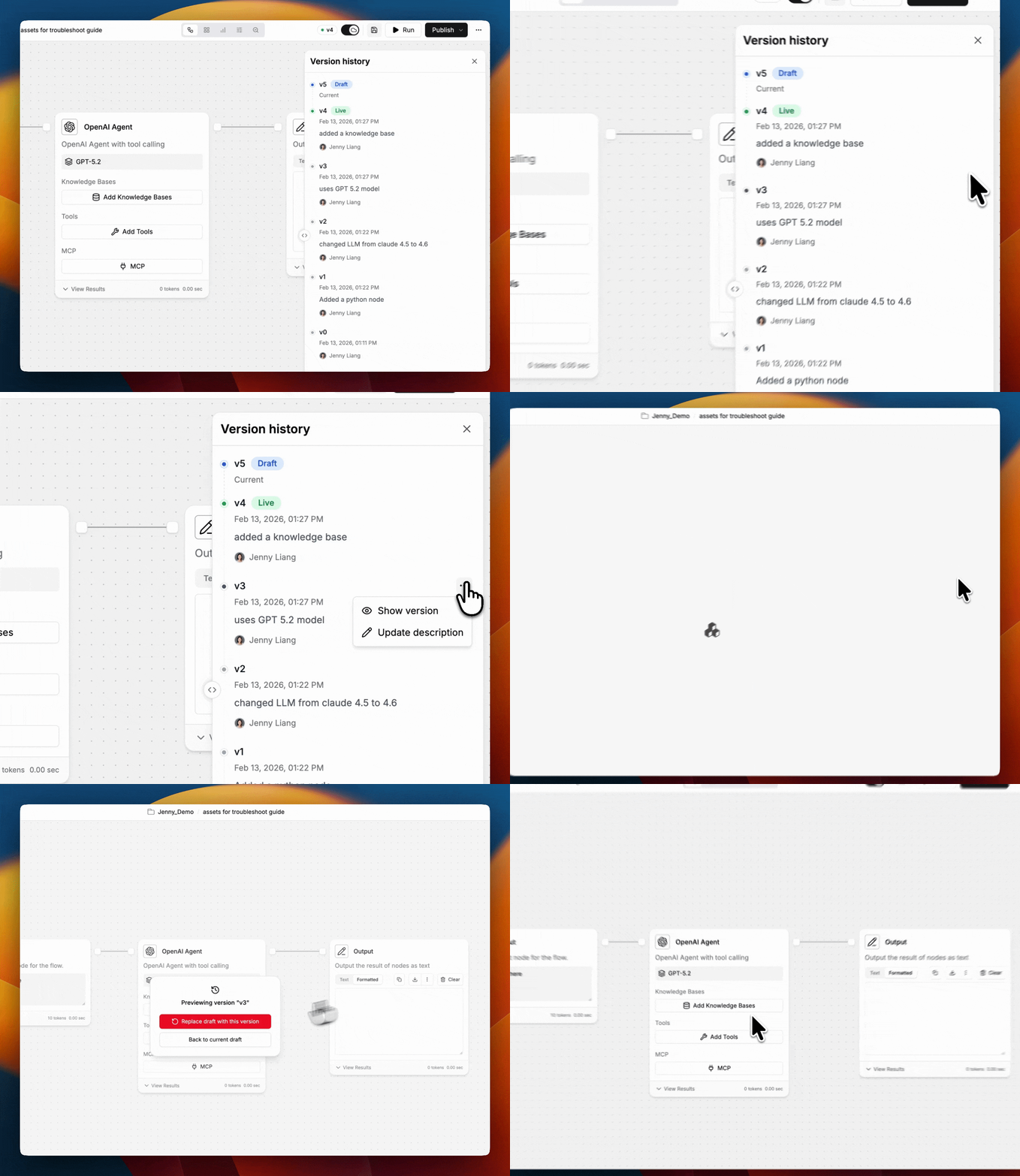
### **Inspect Versions**
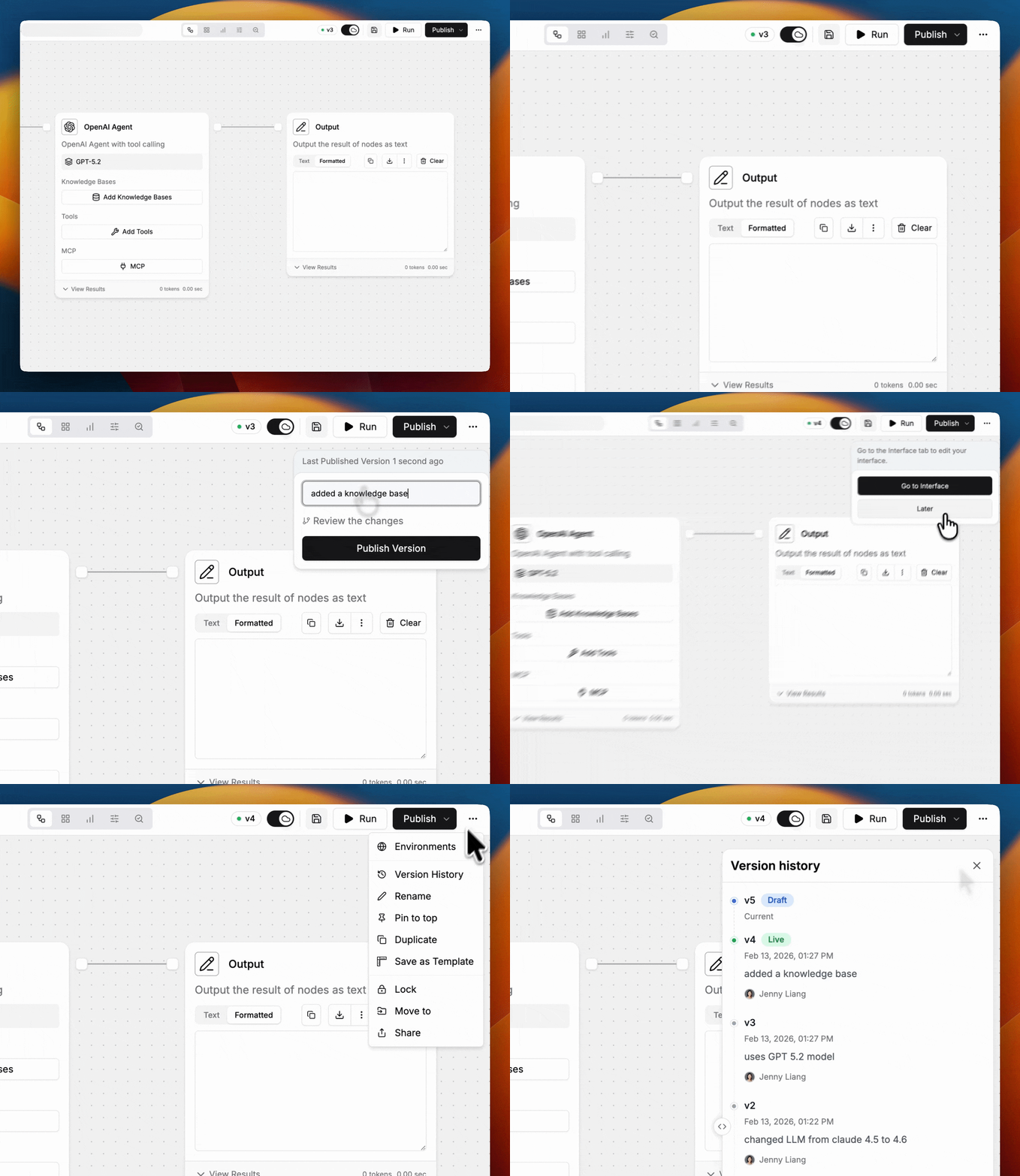
For each iteration, it is recommended to add a description of the changes for future references.
Using **Version History**, you can revert back to a previous snapshot of the workflow.
### **Ways to Improve Testing**
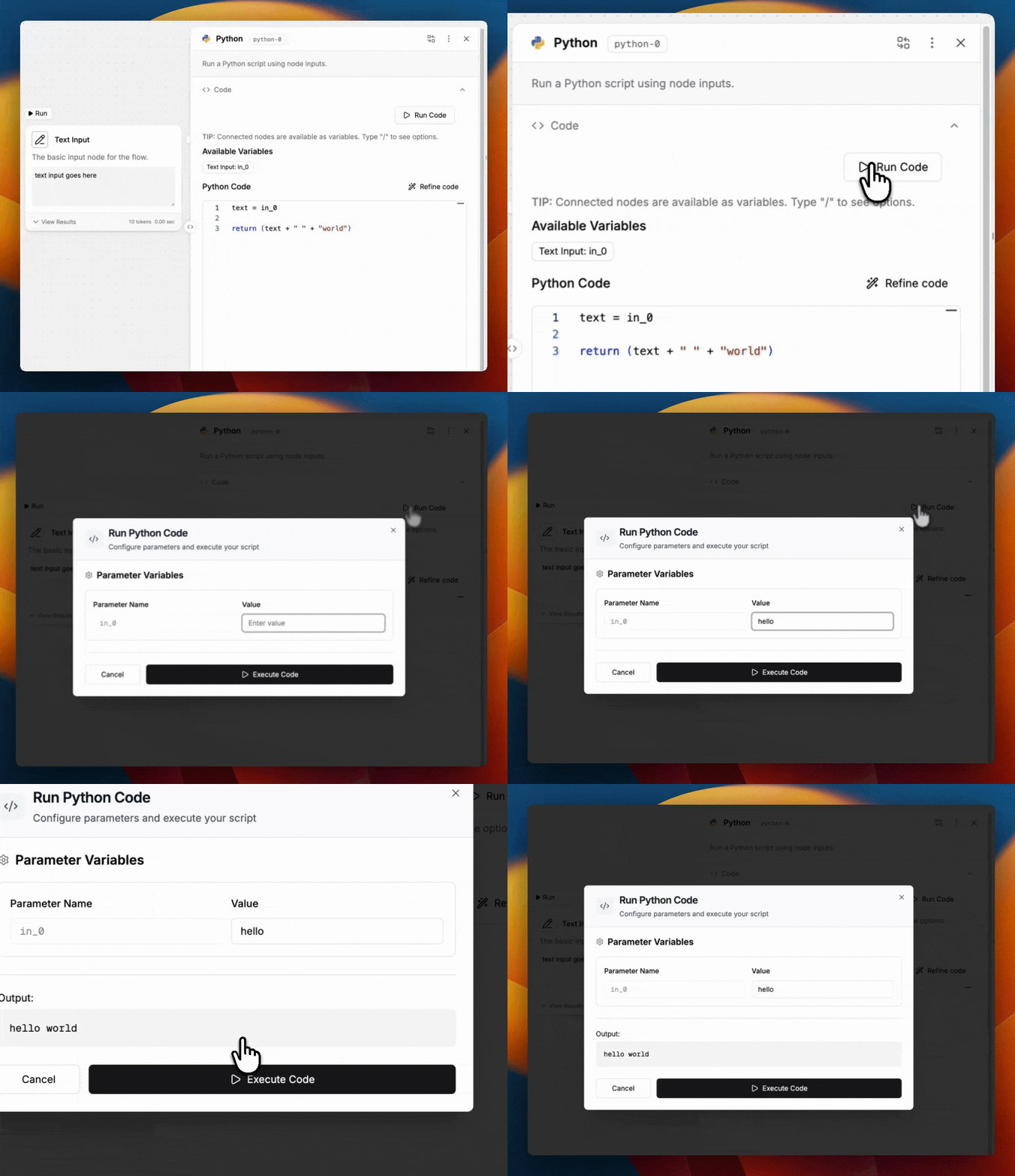
1. **Test** within the nodes
Some nodes, such as **Python** and **Send HTTP Request**, require iterations with the code and parameters.
To speed up the building process, you can run incremental tests directly in the node and save time from running the entire workflow end to end.
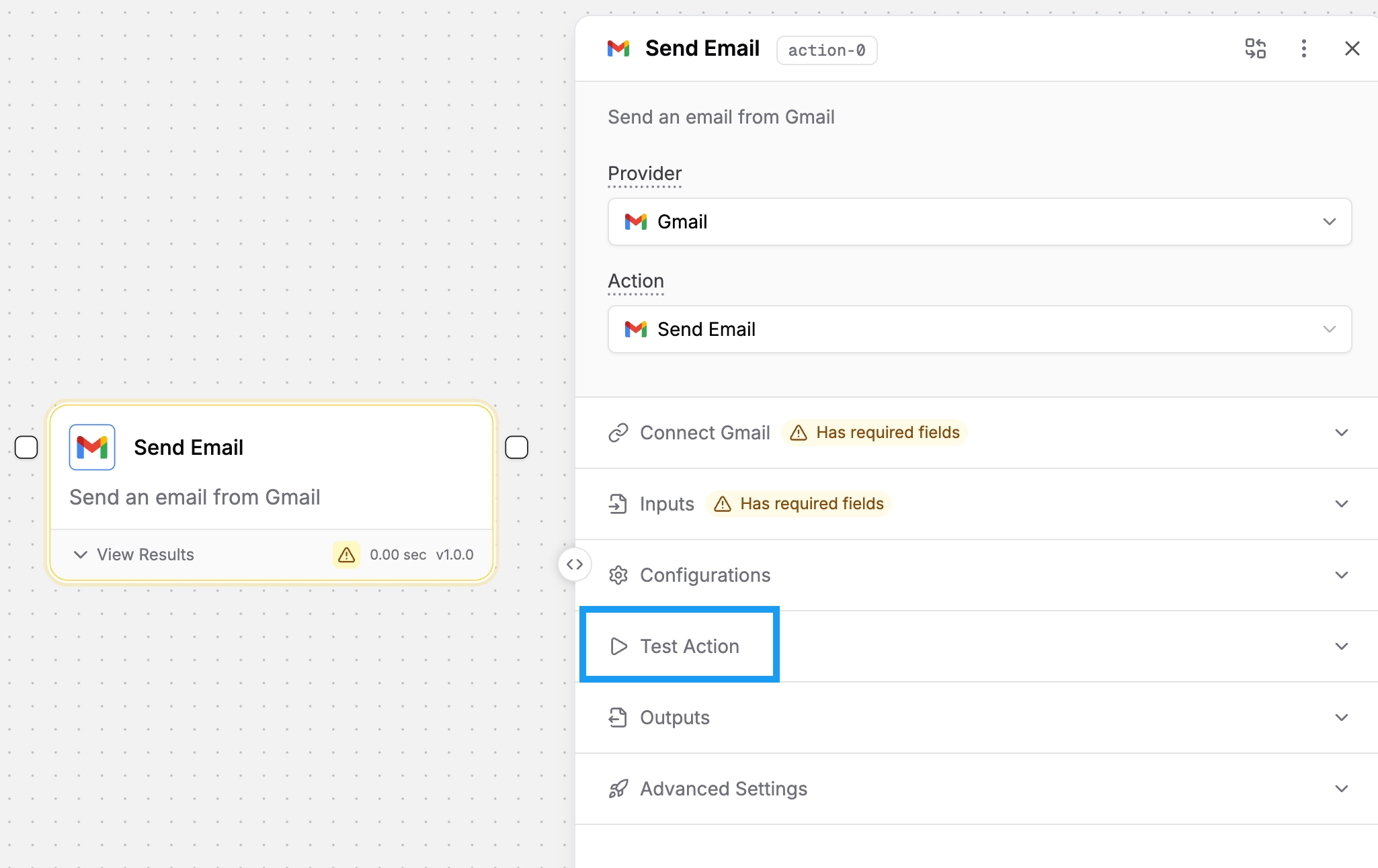
Similarly, for many actions, there is a **Test Action** option to see the results.
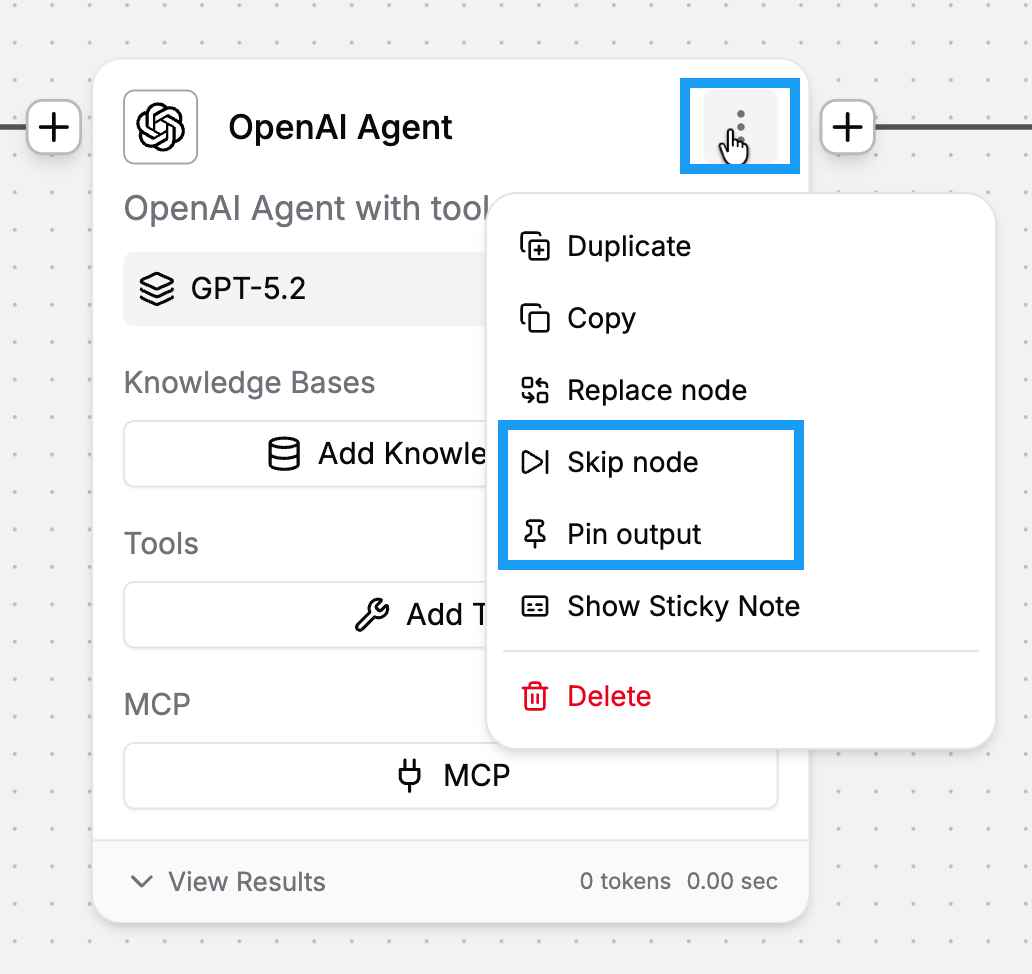
2. **Pin** and **Skip** nodes
**Skip node** allows you to skip some nodes in the workflow while observing the results of the rest of nodes.
**Pin node** allows you to fixate the output from large language model (LLM) nodes. LLM responses can vary for the same question due to their nature. Pinning the nodes can help maintain consistency during testing.
### **Enable Preventative Settings**
Builders often encounter two common errors related to the large language model (LLM) nodes when they first get started.
1. The input length exceeded the context window of LLMs.
2. The LLM provider experienced an outage.
For each of the common errors, there is a setting in the LLM node to prevent workflow failure. See [LLM node](/workflow-builder/core-nodes/ai-agent-node/advanced-settings.md) for details on **Safe Context Window** and **Fallback Branch**.
---
# Agent Instructions
This documentation is published with GitBook. GitBook is the documentation platform designed so that both humans and AI agents can read, navigate, and reason over technical content effectively. Learn more at gitbook.com.
## Querying This Documentation
If you need additional information that is not directly available in this page, you can query the documentation dynamically by asking a question.
Perform an HTTP GET request on the current page URL with the `ask` query parameter, and the optional `goal` query parameter:
```
GET https://docs.stackai.com/guides-and-tips/stackai-hacks/troubleshooting-a-workflow.md?ask=&goal=
```
`ask` is the immediate question: it should be specific, self-contained, and written in natural language.
`goal` is optional and describes the broader end goal you are ultimately trying to accomplish on behalf of the user. GitBook uses it to tailor the answer towards what is most useful for that goal.
The response will contain a direct answer to the question and relevant excerpts and sources from the documentation.
Use this mechanism when the answer is not explicitly present in the current page, you need clarification or additional context, or you want to retrieve related documentation sections.