

Organizations, Workspaces, Folders, and Projects
An organization contains the people, settings, and resources used by your team. Folders organize projects and can affect access. A project contains the agent or workflow you build.
Before you begin
Access to the intended organization and permission to view its projects.
Organizations and projects
Organization
The team-level container for members, roles, projects, connections, and settings. Select the correct organization before looking for a resource or calling an operation.
Workspace
A working area named by a product or provider. In StackAI instructions, confirm which organization or resource the label refers to. Do not substitute a third-party workspace ID for a StackAI organization ID.
Folder
A collection used to organize projects. A folder can also have access settings. Review effective access when sharing or moving a project.
Project
The saved agent or workflow and its related configuration. Its ID identifies the resource; it does not identify a particular run or published version.
Resource ID
A stable identifier for a project, file, connection, or other resource. Use the required ID type; matching display names do not make IDs interchangeable.
Find a project in your organization
Select the organization you intend to work in.
Open the project list and locate the folder that contains your project.
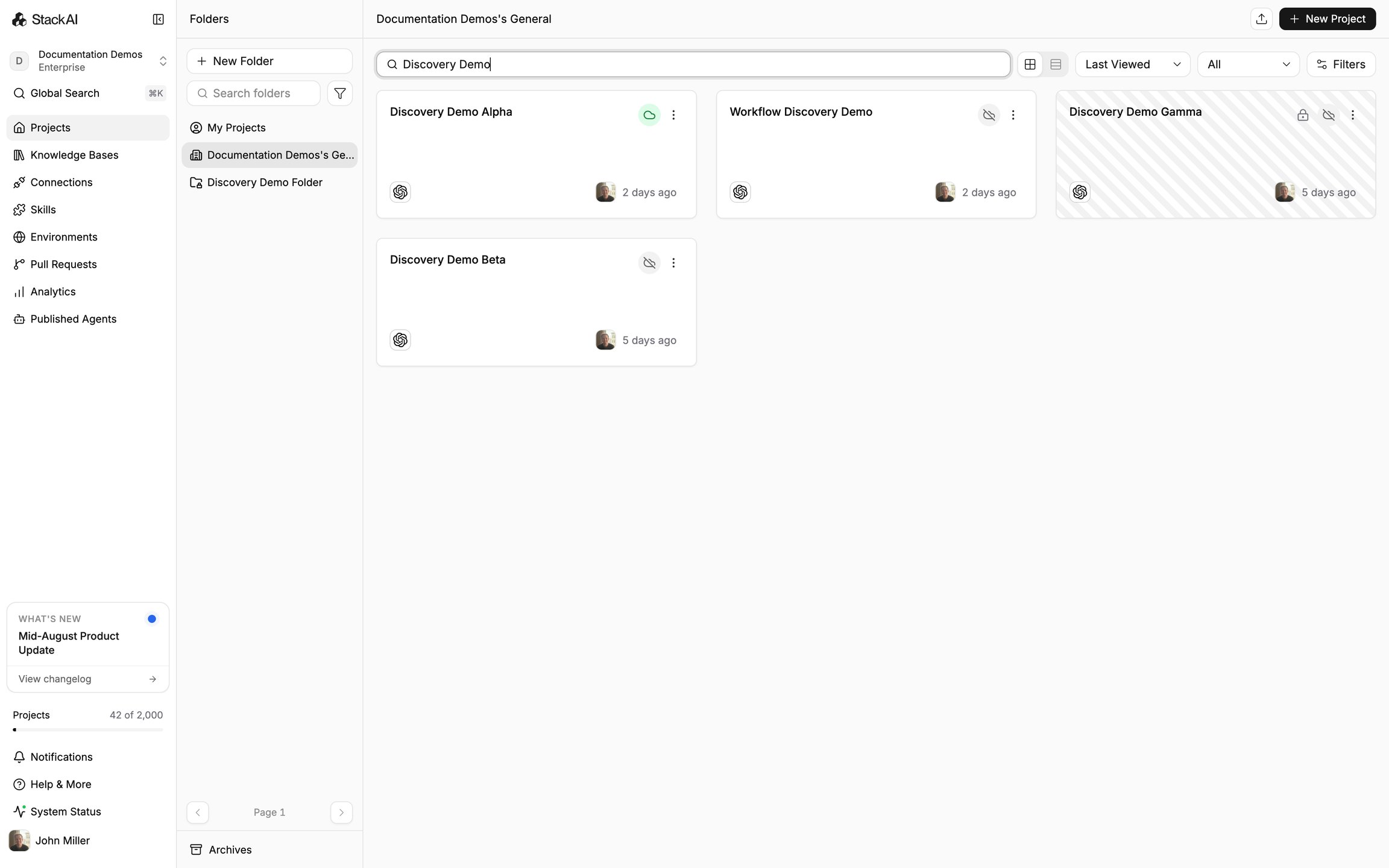
Use Projects to find a project within the selected organization and folder.
Open the project and check its name and access settings before editing.
The selected project opens in the correct organization.
Behavior and limitations
Organization membership does not imply unrestricted access to every folder or project. A link identifies a resource; it does not grant access. Keep the organization ID, project ID, and folder ID separate in integrations. A workspace label in a provider can identify a different resource from a StackAI organization.
Related resources
Was this helpful?