

Rollback and Deployment History
Rollback restores a previous release selection when the current change causes a problem. Review the previous version’s configuration before restoring it.
Before you begin
Permission to manage releases and an available historical version.
Key concepts
Release rollback
Restoring a previous release selection. It changes future execution selection; it does not undo external business transactions.
Project version
A specific saved configuration of a project. Select it explicitly when a result must be reproducible.
Environment
A named configuration context for variables, secrets, and deployment use. Different environments can reach different services or use different credentials.
Side effect
A change outside the returned answer, such as creating a record or sending email. Cancellation or release rollback does not undo a completed side effect.
Restore a previous release
Find the last suitable version in deployment history.
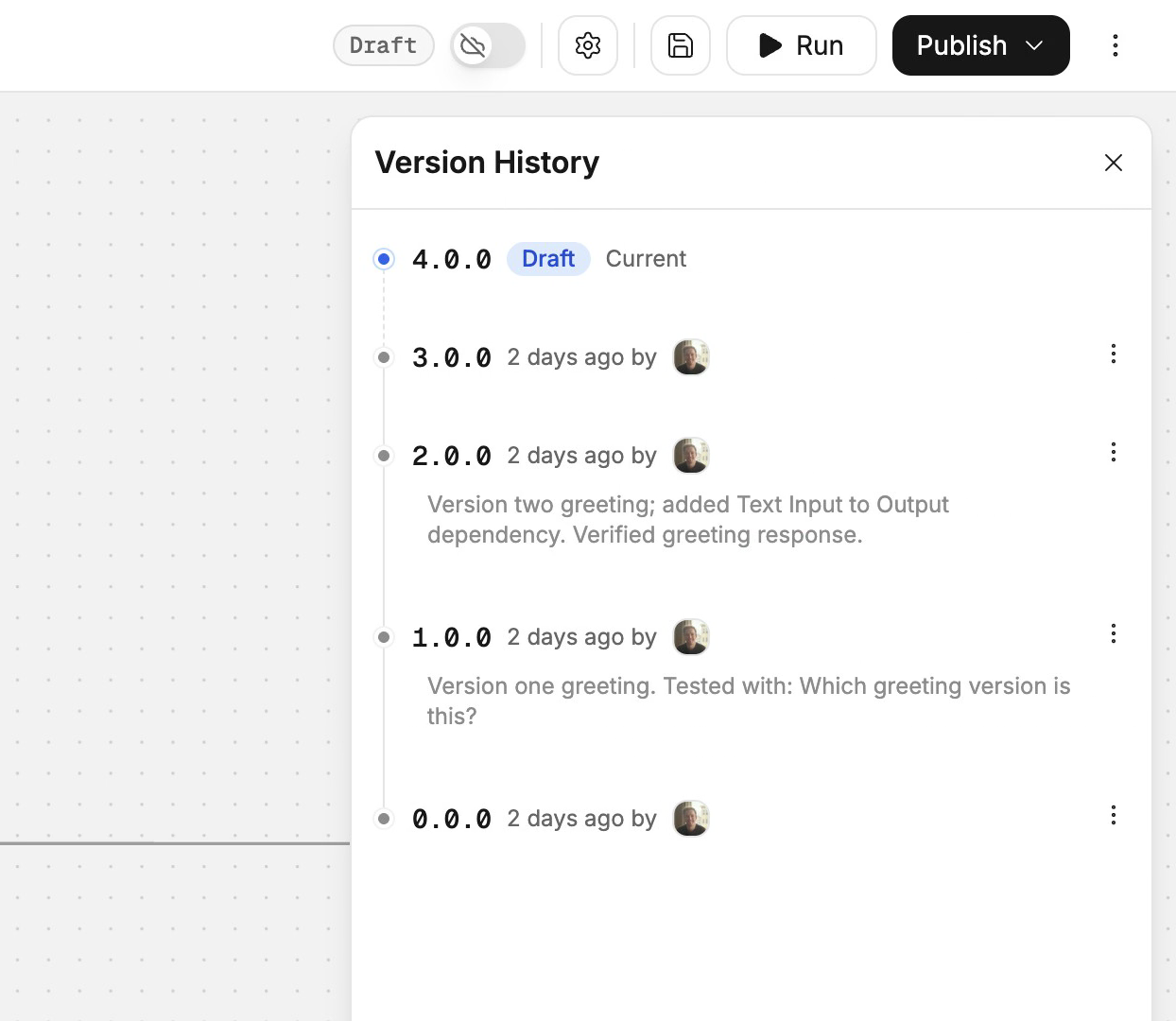
Select a saved version from history before comparing or restoring it.
Check that its connections and environment configuration remain valid.
Restore it through the supported release process and confirm the active version.
New executions use the restored release selection.
Behavior and limitations
Rollback does not undo records created or messages sent by completed runs. It does not guarantee that an older credential or provider endpoint remains valid. Handle any required data correction separately. Retain the failed run IDs and release details for diagnosis.
Related resources
Was this helpful?