

Inputs, Outputs, and Variable References
Variable references insert data from an earlier step into a later input or prompt. Use the actual output field so the workflow passes values automatically.
Before you begin
An upstream node that produces the required value and a downstream field that supports references.
Key concepts
Variable reference
A reference that inserts a value from another workflow field. The referenced field must exist and have a compatible type.
Expression
A supported instruction for selecting or transforming a value. Evaluate it against the actual input structure, especially lists and nested objects.
Object
A structured value containing named fields. Preserve the structure when a receiver expects fields rather than formatted text.
List
An ordered collection of values. A receiver expecting a list needs an array, not a text description of several items.
Output mapping
Selection of a node’s returned field for another step or the final interface. A successful intermediate result is not automatically visible to the end user.
Connect node inputs and outputs
Run or inspect the upstream node to identify its output fields.
Insert the required variable in the downstream input. Use the variable picker where available.
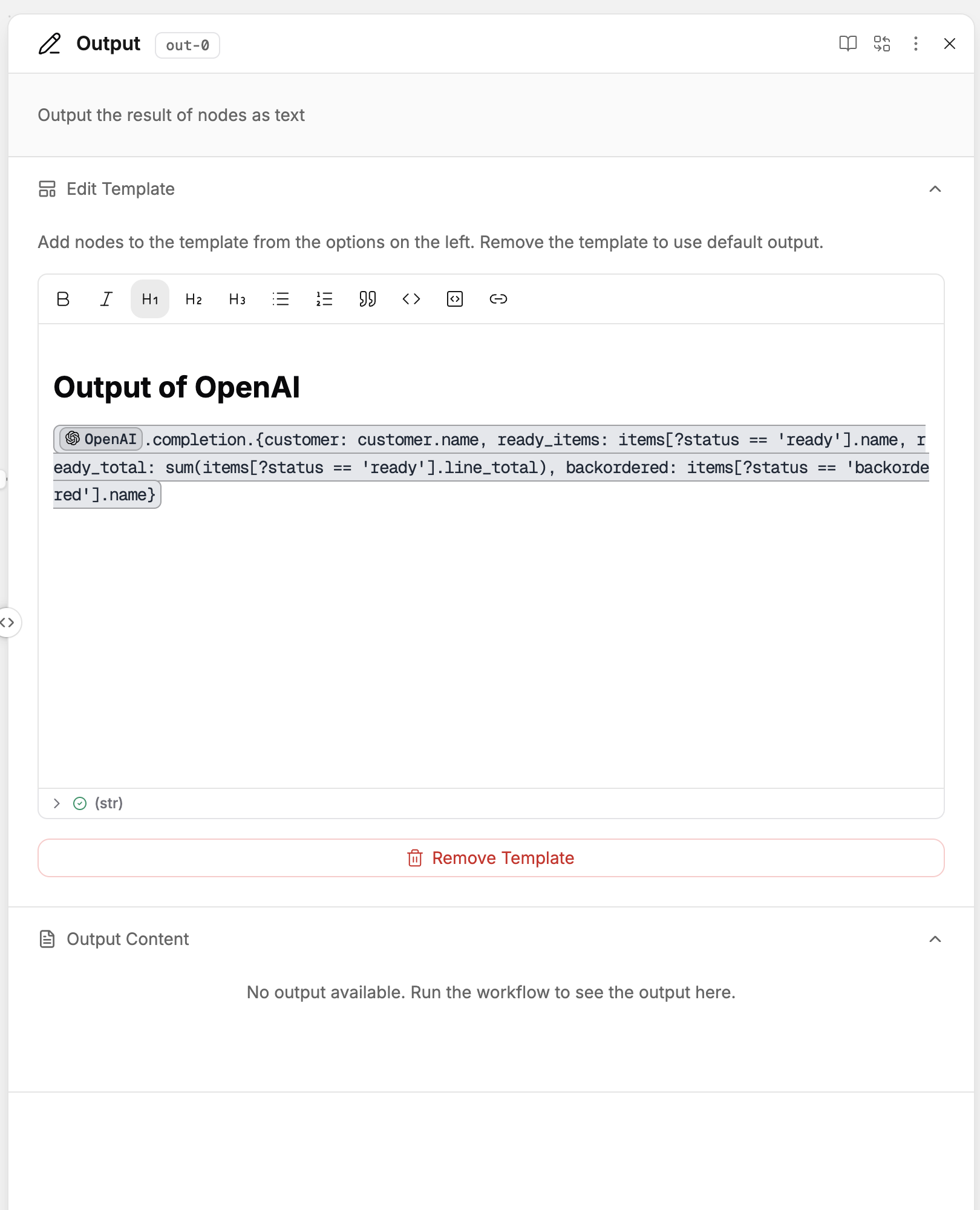
Insert a source reference from the picker, then select the field the receiving step needs.
Run the connected path and inspect the resolved downstream input.
The downstream node receives the value produced in the current execution.
Behavior and limitations
A display label is not always the underlying field key. Treat text, objects, and lists as different types. A template that displays an object as text does not necessarily preserve its structured fields. Repair missing references after renaming or replacing nodes.
Related resources
Was this helpful?