

Loops: Item Mapping, Concurrency, and Result Order
Loop mode applies a child workflow to a list of items. Use it when each item needs the same processing steps. The node variant affects concurrency and conversation handling.
Before you begin
A child workflow with known inputs and outputs, plus a list whose items match those inputs.
Loop execution concepts
Loop item
One input value processed as part of a list. Keep an item identifier when the result must be matched to an external record.
Iteration
One repetition of the loop’s processing for an item. An iteration can have its own run result and failure.
Result order
The order in which completed outputs are presented. Do not infer the execution sequence solely from the final list order.
Child workflow
The project executed by a project node or project-execution tool. Review its input contract, selected version, permissions, and run details.
Configuration options
Concurrency
Work on more than one item during overlapping periods.
Completion order can differ from input order and provider rate limits still apply.
Configure a loop
Select the child project and enable loop mode.
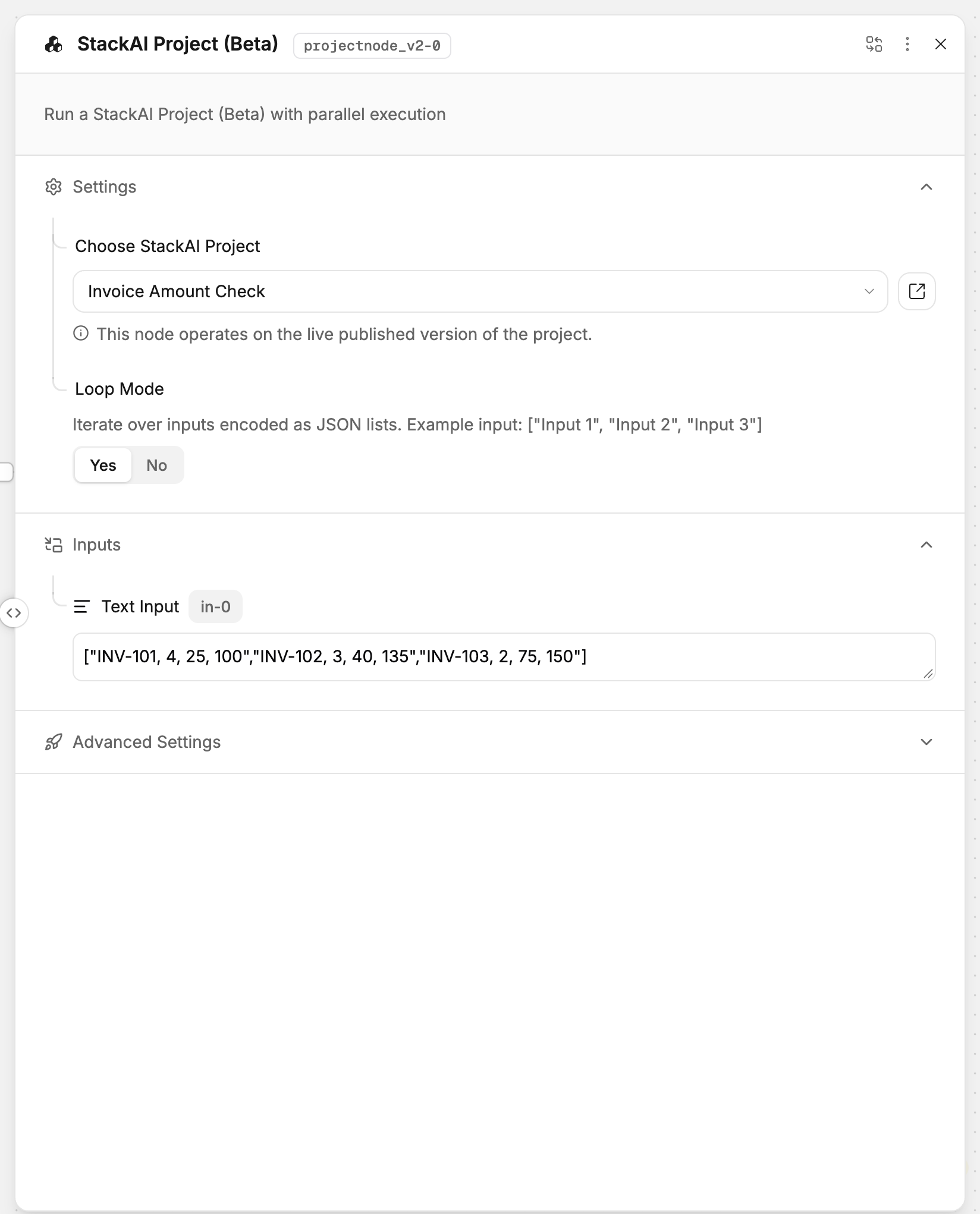
Select the child workflow in the Beta node and review its input and loop settings.
Map the list to the child input and preserve a business identifier with each item.
Run the loop and compare each returned value with its input item.
The output contains the results for the supplied items in the node’s documented order.
Behavior and limitations
The Beta node returns completed list results in input order, even when items finish at different times. Keep child outputs consistent across items and retain an item identifier when you need to match results to records. A missing child output is not necessarily represented by an empty value in the final list.
Related resources
Was this helpful?