

Nested Workflow Inputs, Outputs, and Identity
A nested workflow uses another project as a processing step. Map its inputs and outputs separately from the parent’s visible interface.
Before you begin
Access to the child project and its input/output schema.
Key concepts
Parent workflow
The workflow that calls another project. It must map the child result into its own processing or visible output.
Child workflow
The project executed by a project node or project-execution tool. Review its input contract, selected version, permissions, and run details.
Schema
A definition of fields, types, required values, and supported constraints. Use it to validate the shape of data; it does not establish factual correctness.
Output mapping
Selection of a node’s returned field for another step or the final interface. A successful intermediate result is not automatically visible to the end user.
User identity
The authenticated person or application acting on a resource. It determines access; a display name or conversation ID does not authenticate a caller.
Map inputs and outputs between workflows
Read the child inputs and map the corresponding parent values.
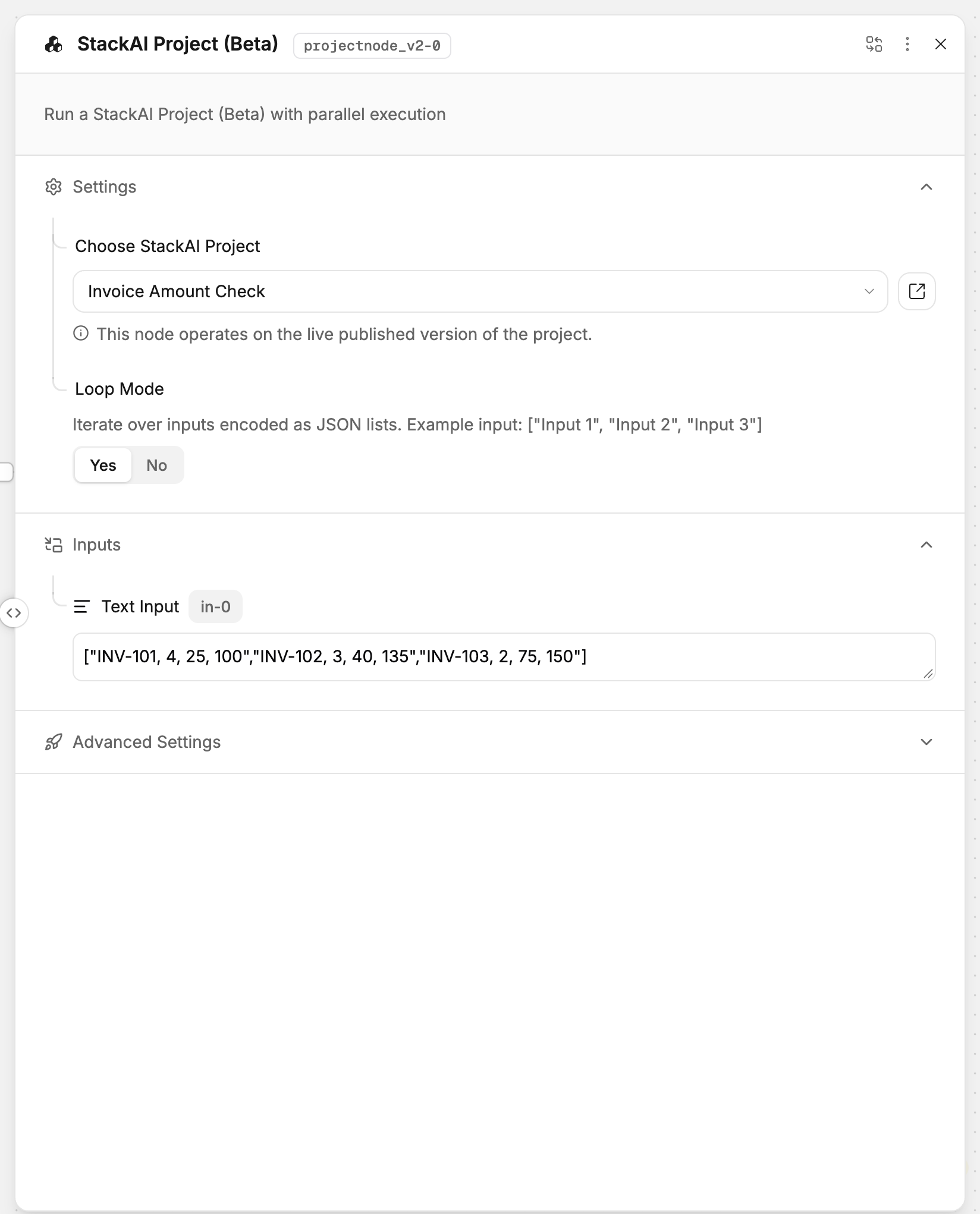
Select the child workflow in the Beta node and review its input and loop settings.
Run the parent and retain the child run ID.
Map the returned child field to the next parent step or final output.
The parent receives the intended child value and the child execution remains traceable.
Behavior and limitations
Child runs have their own inputs and results. Use the returned run details to investigate a child failure. Conversation behavior differs by node and loop mode: the original project node shares conversation across list items, while Beta keeps items separate. Conversation scope does not grant resource access.
Related resources
Was this helpful?