

Retries, Fallbacks, and Error Branches
Retries repeat failed work. Fallback branches provide an alternate path. Configure them together so an error leads to a deliberate result.
Before you begin
An editable workflow and knowledge of whether the affected action reads or changes external data.
Key concepts
Retry
A repeated attempt after a failed or uncertain operation. It can repeat external changes; use it only when the result is understood.
Transient failure
A failure that can resolve without changing the intended input, such as a temporary service interruption. Retry guidance is operation-specific; invalid credentials or fields usually require correction.
Fallback
An alternate response, model, or branch used under a configured failure condition. A fallback can produce a usable answer while the original operation still failed.
Branch
One possible path after a routing decision. An unselected branch is not automatically a failed branch.
Side effect
A change outside the returned answer, such as creating a record or sending email. Cancellation or release rollback does not undo a completed side effect.
Settings
These controls apply to nodes that expose them. A retry repeats the same failed work; a fallback changes how the workflow recovers.
Retry on Failure
Off by default. Enabling it initially sets Max Retries to 2.
A temporary failure can succeed on another attempt.
Max Retries
1–10 retries in the builder control.
Bound how many additional attempts the node can make. More retries can increase latency and external calls.
Retry Interval (ms)
100–20,000 milliseconds; default 1,000 ms.
Set the delay between attempts. This is a time interval, not a retry count.
LLM Fallback Mode
Select an alternative model when the node exposes this setting.
Continue with another model when the configured fallback condition applies.
On Error
Controls whether unresolved failure stops execution or uses the supported recovery path.
Decide what the workflow should return or do when the original work cannot complete.
Do not assume the same options exist on every node. Inspect the settings on the node that can fail.
Configure failure handling
Open the node’s advanced settings and inspect its retry options.
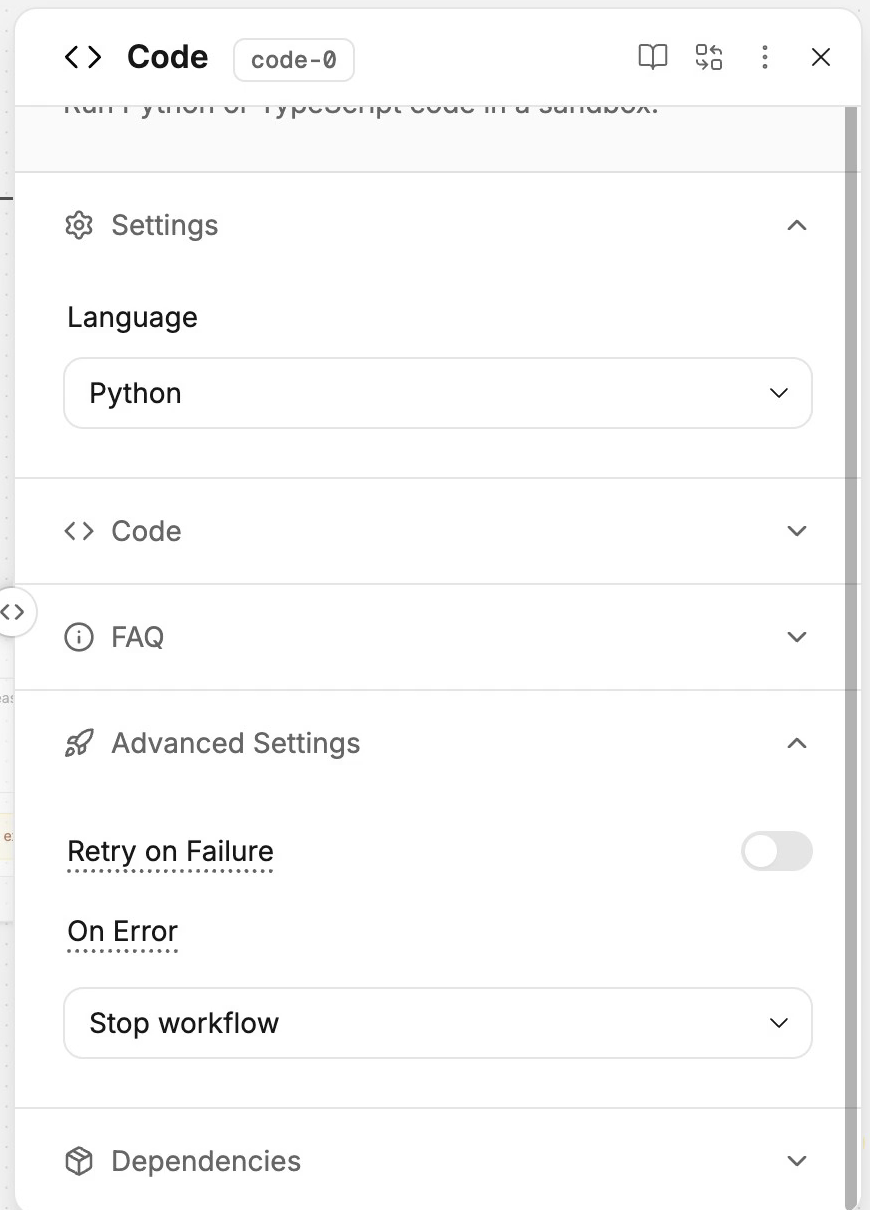
On Error controls whether the node stops the workflow or follows a supported recovery path.
Choose the error behavior and connect the fallback path where supported.
Run the workflow with inputs that exercise the relevant error condition. Inspect which node and branch produced the final result.

The workflow either returns the intended recovery result or reports the failure clearly.
Behavior and limitations
Retries help transient failures; they do not correct invalid credentials or missing inputs. A fallback result can hide the original error from the final answer, so preserve the run details. For loops, inspect the specific node variant’s failure behavior rather than assuming one failed item is skipped.
Related resources
Was this helpful?