> For the complete documentation index, see [llms.txt](https://docs.stackai.com/llms.txt). Markdown versions of documentation pages are available by appending `.md` to page URLs; this page is available as [Markdown](https://docs.stackai.com/welcome-to-stackai/security-and-governance/ai-governance.md).
# AI Governance
To manage AI deployments effectively, StackAI offers governance features like:
* Role-Based Access Control (RBAC): Define user permissions at granular levels, including access to the knowledge base and connections.
* Single Sign-On (SSO): Integrate with identity providers like Okta and Entra ID for user authentication and inheritance of groups and permissions.
* Project Publishing Controls: Restrict project publishing capabilities to authorized personnel, ensuring oversight.
* Centralized Monitoring: A unified dashboard allows administrators to monitor agent activities, usage metrics, and error logs in real-time.
Below is a comprehensive guide to StackAI’s governance model, designed for teams that need **speed without losing control**.
## The StackAI Governance Model (8 Layers)
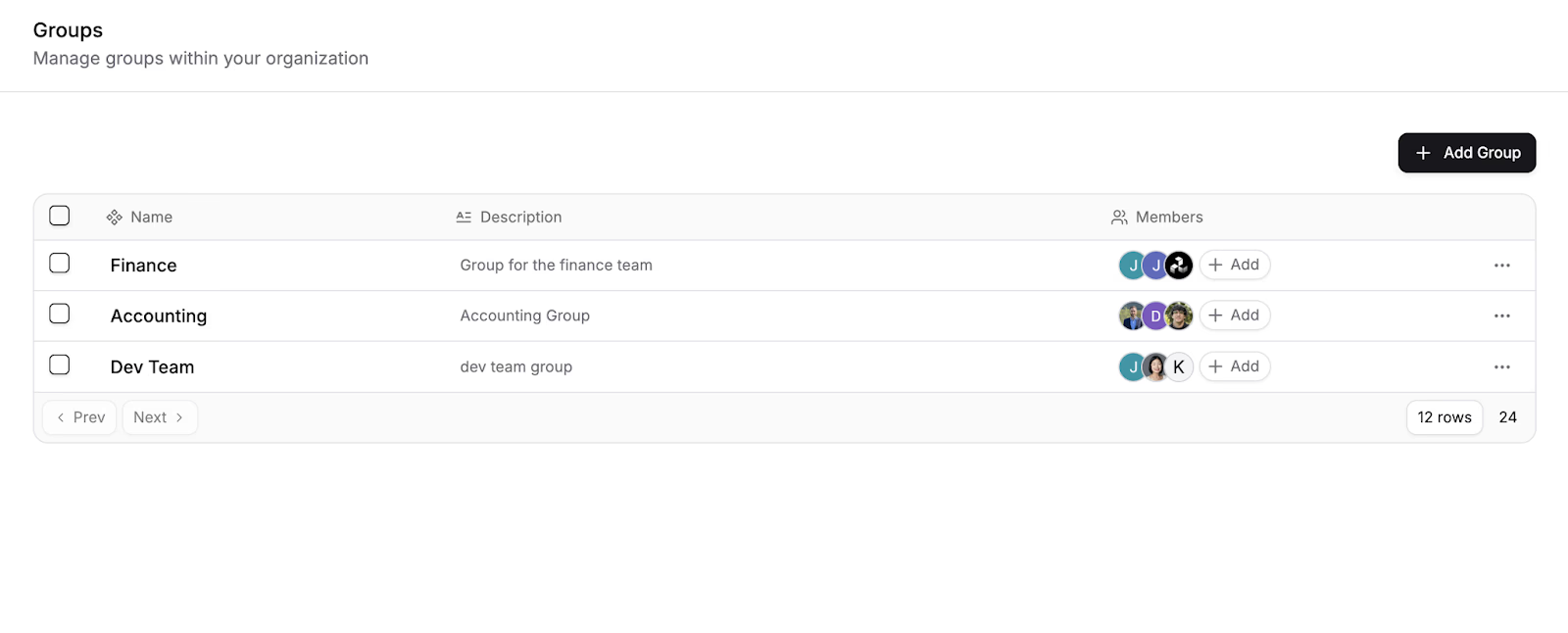
**1) Role-Based Access Control (RBAC) and Groups**
Admins can create **groups** (e.g., “Legal,” “HR,” “Capture Team”) and assign them to workspaces/projects for coarse-grained control.
**2) Workspace and Folder Access (Scope Control)**
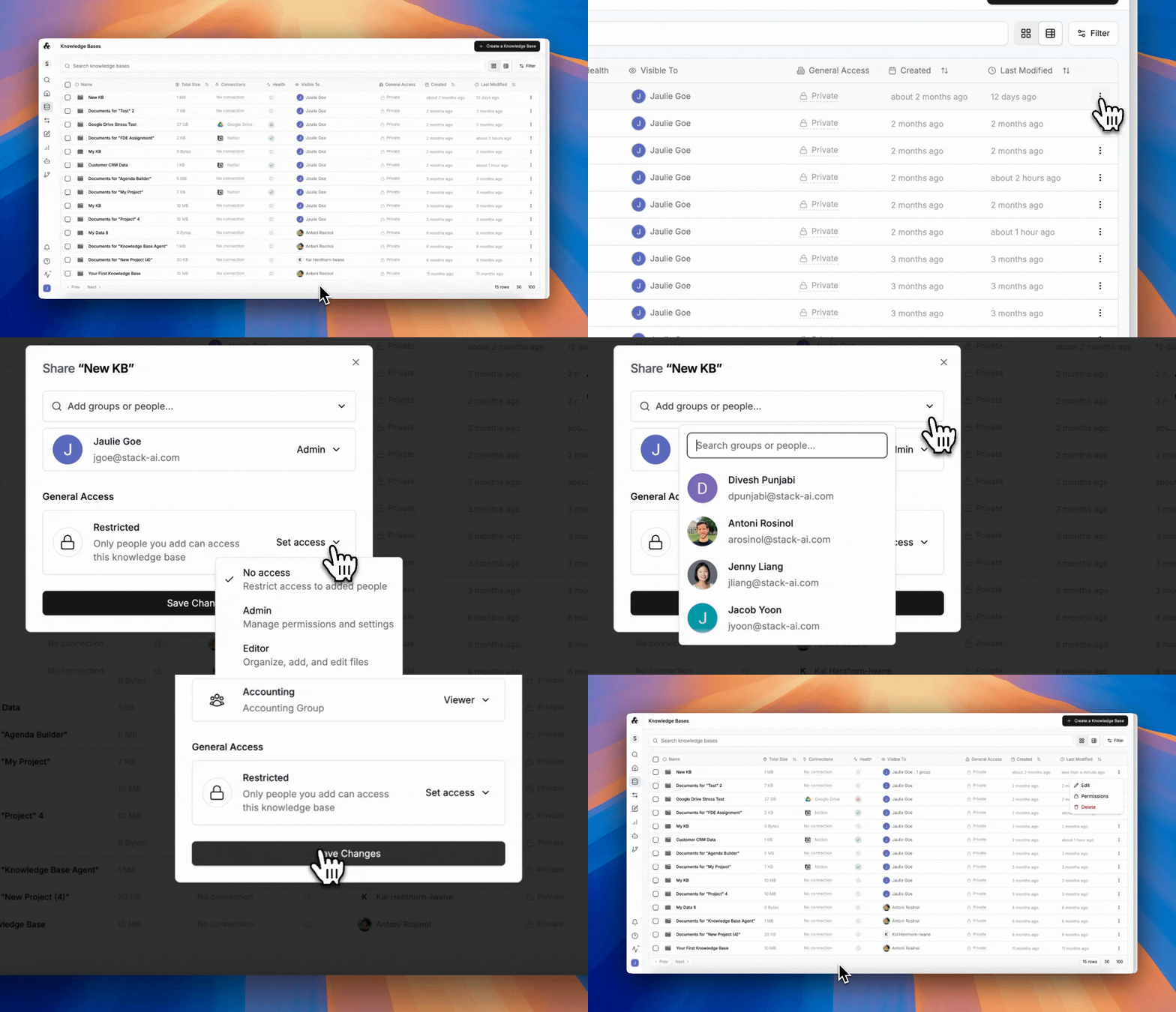
Easily create private group folders with specific allowlists. Only assigned users or groups can see what’s inside—others see nothing.
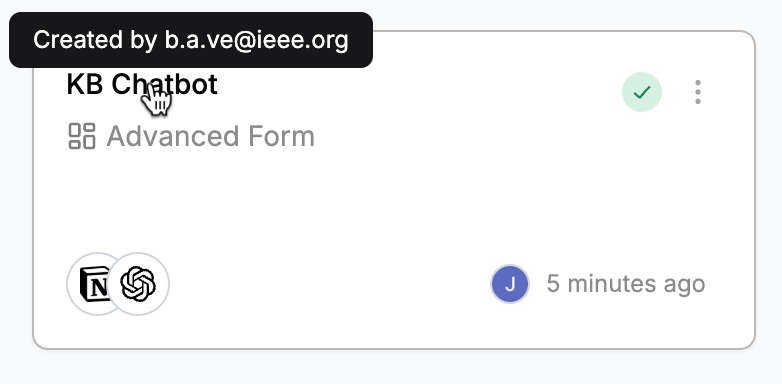
Easily view project owners and editors as well, by hovering over a project or in a list view.
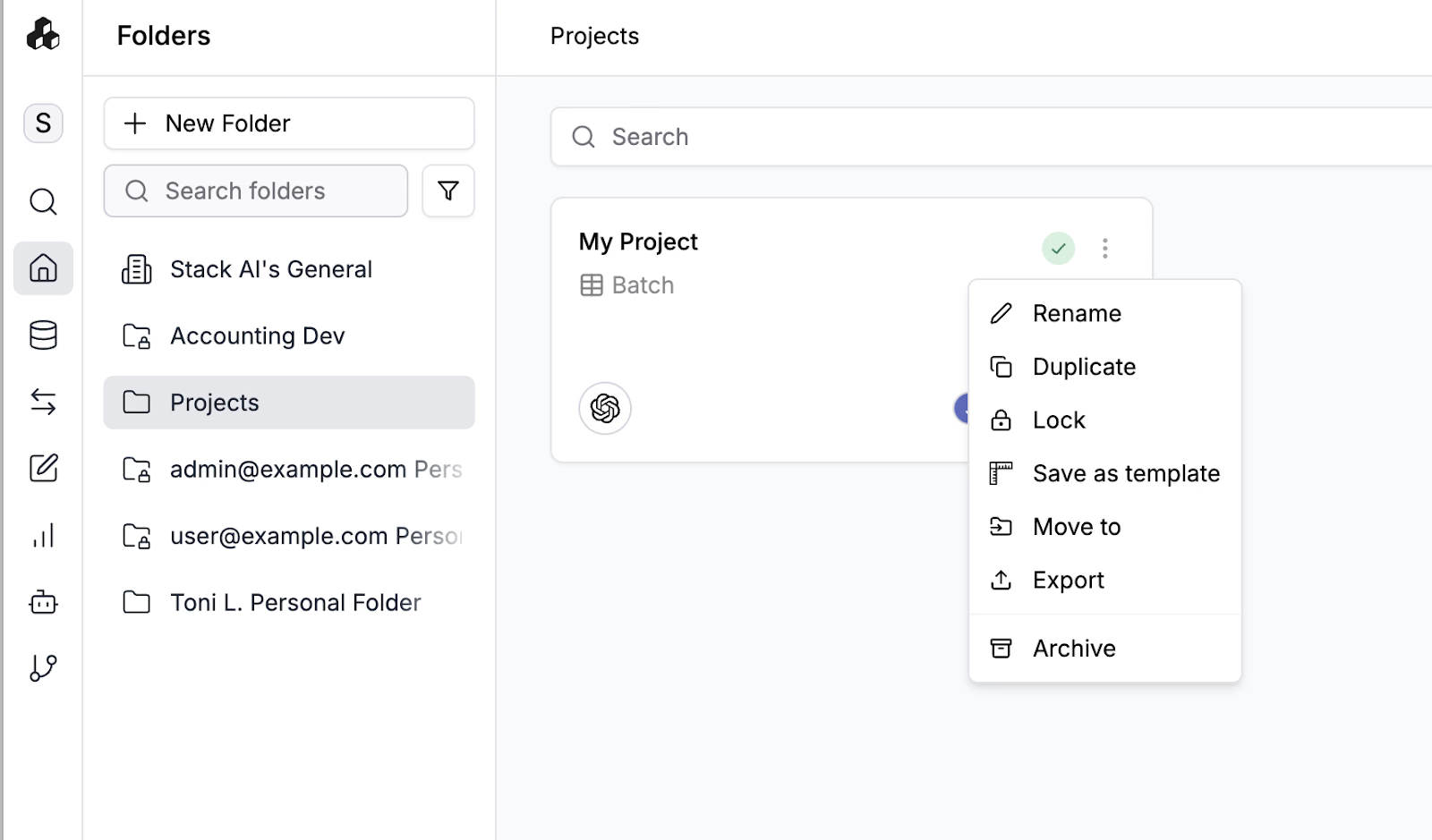
**3) Project Controls (Edit, Lock, Versioning)**
Creators can **lock** a project (only the owner edits; admins can override).
All changes made to projects can be tracked with **version control** and diffs, so you can see exactly who changed what and when, and roll back. You can easily see all previously published versions of a project; and versions can be tagged with a commit message to clarify what changes were made. Easily go back to a previous version if desired.
{% embed url="" %}
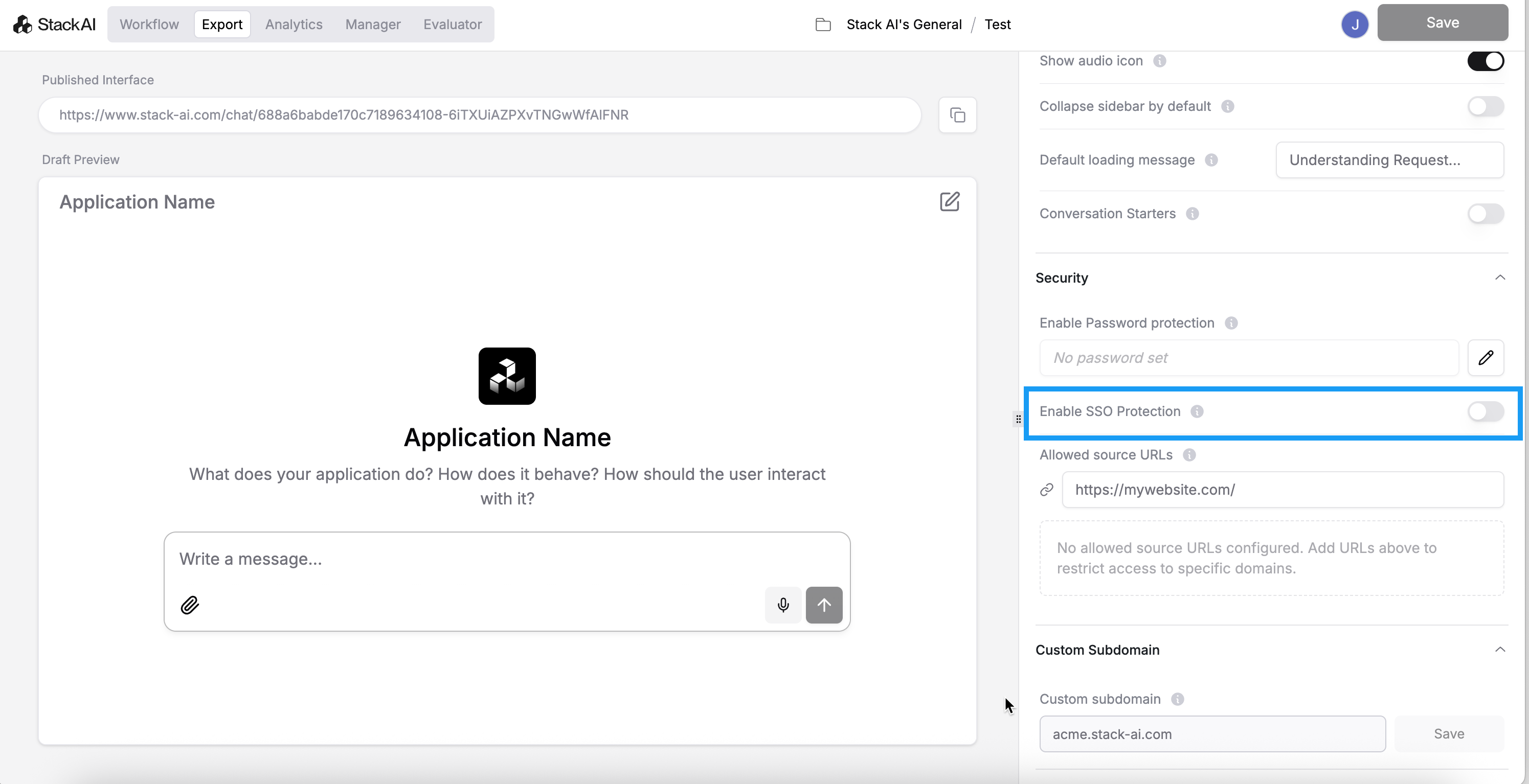
**4) Interface-Level Security (How You Publish)**
When you export an agent (advanced form, chatbot, Slackbot, etc.), you can:
* Enable one-click SSO on the interface editor
* Set a **password** for external collaborators.
* Restrict by **allowed origins/URLs** and even a **user allowlist**.
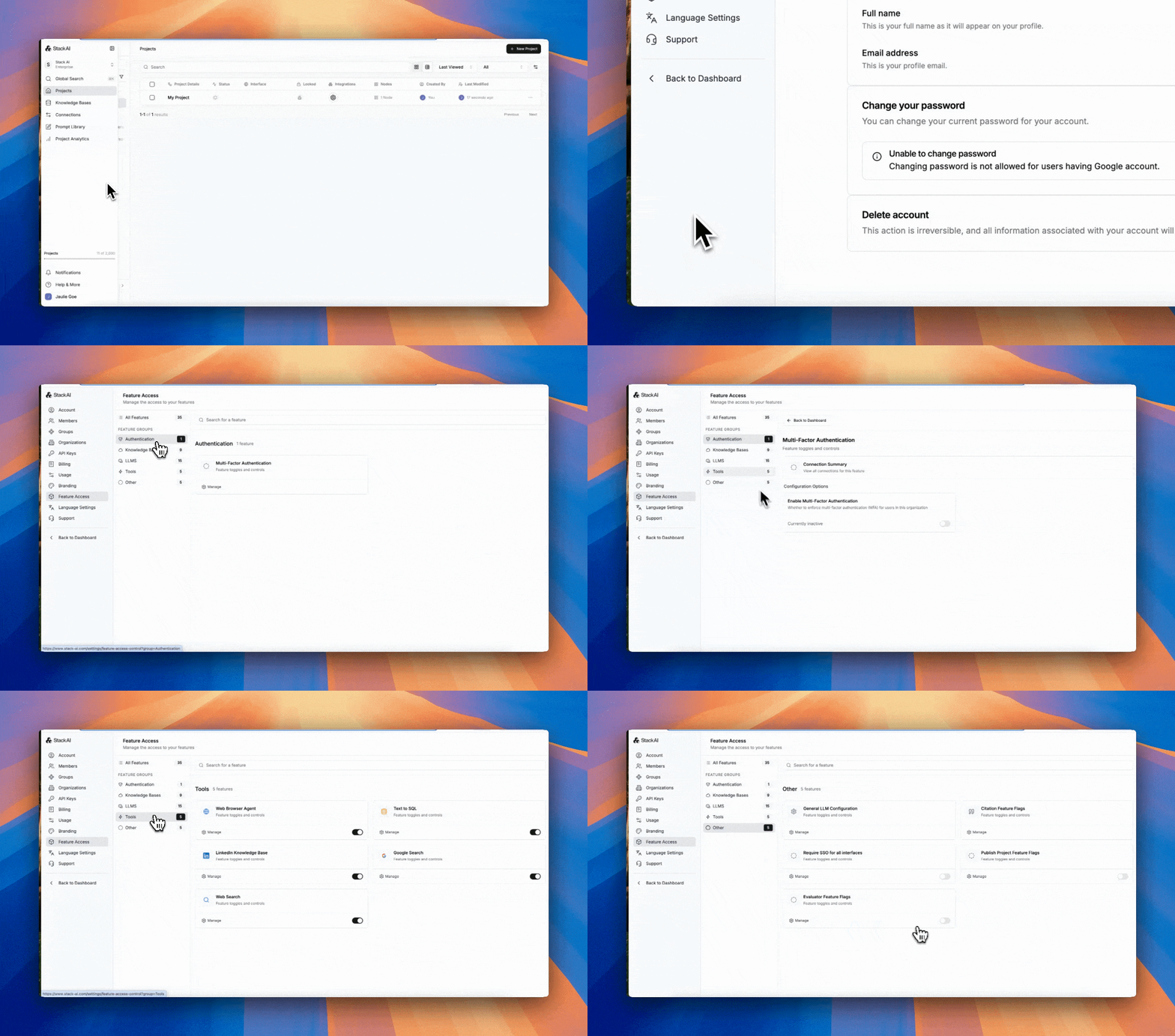
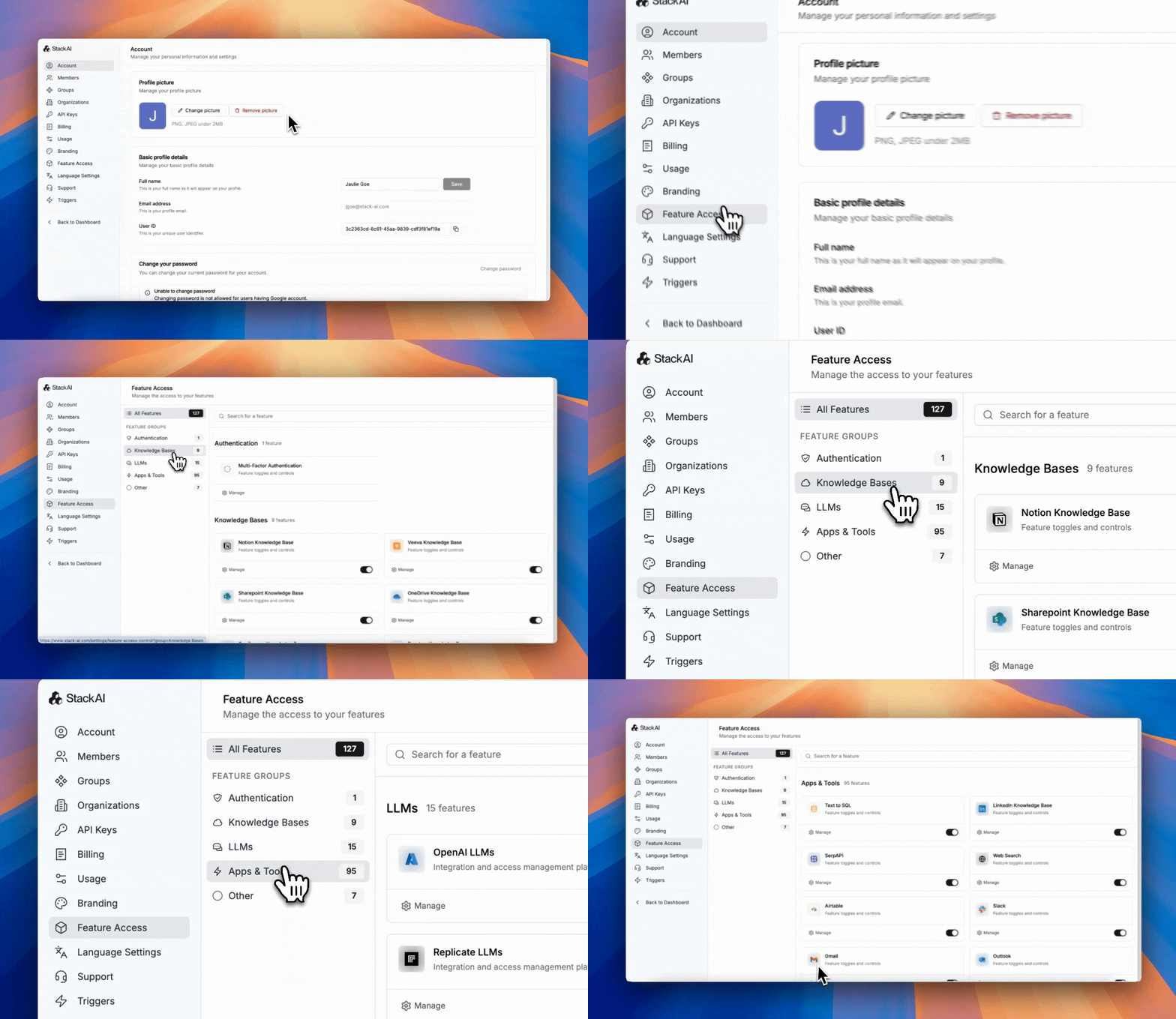
**5) Global Governance and Admin Policy (Feature Access and Guardrails)**
Org admins can set cross-cutting policy:
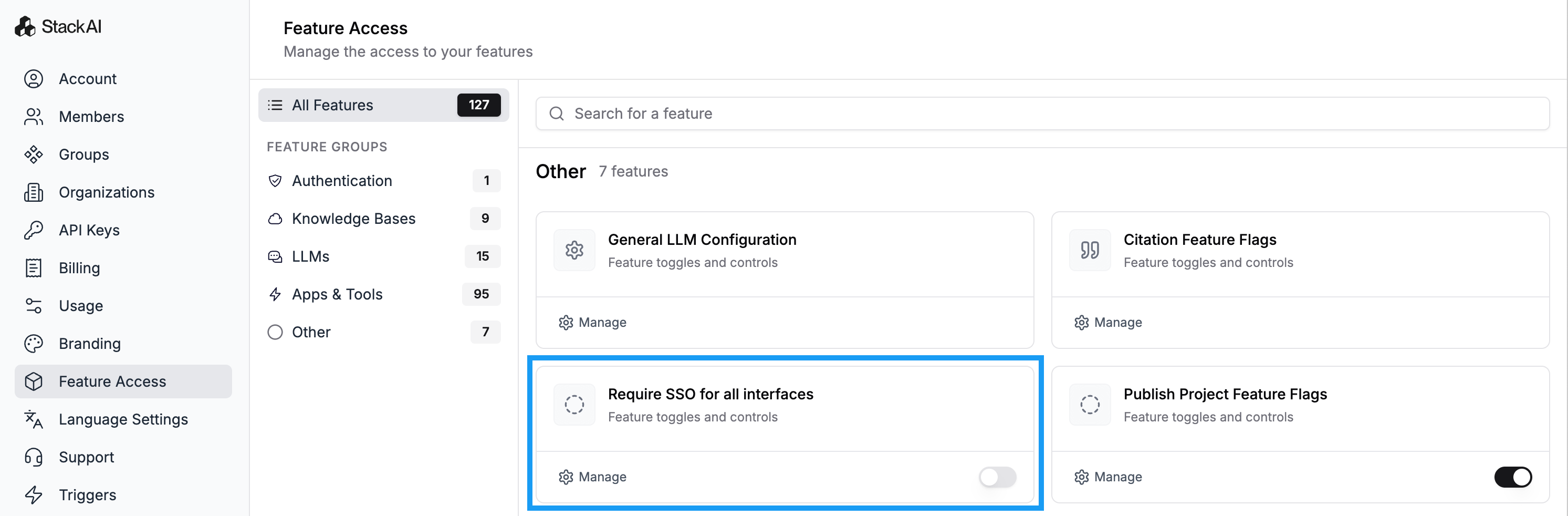
* Require SSO on all interfaces.
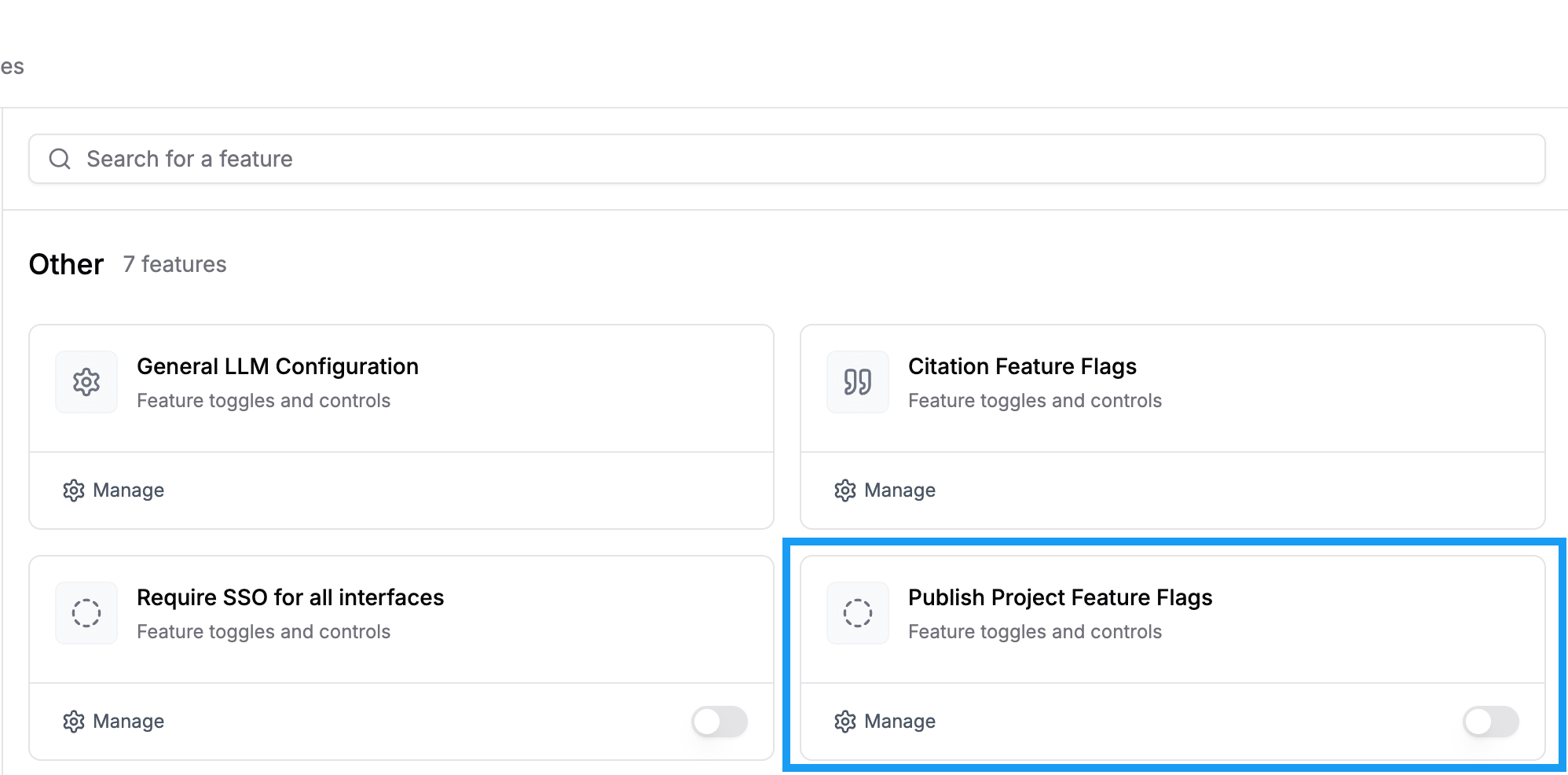
* Restrict who can **publish**, so that non-admins don't publish projects.
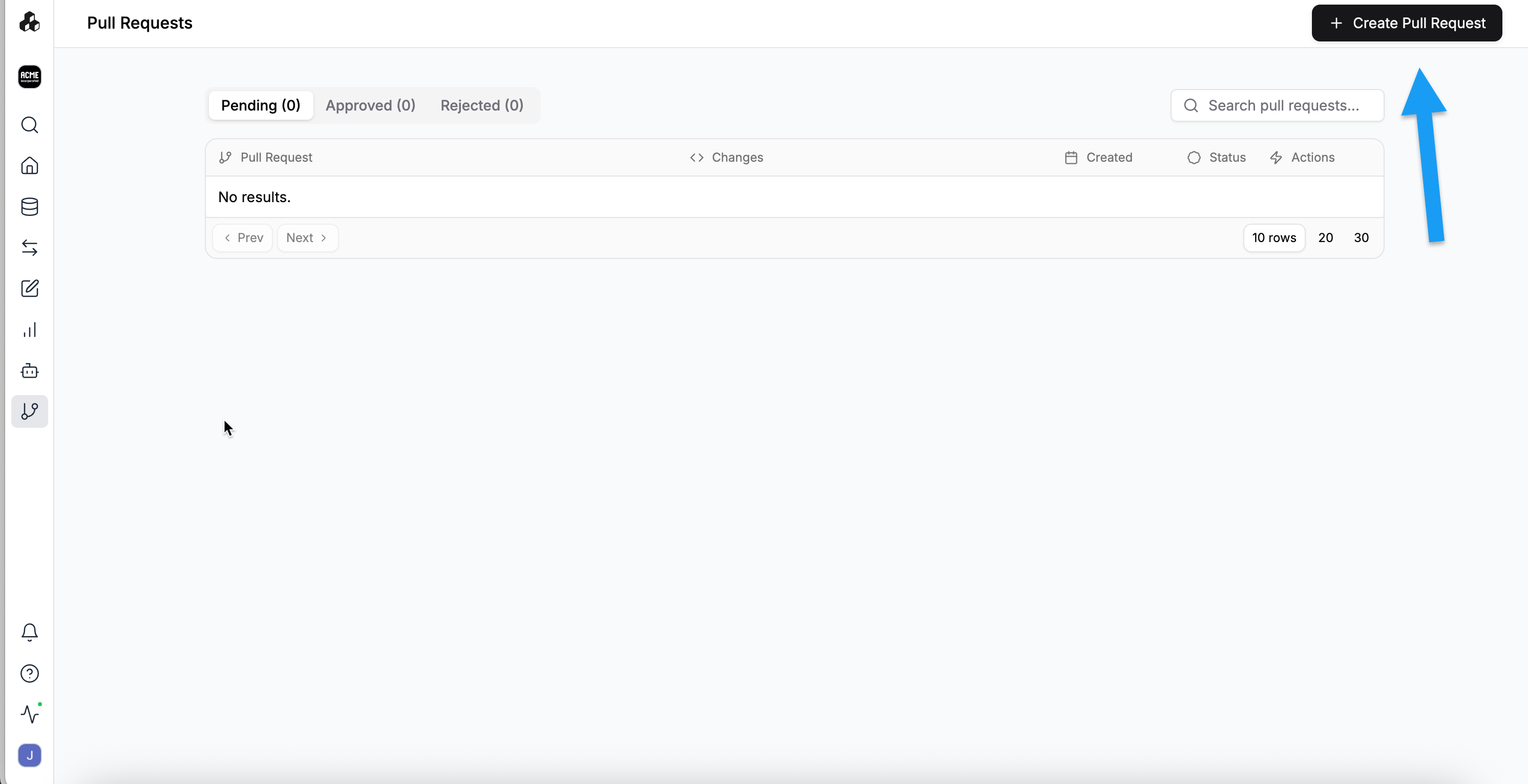
* Enable an **approval/feature-flag** workflow for changes, wherein users request for their project to be reviewed and published by admin.
* Allow/deny specific **tools, connectors, and more through Feature Access** (e.g., block Notion/Box across the org).
* Set **usage limits** (e.g., token caps) as a security throttle.
* Assigning user roles.

* Disabling LLMs and adding default connections (i.e., your company’s API keys).

You can also build **policy by group** (e.g., “only Legal can access the Legal agents”).
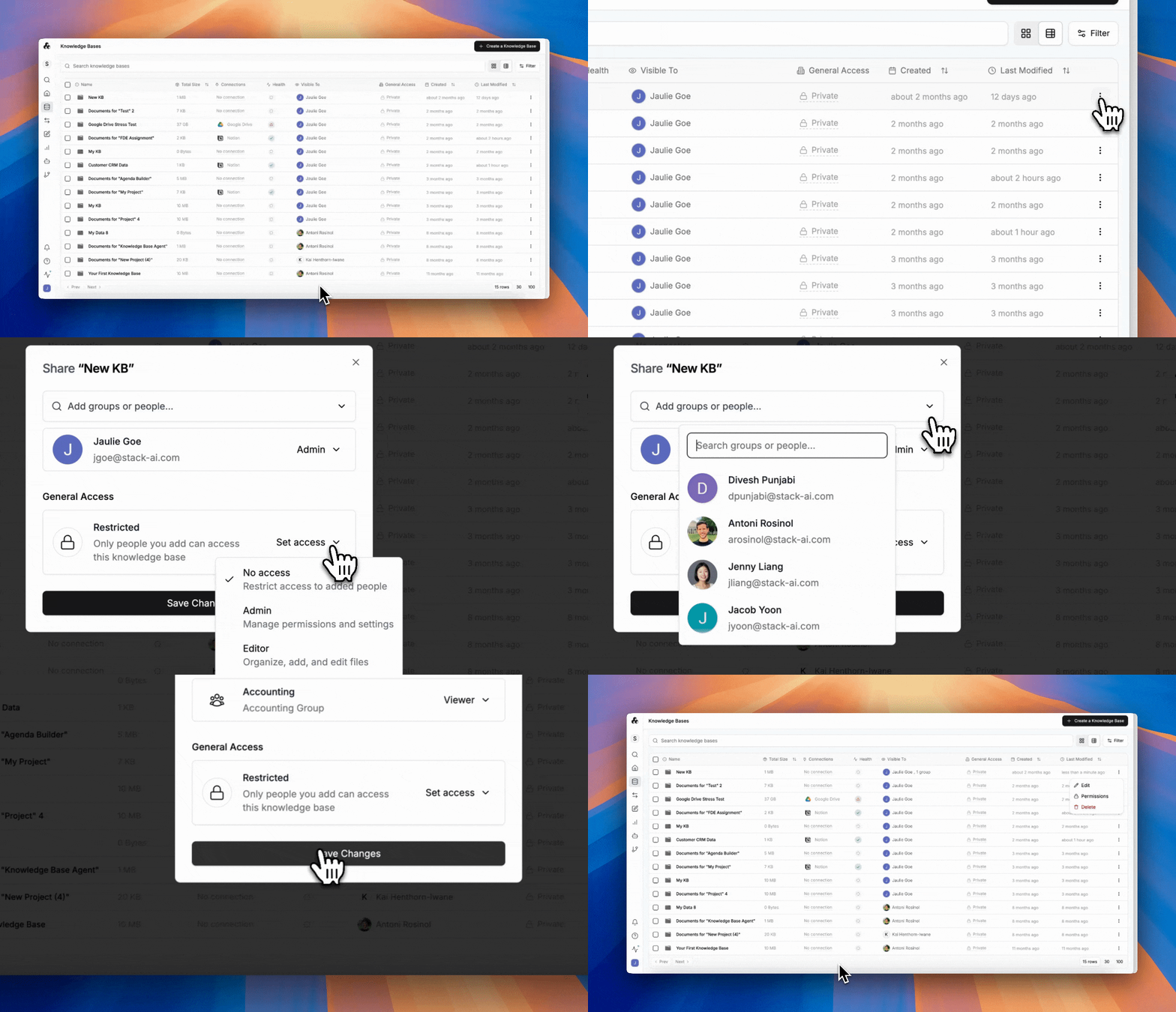
**6) Connection and Knowledge-Base Permissions**
Connections (SharePoint, Dropbox, ServiceNow, etc.) are owned by their creator, with private details and credentials encrypted and hidden from others. Owners and admins can share a connection org-wide or limit it to specific users or groups.
Knowledge bases support the same allowlisting, so only authorized teams can reference sensitive content.
**7) Production Analytics and Auditing**
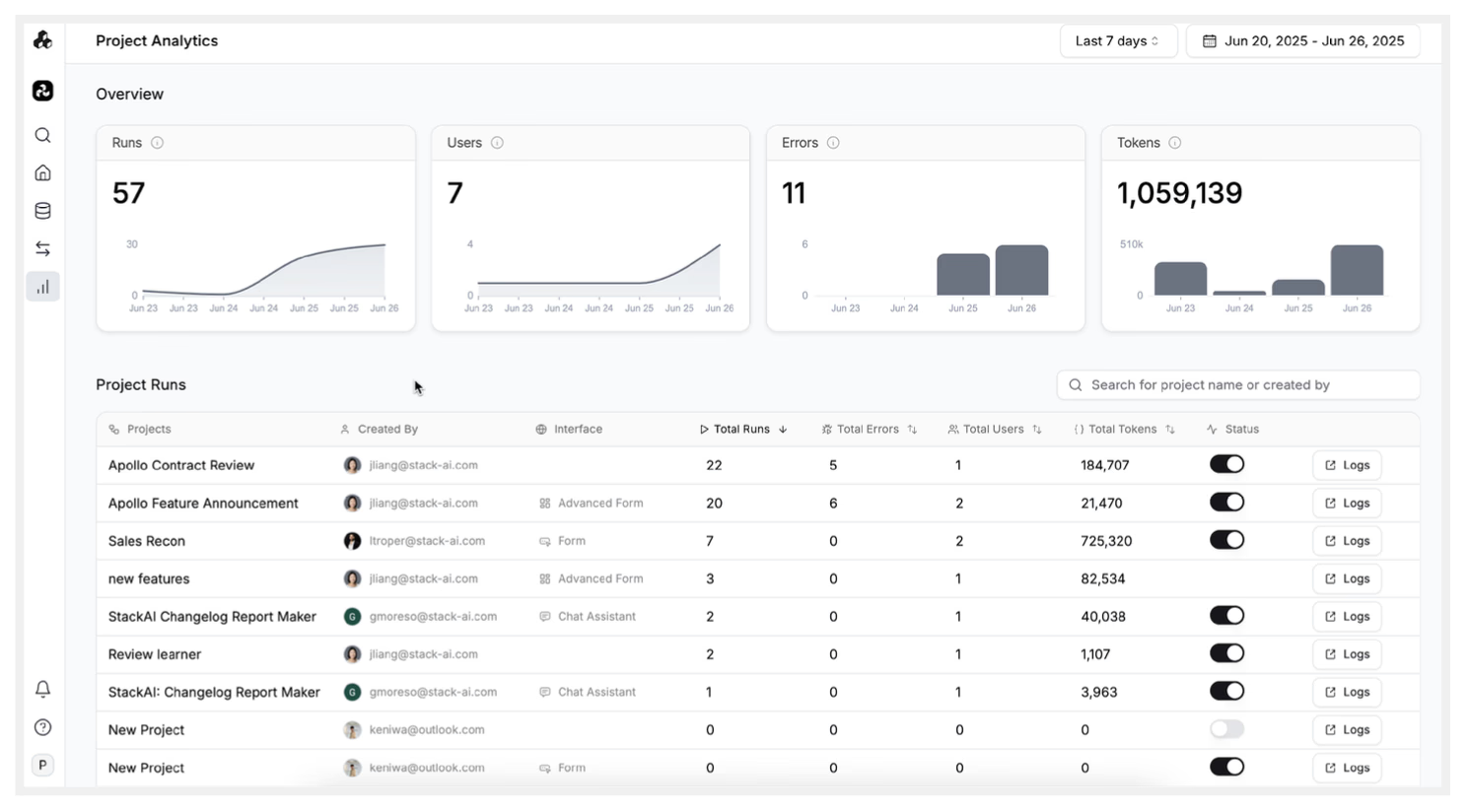
Downloadable project analytics show **who ran what, when, with which models**, token counts, latency, and per-step traces (inputs, KB hits, outputs). Builders can **mask or disable logs** when required, or limit visibility to the owner. For certain cases of **external security tooling**, StackAI can deliver **scheduled exports** and can **post to a customer webhook** (e.g., daily digests) for alerting pipelines.
Below are some of the most widely used governance features, developed in close collaboration with our customers:
Learn more about Analytics [here](/agentic-adoption-and-security/observability/analytics.md).
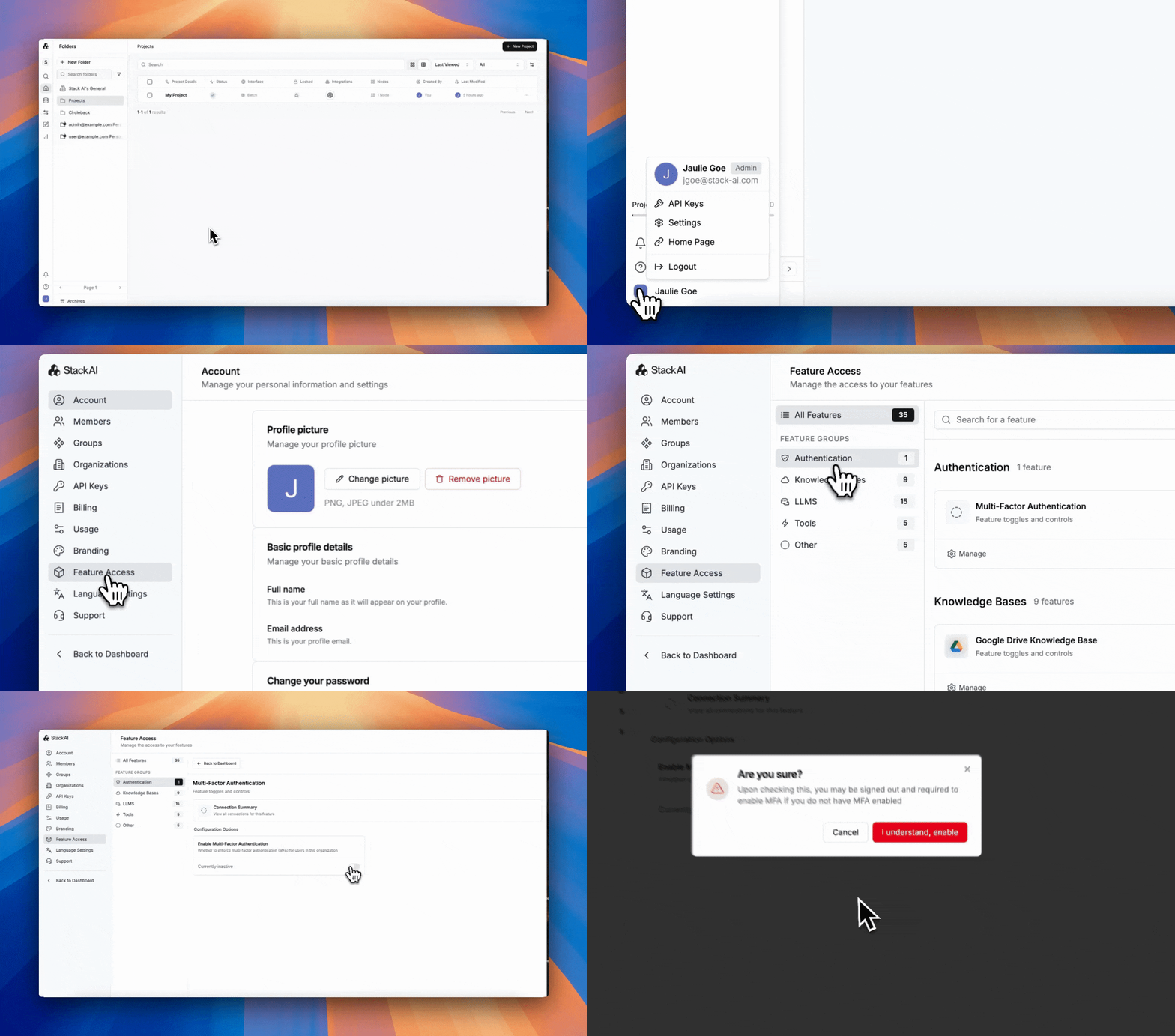
**8) Authentication and MFA**
Organizations can use **email/password** (when enabled) or **SSO** (recommended). Enabling SSO means protecting **any or all** interfaces from access by members outside of your organization; further, SSO allows you to capture the email addresses of all users of your interfaces to easily keep track of who is using your workflows. You can also require SSO for all interfaces. By default, SSO users land as **users** until granted higher roles.
---
# Agent Instructions
This documentation is published with GitBook. GitBook is the documentation platform designed so that both humans and AI agents can read, navigate, and reason over technical content effectively. Learn more at gitbook.com.
## Querying This Documentation
If you need additional information that is not directly available in this page, you can query the documentation dynamically by asking a question.
Perform an HTTP GET request on the current page URL with the `ask` query parameter, and the optional `goal` query parameter:
```
GET https://docs.stackai.com/welcome-to-stackai/security-and-governance/ai-governance.md?ask=&goal=
```
`ask` is the immediate question: it should be specific, self-contained, and written in natural language.
`goal` is optional and describes the broader end goal you are ultimately trying to accomplish on behalf of the user. GitBook uses it to tailor the answer towards what is most useful for that goal.
The response will contain a direct answer to the question and relevant excerpts and sources from the documentation.
Use this mechanism when the answer is not explicitly present in the current page, you need clarification or additional context, or you want to retrieve related documentation sections.